Door insertion ignoring nearest wall (solved: wall mitering)

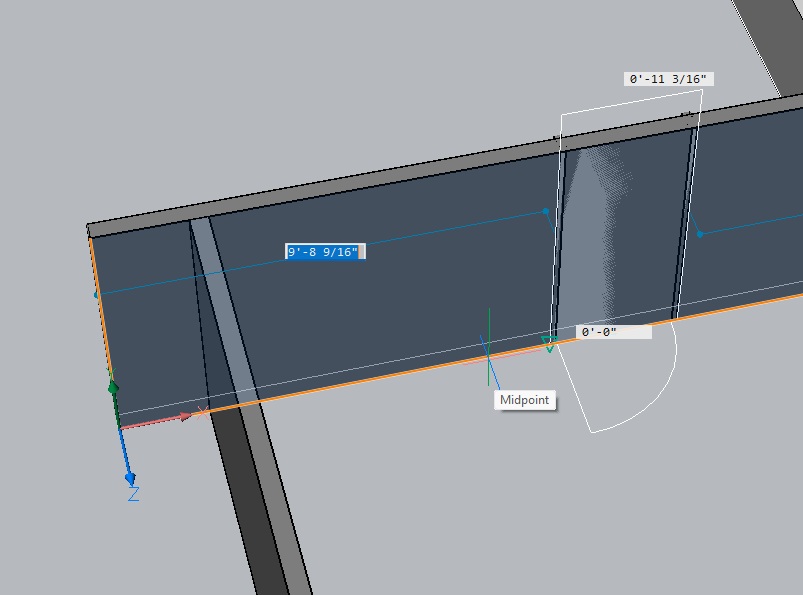
Inserting a door seems to only show my distance to the end of the actual wall its being inserted into. Is there a way to get it to recognize the distance to the perpendicular wall?
Being new to BIM, I'm now wondering if this is the incorrect way to draw this wall situation.
Comments
-
Hello,
If your walls are connected, the distance to the perpendicular wall should be recognized.
If the walls are connect, please create a Support Request and attach the drawing where you can reproduce this issue.
0 -
Before I submit a ticket - is "connected" different than "touching"? Is there something special I have to do to make walls connect? (Like the example above, I'm talking about when two walls come together at a "T".
I just now created a new empty drawing and used Quick Draw to make a simple 4 wall room with slab floor. I used "wall" with the "single wall" option in the dialog box to place a wall within the 4 main walls. This wall was automatically placed touching two of the outer 4 walls.
I then try to insert a door or window (or anything) on a main wall, and the interior wall is not recognized when I place the object on the main wall.
0 -
Support responded (thanks!) Bricscad is operating as designed. To get objects to recognize perpendicular walls, the walls in question need to each be separate entities. T shaped connections need to look like the photo below, as opposed to my original example above.
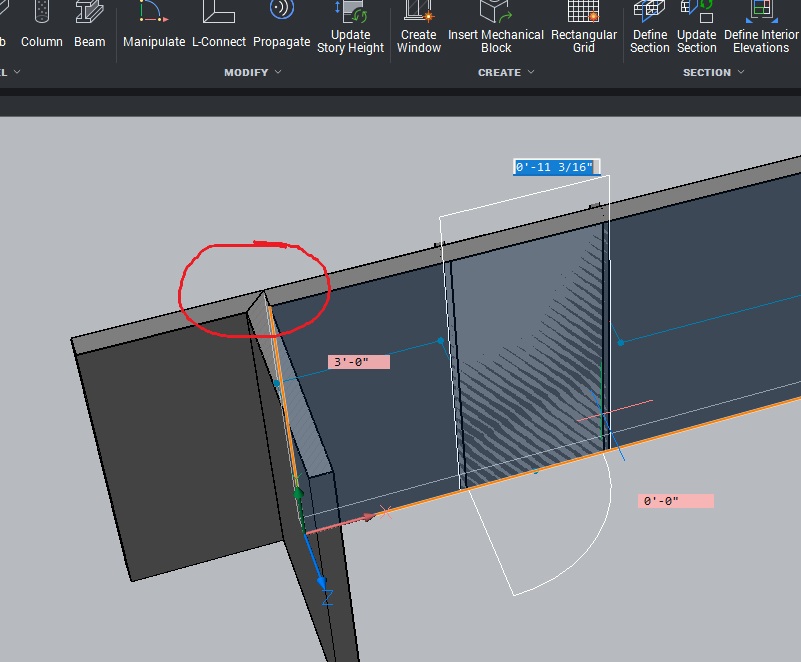
I wish walls automatically did this (I'm attempting to migrate from Autocad Architecture where windows and doors automatically recognize perpendicular walls without any special preparations)
0