Frame Type around text

Dear All,
Is there any way to define a custom frame type around texte for a multileader? I can choose from a predefine list (circle, parallelogram, rectangle, etc.) but I wish I can get a Diamond shape. I was thinking to select a rectangle with a 45 ° rotation but the text does not remain horizontal.
And I if the content is defined as a block (with a diamond), I cannot get a text parameter inside the block to switch the letter inserted in the diamond.
TY for your help. BR
Comments
-
You could use the block option in content. (I have attached a working multileader)
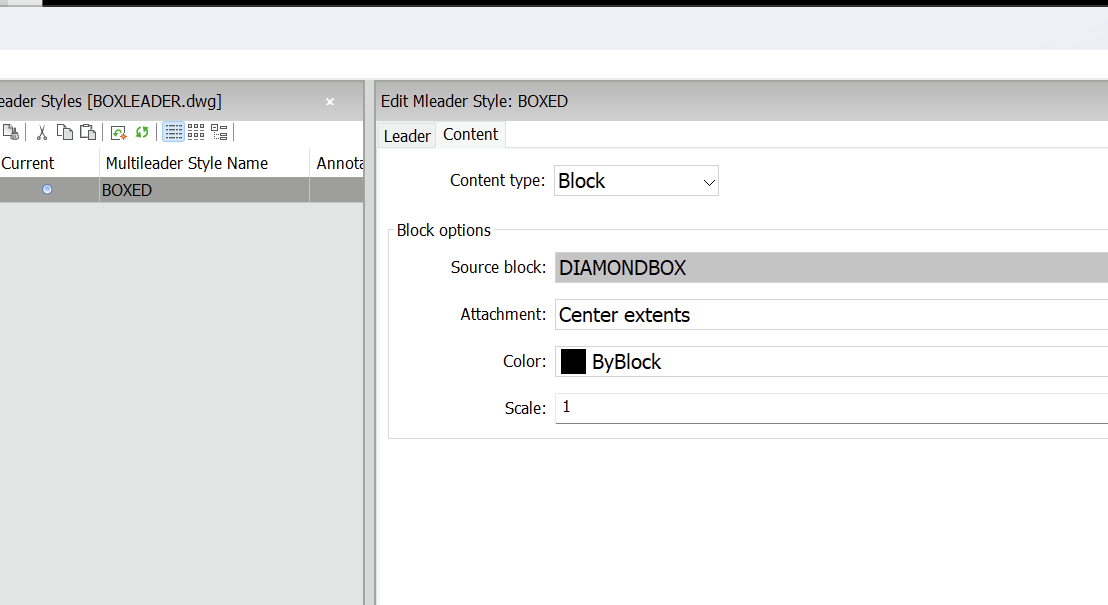 1
1 -
Another is I have pt num bubble.lsp it makes a circle or a square as a block with a single attribute, you can, wont go into it now but add a tail to the block so it looks like a leader. Yes could make the square rotated 45. If a dynamic block can have multiple visibilty states so leader line is approx in correct direction. say around 8 visibilities check 2 point angle and use correct one. I dont have that but know it can be done. Can lengthen line also.
DFLY nice idea only one problem, I found 4+ letters, but then how many times do you need 4+ letters.
0 -
@DFLY: the solution you proposed is fine. I was just wondering if I could set the attribute value from a list (designtable or other parameter) ?
Thank you very much for your help
0 -
Two ways ask for the value before making the leader, or edit the attribute after making the leader.
You can have say a Multi radio button dcl with values or a list box if you have lots of values, the list box can be a two column version where you have a type that you select then the second list box is filled in with all the options.
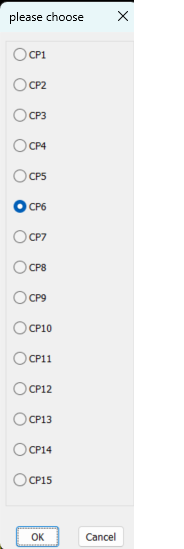
As you have not hinted at what the values would be can not provide a better answer, So post a dwg with leader setup.and more details about the values to be used.
0
