INSPECTOR for Bricscad V25 and V26

I am working with Curves (3D/2D), Solids (3D), Surfaces, Blocks, Tin's, Bim objects and Xref's and have always needed a quick "browser" of the internals of the database and entitiy structure. The MgdDbg from ADN-DevTech is a very good tool (AutoCAD) to inspect Database and entities.
The Inspector developed by Gilles Chanteau and
, an excellent and brilliant programmer is a very fast and comprehensive Inspector as well !
You find it at https://github.com/gileCAD/Gile.Inspector?tab=readme-ov-file#readme
It is open source under the MIT license.( MIT License Copyright (c) 2022 Gilles Chanteau)
I have tried to adapt the source code and compile it for Bricscad V25 and V26 and succeeded !
The Inspector plugin exposes 5 commands :
INSPECT_ENTITIES, INSPECT_NENTITY (nested entities like xrefs,blocks, polylines etc.),
INSPECT_DATABASE, INSPECT_TABLE, INSPECT_DICTIONARY
It also exposes a context menu before or after selecting one or more entities!
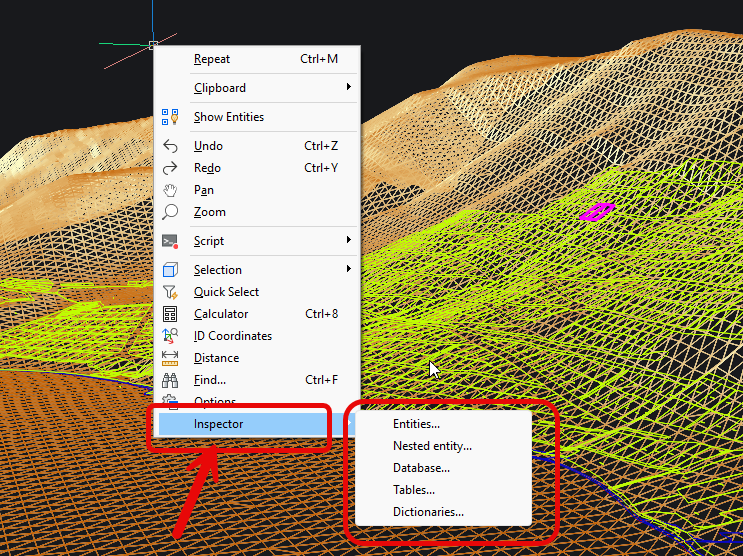
Those of you interested in adapting, changing or othewise customizing the plugin should use the source code published under the MIT License Copyright (c) 2022 by Gilles Chanteau at the above address in github.com. The changes of the source code necessary to compile it for Bricscad are described in the attached pdf document. The code changes are also open source and published here under the MIT License!)
I have compiled the plugin for V25 (NET Framework 4.8) and V26 (NET 8) and would like to share it with you. You find attached the 2 versions of the plugin and the Code Change Descriptions.
Enjoy …!!!!!!
Comments
-
Everything Gilles writes, is golden!
1 -
Sakko,
Thank you for all the work you put into getting Gilles' Inspector working on BC V26. This app provides far more information than I need but the ease of use and the presentation is great! I agree with Its_Alive, Gilles has been providing very useful code for years and your contribution is greatly appreciated.
1 -
For dummies like me using lisp and VBA. understand about dll etc, but where is the rest of the how to install ? Bricscad does not have Bundles etc.that is a Acad thing yes have made bundles. I dont do anything with .NET.
Just 40+ years in lisp.
0 -
AlanH
Here is a link on Bricsys help:
In the help there is a link to download .NET8. So download and install.
Put Sakko's dll file in your BricsCAD support path.
Open a dwg, in my case BC Pro V26, and enter NETLOAD on command line. In my case the dialog box opened right to Sakko's dll file. The Inspector loaded with no problem.
Selecting any object in the drawing and right-clicking "Inspector" shows Gilles' window of data. It is really nice.
I used APPLOAD command and checked autoload in the dialog box so it will always open.
0 -
I am interested maybe, but exactly what does "the internals of the database and entitiy structure" look like? In the pic at the top, one tiny part of the model seems to be selected. Does the the tool just report on a selected entity, or on the whole model?
0 -
At its heart, it uses AcDbFiler, this is what the system uses to save AcDbObjects to the dwg, basically analog to using (entget(car(entsel))), which uses AcDbDxfFiler. Gilie’s magic is expanding the raw data into something more useful. This an example of raw dwg data from Python
[
    ('Adesk::Int32', 0),
    ('bool', True),
    ('bool', False),
    ('AcDbHardPointerId', PyDb.ObjectId(0)),
    ('Adesk::Int32', -1073741824),
    ('Adesk::Int32', 0),
    ('double', 1.0),
    ('AcDbHardPointerId', PyDb.ObjectId(107051080)),
    ('AcDbHardPointerId', PyDb.ObjectId(107051300)),
    ('Adesk::UInt8', 0),
    ('AcDbHardPointerId', PyDb.ObjectId(0)),
    ('AcDbHardPointerId', PyDb.ObjectId(0)),
    ('AcDbHardPointerId', PyDb.ObjectId(0)),
    ('AcDbHardPointerId', PyDb.ObjectId(0)),
    ('AcDbHardPointerId', PyDb.ObjectId(107051cc0)),
    ('Adesk::Int16', 0),
    ('Adesk::UInt8', 29),
    ('Adesk::UInt8', 36),
    ('Adesk::Int32', 0),
    ('bool', True),
    ('AcDbHardPointerId', PyDb.ObjectId(0)),
    ('Adesk::Int32', 0),
    ('double', 0.0),
    ('AcGePoint2d', PyGe.Point2d(66.50141482175191,141.53411513859274)),
    ('AcGePoint2d', PyGe.Point2d(0.00000000000000,0.00000000000000)),
    ('AcGeVector3d', PyGe.Vector3d(0.00000000000000,0.00000000000000,1.00000000000000)),
    ('double', 0.0),
    ('double', 0.0),
    ('double', 0.0),
    ('double', 41.806102017989026),
    ('double', 1.0),
    ('ACHAR*', 'hello world'),
    ('Adesk::Int16', 0),
    ('Adesk::Int16', 0),
    ('Adesk::Int16', 0),
    ('AcDbHardPointerId', PyDb.ObjectId(107050b40)),
    ('Adesk::Int16', 0)
]
0 -
If that's the raw data, you say "Gilie’s magic is expanding the raw data into something more useful"? What would that look like?
0 -
Tom, the best way to make a picture of what inspector is, is to try it yourself !
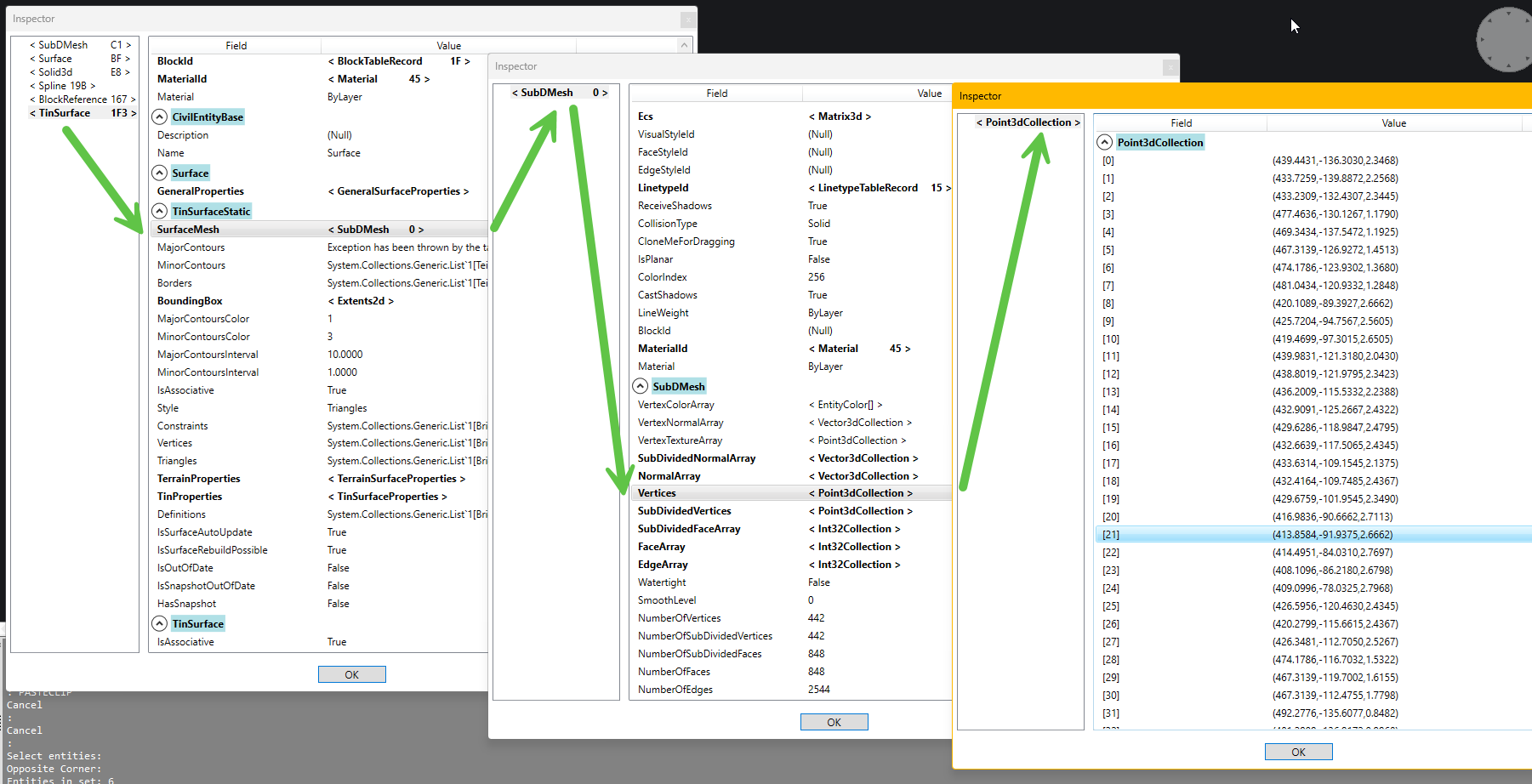
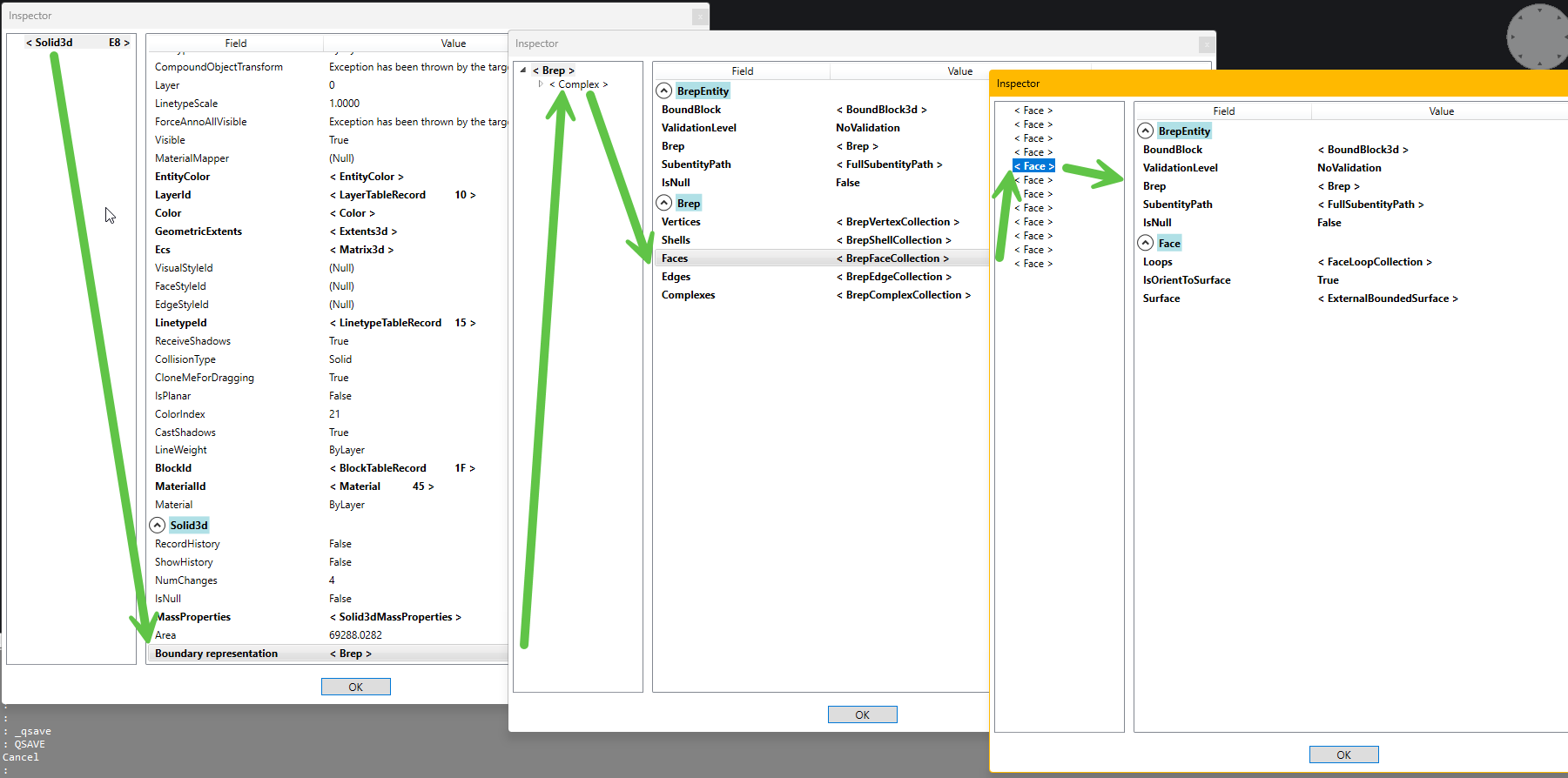
The Inspector is a Browser of Entities and Complex Entities including subentities like Blocks and Xrefs as well as of the Database of a drawing and its Tables and Dictionaries ….
It's a tool for those wanting to gain a better understanding of the internal structure of Entities and the Database, their properties and methods for programming or research purposes !
So just NETLOAD the dll for V25 or V26 and call the above described 5 commands or use the context menu to invoke the Inspector before or after selecting one or more entities!
Two Screenshots for a TIN and a Solid3D (ACIS)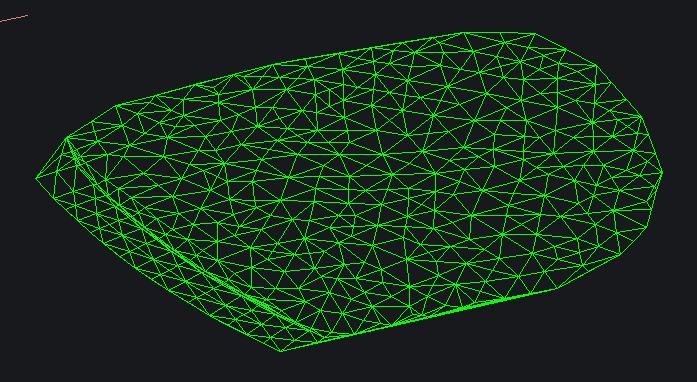

 3
3 -
Nicely shown - thanks, makes sense now - beyond me, but sure to learn something - an intriguing way to fill my days, as if I had any spare.
0 -
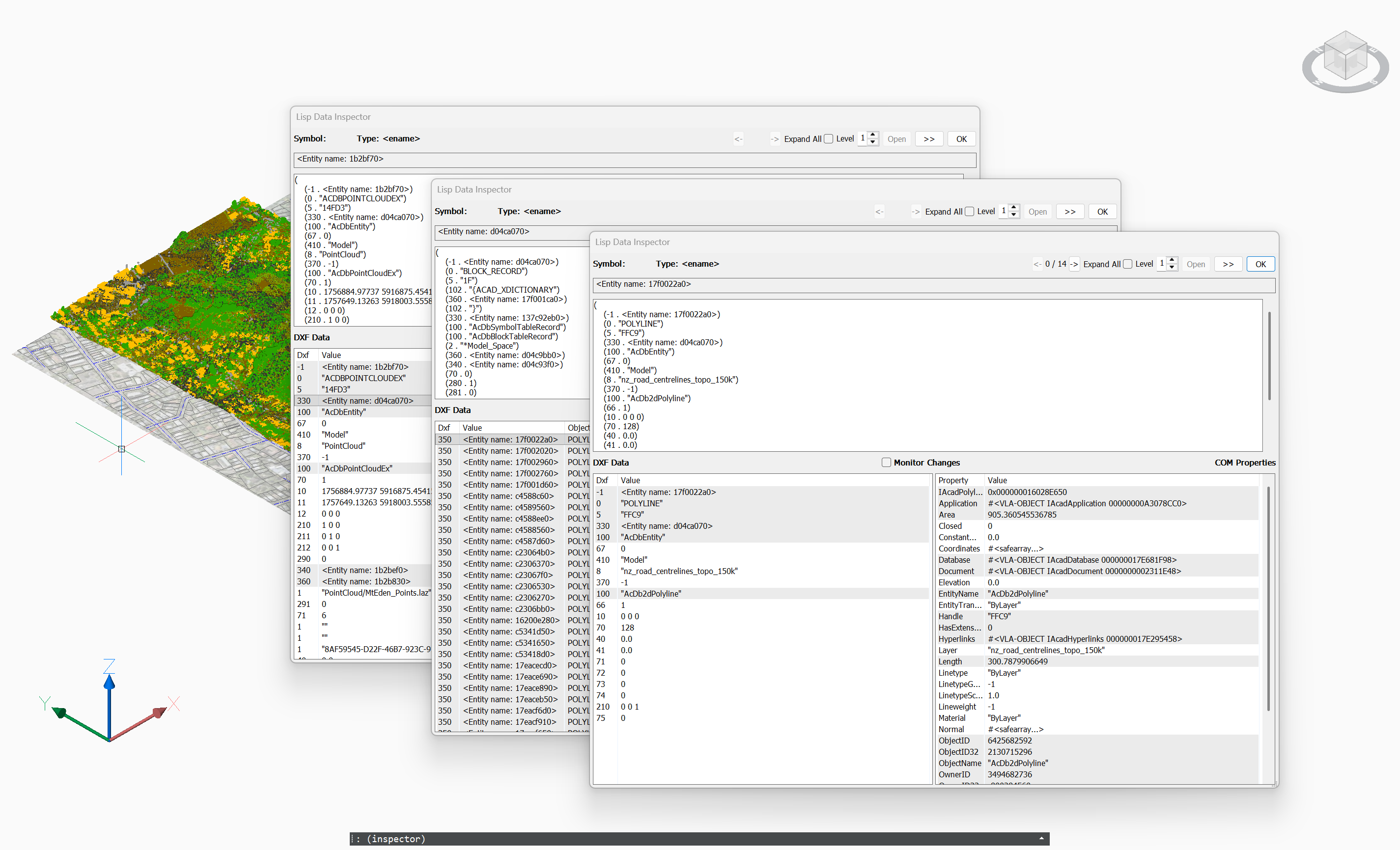
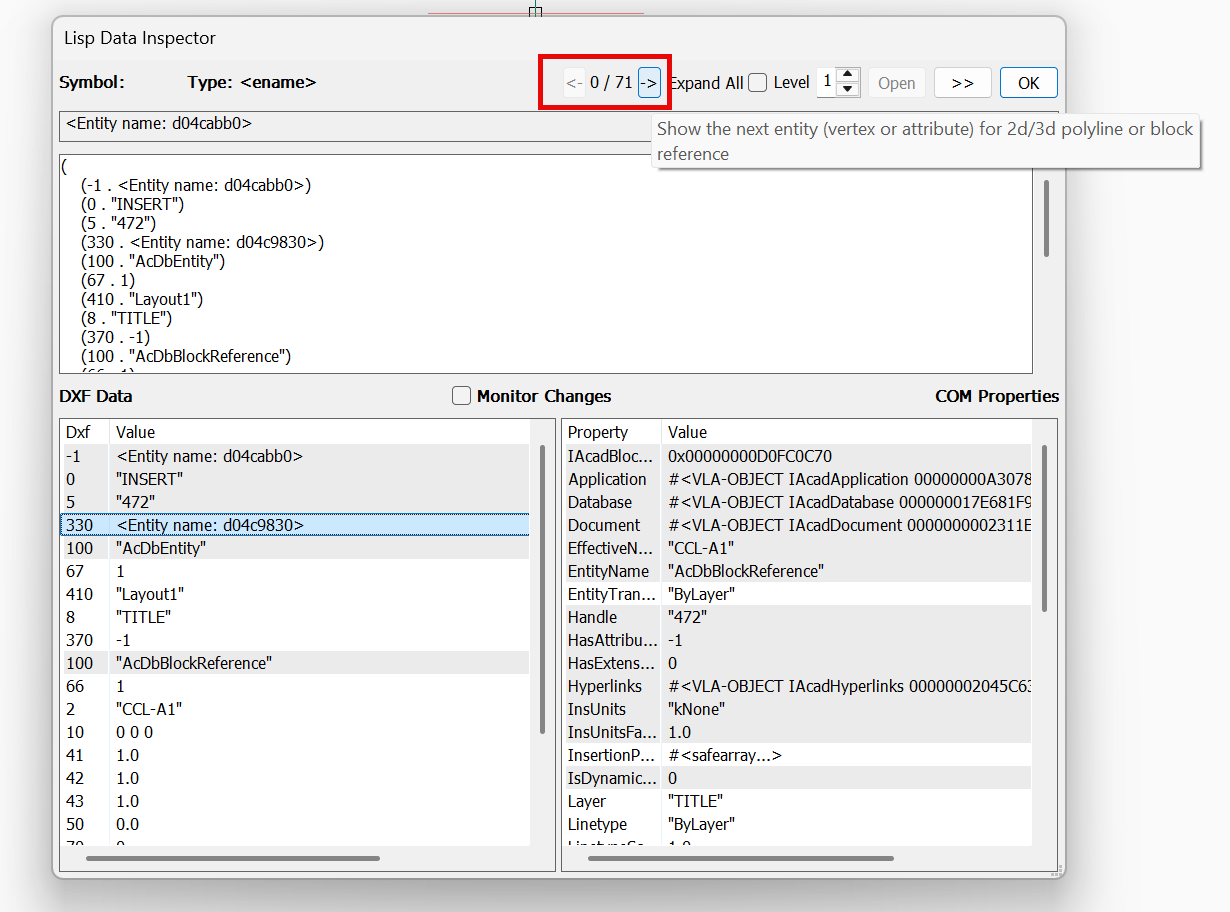
There is actually a built-in inspector in BricsCAD available from LISP.
You can use it by simply typing it in at the command line
(inspector)
Looks to work in a very similar way to gile's code. It provides access to both DXF data and COM properties.
Jason Bourhill
CAD Concepts Ltd
3 -
That’s using the DXF filer, there’s some objects that don’t have proper DXF filers, I.e. some of the Bricsys civil objects don’t. DWG objects must have DWG filers
0 -
I am running V25 downloaded version 8.04.417 but netload the v25 got DLL errors.
For others its ok now you need to do a restart after installing the Net 8.
0 -
In Sakko's first post there is an image showing the right-click context menu with a fly-out of all five inspector commands. Curiously for my installation (V26) there is no fly-out nor an arrow to imply a fly-out. Clicking the "inspector" menu item appears to run the "Inspector_entities" command; obvioulsy the default. If I type "inspector" on the command line all five commands are listed in the autocomplete list. All five commands seem to work correctly.
This is not an issue for me since I will be adding a split command button on my "Developer" ribbon tab to execute the five commands.
I only mention this as a heads-up in case other users have similar experience.
0 -
just wanted to say that i cannot reproduce the described behaviour as of Version 26.1.08 (x64) !
Thanks for reporting it and we are looking forward for other developers to report on it …..
Many thanks for reporting !0