Parametric Block question: attribute won't stay in place

Hi all,
trying to create a parametric block for axes in my drawing. Simple layout, two circles with an attributed text in them connected by a dashdot-line.
Ideal scenario for now, create a parametric block (or dynamic block since we can in this version) that has a parameter length of the dashdot-line between the two circles with text and that is annotative where in a different annotation-scale only the size of the circles and text (and the scale of the dashdot line) changes, not the overall scale of the block.
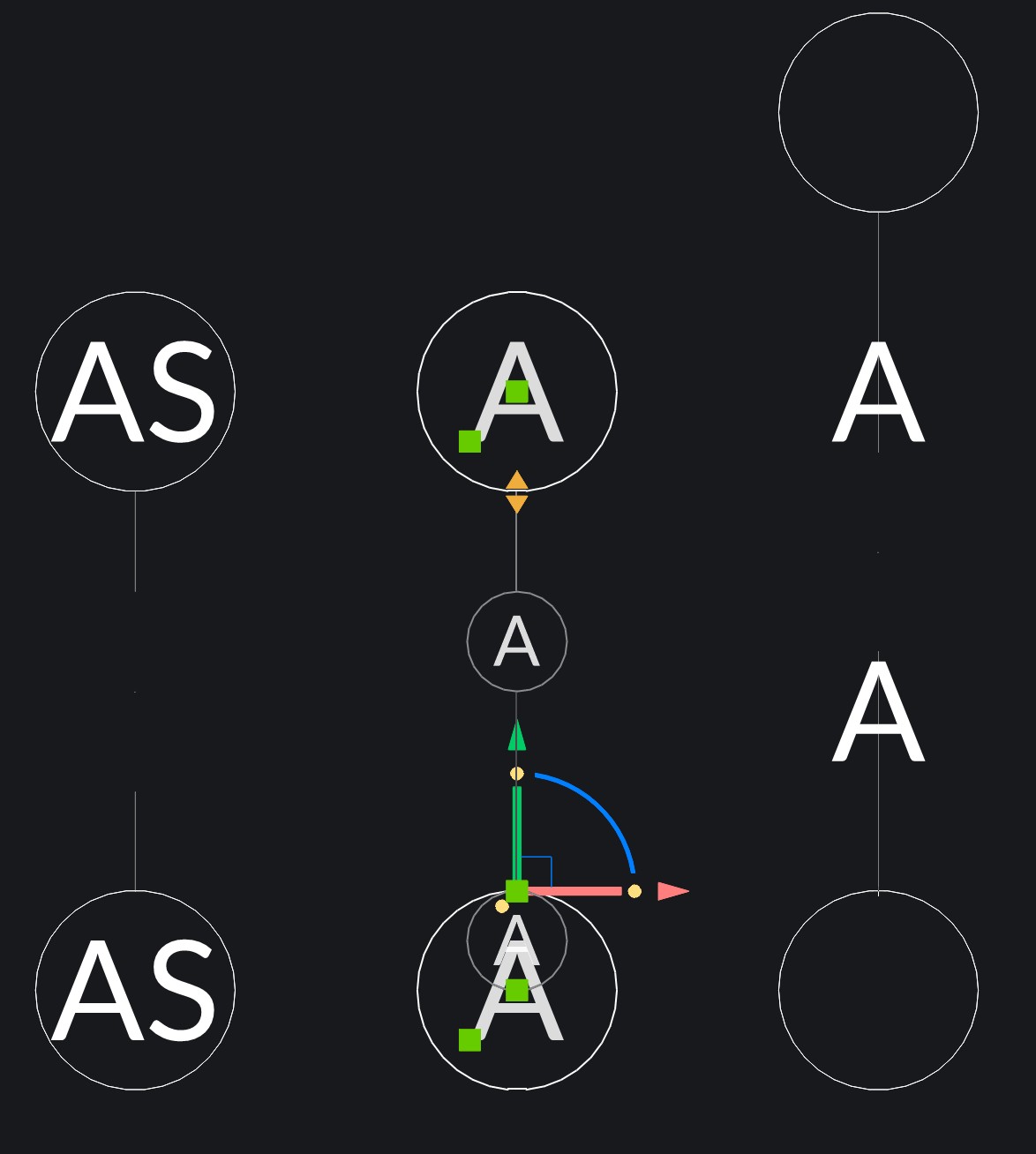
A little picture to clarify my attempt:
- left is the basic layout where 'AS' is the attributed text centered in the circle.
- middle is the created block that shows the parameter and it's base point. Also visible here is that when changing the annotation scale, the whole block changes scale.
- right shows that when extending the dashdot-line the text-attributes move in a strange way.
Who can help me with this? I've also tried it with a dynamic block, but in the current version I don't seem to be able to select the text-attribute as an object the dynamically move along with the stretch parameter.
Comments
-
Hallo JorisHoogstede, hast du inzwischen eine Lösung für das Problem gefunden? Ich hänge gerade an dem selbem Punkt fest. Liebe Grüße
0 -
No, haven't been able to solve the issue. Just installed the latest version, didn't read it in the release notes, but maybe behaviour is fixed in this version.
0 -
The release notes for V26.1.08 mention a fix that sounds similar to your issue
Attributes
Fixed a bug where attribute definitions with the same tag name as the parameter they are linked to did not update their position as expected when the parameter changed.
SR158073
Jason Bourhill
CAD Concepts Ltd
1
