change the line type for an command permanently

I want to change the line type for an command permanently. I didn't found an option for this. How is it possible to change it, for example for the centre line?
thanks
Comments
-
You can't change the linetype for drawing commands.
It is possible to set your global linetype using CELTYPE
Every entity drawn after setting will take on that linetype.
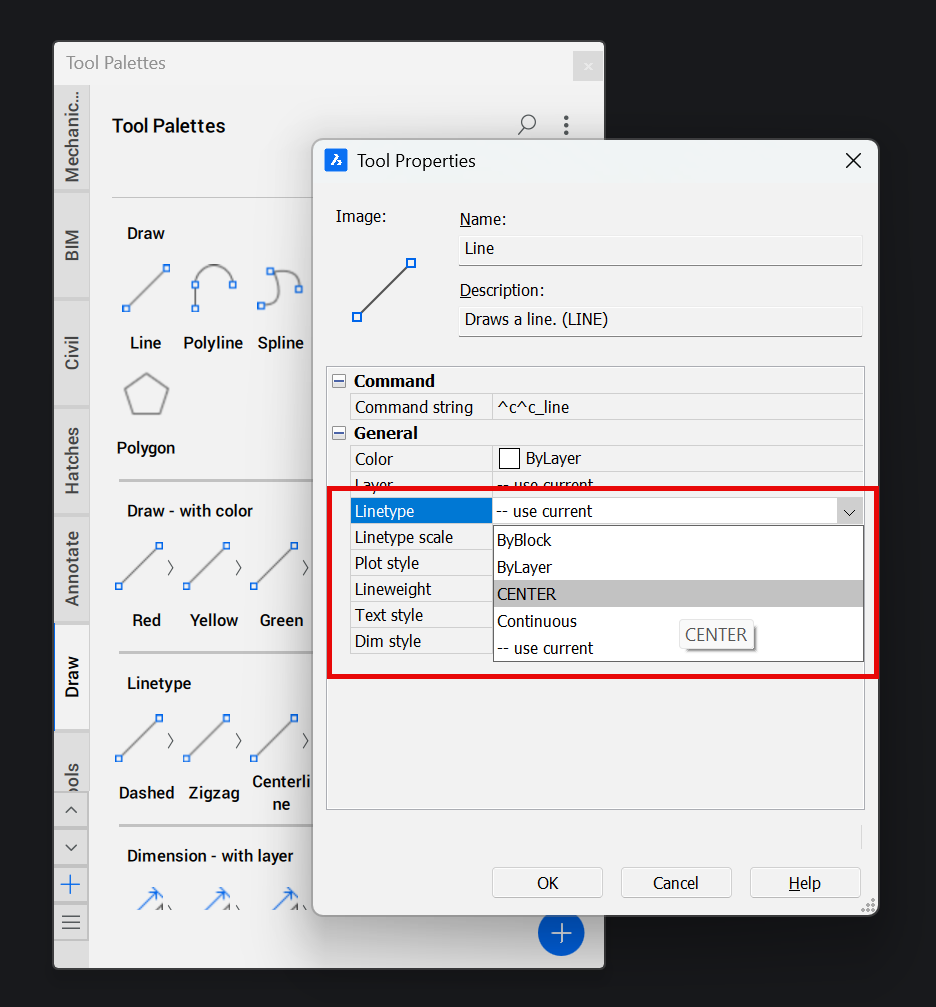
You could try using the Tool Palette. This allows you to set the properties of commands
Jason Bourhill
CAD Concepts Ltd
0 -
If your drawing an object on a layer or want a linetype then as suggested you can make little lisp defuns that are loaded on startup.
eg
(defun c:dash1 ( / )(setvar 'celtype "Dashed")(command "Line"))
(defun c:dash2 ( / )(setvar 'celtype "DashedX2")(command "Line"))
Could use names like Line1 line2.
0 -
Using LISP you could undefine the command, then write a function with the same name that would save the active linetype, change the linetype, call the built-in version of the global command (by adding an underscore, for example, "_LINE"), then restore the linetype to the value you saved.
0 -
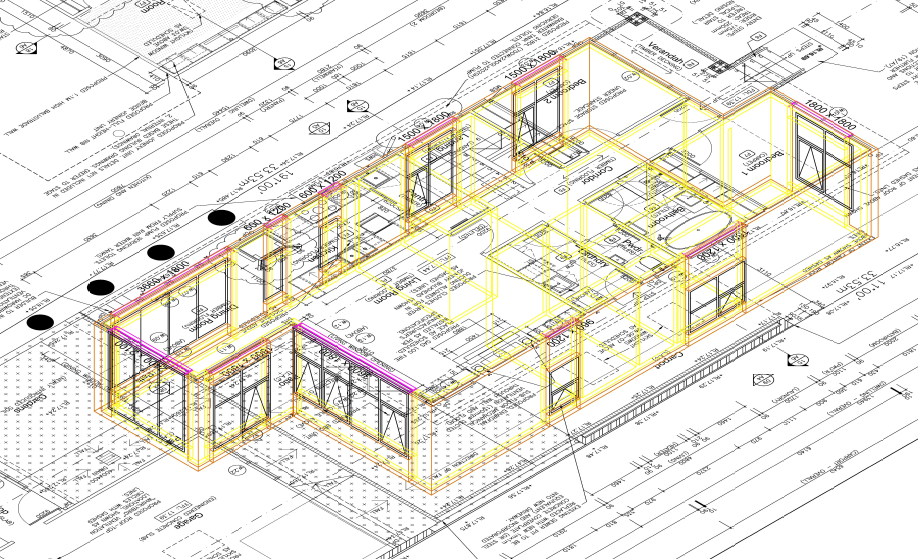
This image is auto layered you draw objects not lines. Think walls, doors windows etc.All go on correct layers with no user input.
 0
0

