Why Monument Valley Geometry Cannot Align Perfectly in an Orthographic 3D CAD System

While recreating a Monument Valley scene using 3D CAD (BricsCAD), I encountered a puzzling issue: when building the staircase structures using a strict orthographic coordinate system, the bricks could never line up perfectly. No matter how I adjusted the geometry, there was always an extra column of blocks, or a misalignment that should not exist in real 3D space.
This made me realize something important:
Monument Valley’s architecture is not purely geometric — it relies on intentional visual illusions created by overlapping shapes in perspective.
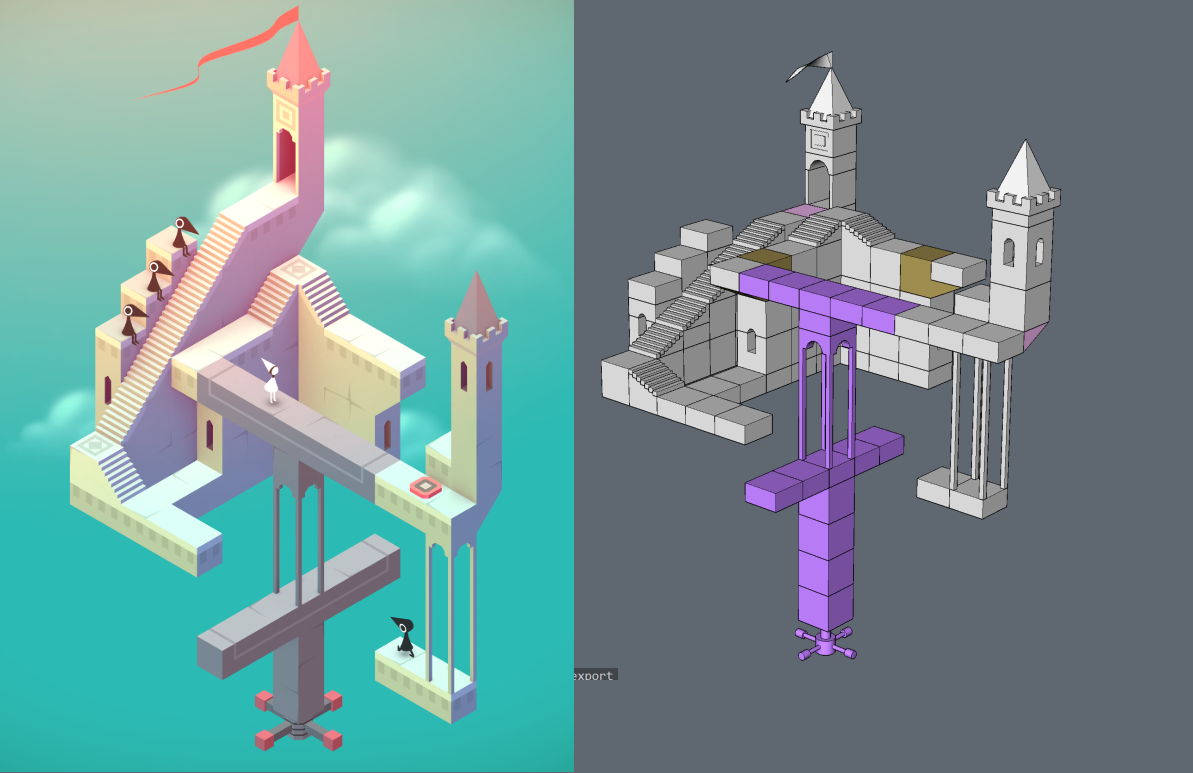
In CAD, every block occupies a real 3D coordinate. When two objects overlap in screen space, they must also overlap in world space — this is a core rule of real 3D modeling.
But Monument Valley breaks this rule.
For example, in the stair sections shown in my CAD screenshots:
- The staircase seems to connect smoothly in the game
- But in CAD, if you try to align every step strictly, you end up with a gap or an extra row of blocks
- Because in the game, the stairs only appear connected from one specific camera angle
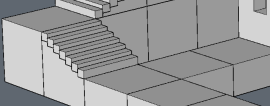
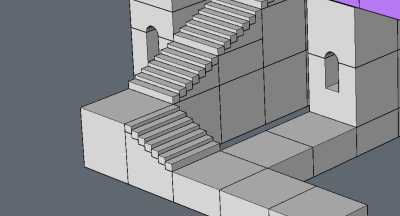
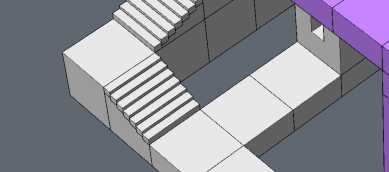
I also struggled a lot with the stair proportions themselves.
At first, I set the step ratio to a clean 1:1 (height = depth), but the stairs still didn’t visually match the Monument Valley style.
Then I adjusted the ratio to 1:0.5, which looked a bit closer, but still not quite right.
This made me realize that the game doesn’t follow consistent architectural proportions.
The stair dimensions are also part of the illusion — they only “look correct” from the camera’s fixed angle, not in true 3D space.
Monument Valley uses forced perspective and Escher-style illusions.
This means:
- Two paths that look connected may actually be separated in 3D
- What looks like a continuous staircase may consist of multiple disconnected pieces
- The visible connection exists only because the camera angle collapses the depth
So when reconstructed in a true orthographic CAD system:
➡️ The illusion breaks➡️ The blocks cannot align
➡️ Extra bricks appear because the shapes overlap in screen space, not in real spaceConclusion
Monument Valley is not built on physically correct geometry.
It is built on visual storytelling, where geometry is arranged to look correct only from a specific viewpoint.
When we try to rebuild it in CAD with strict coordinates, the illusion collapses, exposing gaps, overlaps, and impossible alignments.
Community Question
By the way, I’m curious — is anyone here also a fan of Monument Valley?
Have you ever tried recreating its impossible geometry in CAD or any 3D software?
If you have your own models, experiments, or workflows, I’d love to see them.
Please feel free to share your screenshots, tips, or even your “fail moments” — I think we can all learn a lot from how others approach these optical-illusion structures!
Comments
-
Hello.
As you mentioned, the geometry is possible, but not in the way it is preceived from a specific viewpoint.
Also, besides perspective, the proportions could have an influence on the final result.
The original picture shows stairs using an ramp angle of around 45 degrees.
Steeper stairs could add more depth to the overall perception, thus "improving" the illusion.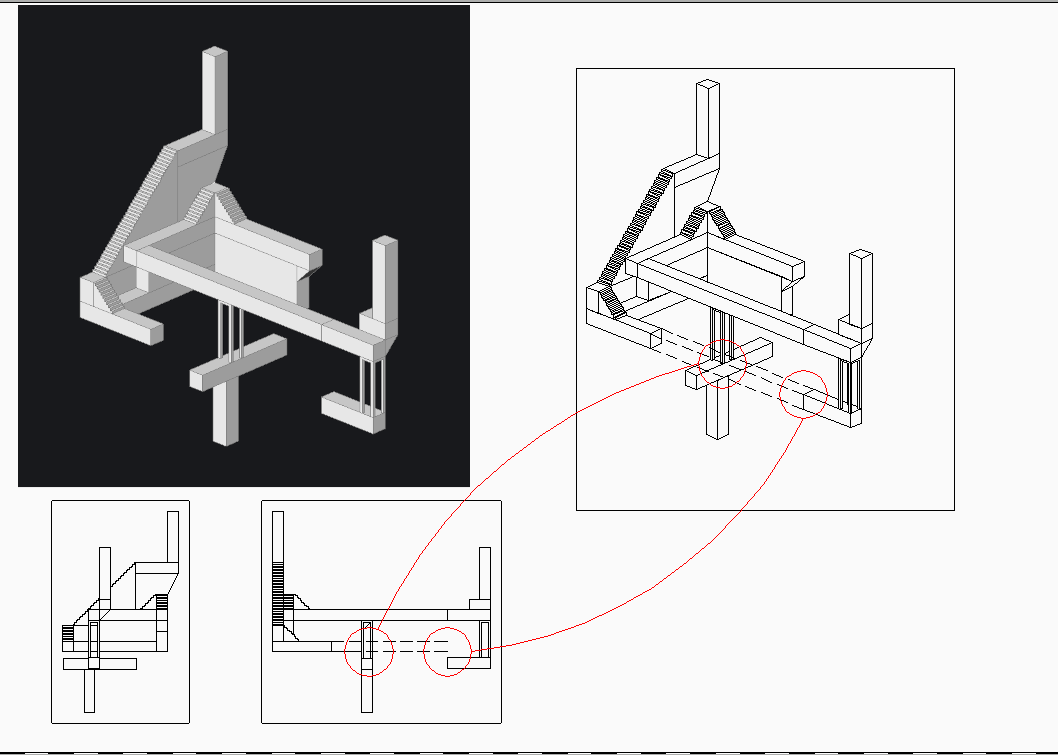 1
1 -
Ah, I see what you mean now. Your elevation drawing really helps—thanks for sharing!
0