super-light-grey colour

For a super-light-grey Solid hatch, I'm using a Layer having colour 254, then once the hatch is drawn, in Properties changing its transparency to 70%. This seems to be off the end of the scale of what can be created as a custom colour - or how would I do that, so I can create a Layer having that super-light-grey colour?
Comments
-
You could als use a custom True Color like 255 255 254 - if you don't mind the warm tint.
But what is the Solid Hatch used for ?
Are you drawing on a dark gray or black background ? I would say that everything above 250 is white. Hard to notice on screen, ignored in print (?) And why the transparency, do you want to see partly through or are not using pure 255 255 255 White - as this would be displayed as Black when using a white background ?
1 / 255 * 0.3 ⇒ 0,12 % Black
(I would say pure White)0 -
White background.
pdf attached - transparency does print if you check the box in Print>Plot options.
Plain colour 254 is on the inner skin at top of the drawing; same 254 but with 80% transparency appliedis within the dashed lines in middle of the drawing - substantially paler, is what I want to achieve by creating a colour, so not having to apply transparency.
0 -
Now I am quite impressed.
Indeed, I can see the difference in your PDF and also in my drawing window, even at 90% Transparency.
(Can't input any higher transparency values than 90%)
But if you run into a case where 254 + 90% transparency is still too coarse - you could go finer by True Color RGB values.
I tested a 255 255 254 Cube on a white Cube - for me no chance to distinguish - until I go down to even 255 255 215 ! until I see a slightly yellowish tint and a bit of contrast.
Interesting how good our eyes are in contrasts, or how bad we (men) are with colors :)
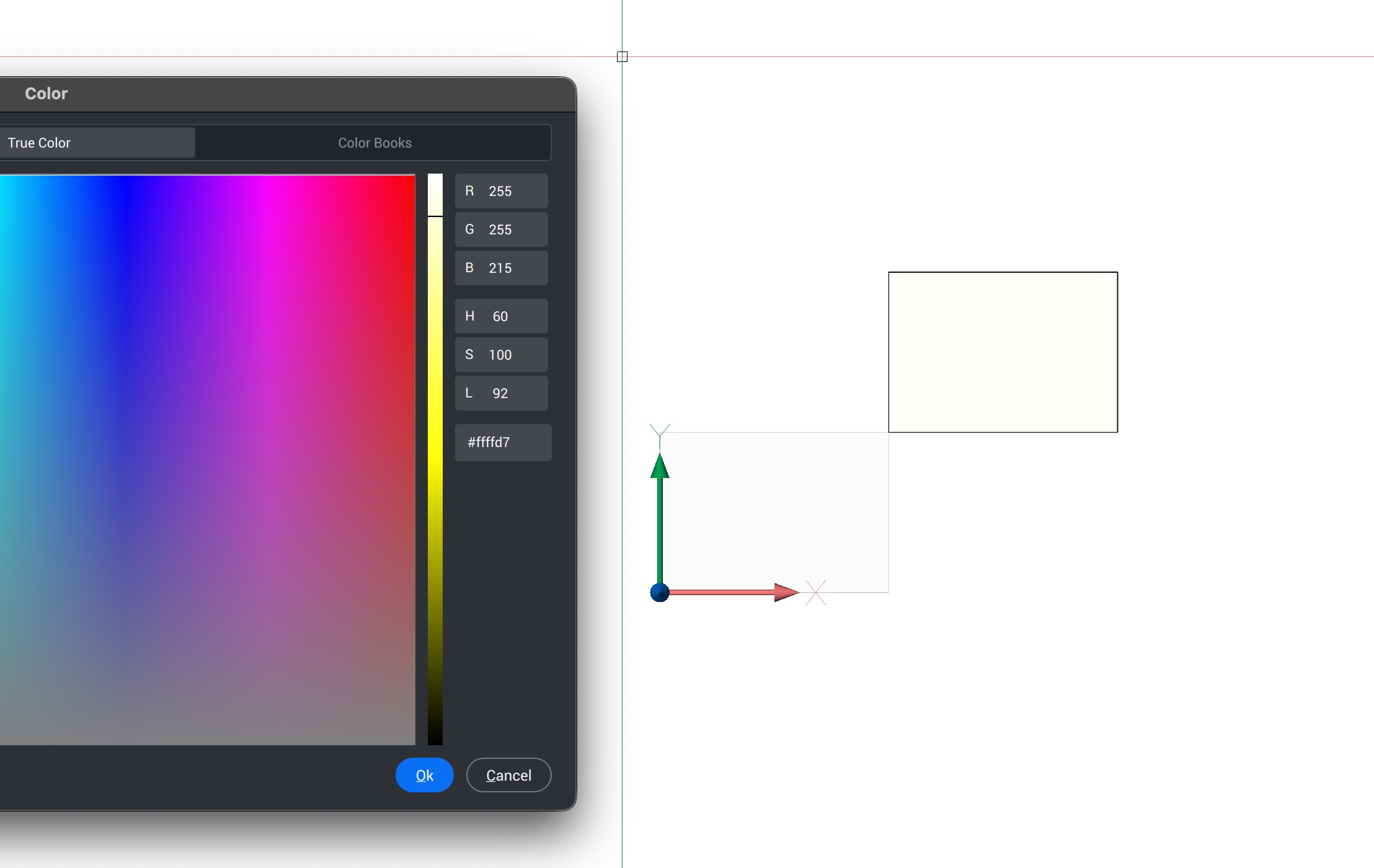 0
0 -
Thanks - tried again in True Color. Index Color 254 is True Color 214,214,214, and I noticed the monochrome slider on the right. Dialed that up to True Color 244,244,244, which matches my Index Color 245 with 80% transparency applied. Job done.
1
