RefEdit toolbar won't 'Add to Workspace'

In v23.2.07, why won't RefEdit toolbar properly 'Add to Workspace' at 'Top' when I tell it to in CUI? (While, on right click, in the dropdown>Toolbars, RefEdit is checked). Sometimes it appears there, then disappears when I Ctrl+S save the dwg, leaving a blank space on the top line.
When I double-click on a Block, the RefEdit toolbar appears, either in that blank space, or at the far corner of my other monitor.
Is it because in CUI I've set up double-click on a Block to open RefEdit (as it used to) instead of default Bedit (since Bedit was invented)?
Or because in CUI I previously created a custom RefEdit toolbar (4 not 5 buttons), which used to dock OK at top - until I just now deleted it. I did that because whenever double-clicking on a Block to open RefEdit, the standard RefEdit Toolbar would appear as well, at the far corner of my other monitor (same as described above). Brics would respond to clicks in either toolbar. On closing RefEdit, the standard Toolbar would disappear.
Looks like the standard Toolbar will only be called by the double-click, and won't be displayed til then.
Comments
-
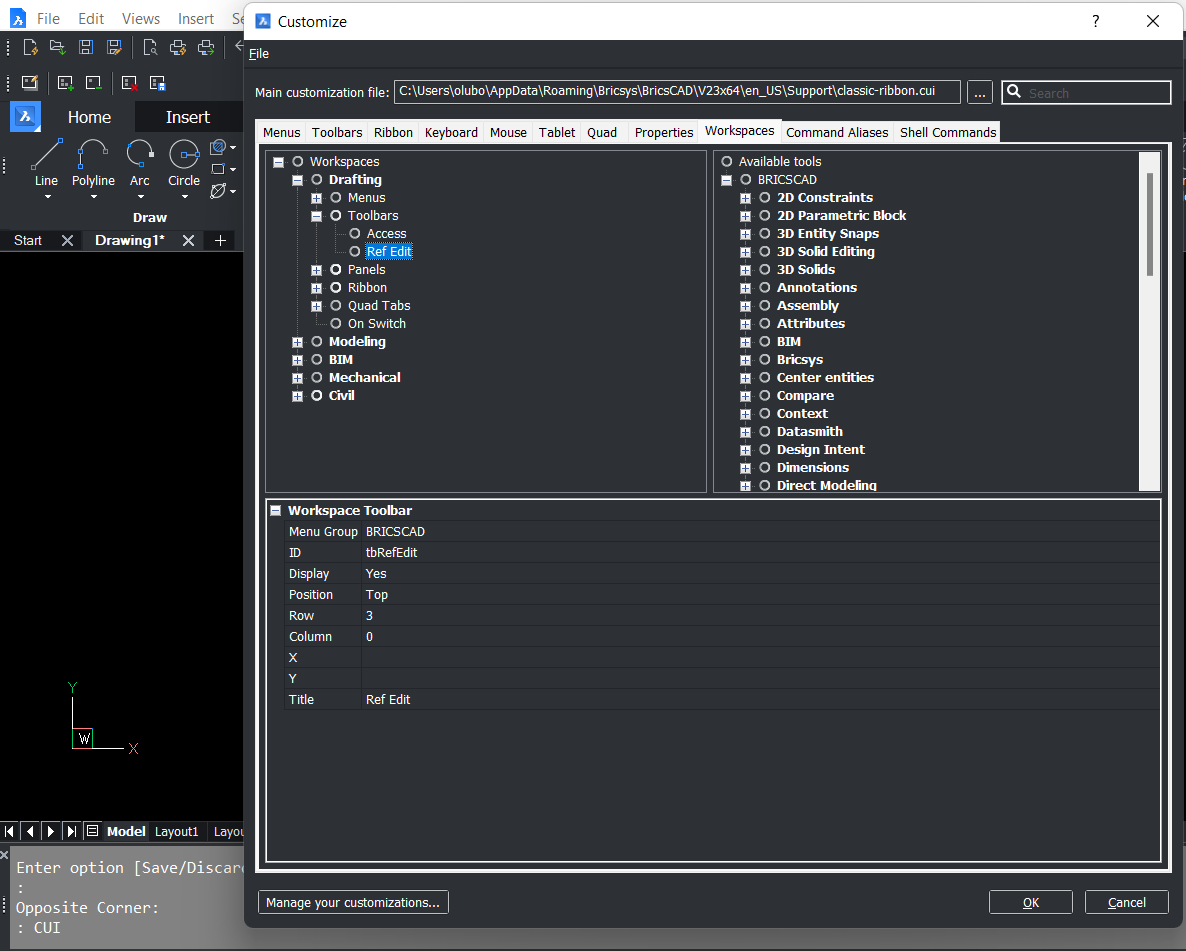
I just tried to do the next: in CUI/Worspaces set Display for Ref Edit toolbar to Yes and changed position to Top. Now this toolbar is always displayed, even if block or xref is not edited.
 0
0 -
Thanks for responding - good to have some 'factory support' even though I've not renewed my Maintenance.
So I see now that, as well as in Toolbars>BRICSCAD>Refedit>Toolbar>Default Display, selecting Add to Workspace,
also in Workspaces>tom's>Toolbars, I have to have RefEdit included. How to get that? The only other ready-made workspace that includes it is Drafting. I can drag Refedit from there to tom's, but can't find how to instead copy/paste RefEdit from either Drafting in the left column, or from the right column.In Workspaces>tom's>Toolbars, I can right-click Toolbars>Append Toolbar, but it always appends Access toolbar, whatever I do, like highlighting Refedit beforehand.
Separate matter, I see in Workspaces>tom's>Toolbars (and in all the workspaces) a greyed-out 'TOM'S PARTIAL.tbEntityProperties' Toolbar shows. What's that about?
0 -
We are trying to keep eyes on the forum also )
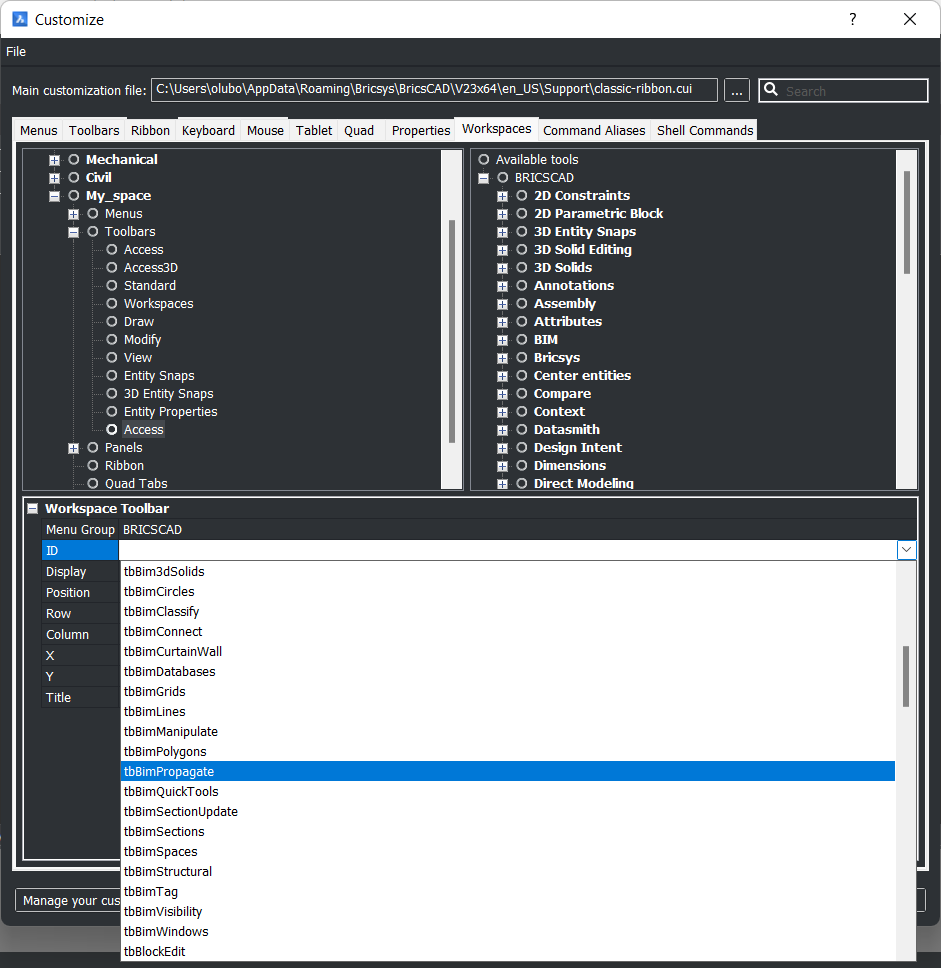
In Workspaces>tom's>Toolbars, I can right-click Toolbars>Append Toolbar, but it always appends Access toolbar, whatever I do, like highlighting Refedit beforehand.
After new toolbar is added, press the ID field and expand the list of availiable toolbars, then find and choose Refedit:
Separate matter, I see in Workspaces>tom's>Toolbars (and in all the workspaces) a greyed-out 'TOM'S PARTIAL.tbEntityProperties' Toolbar shows. What's that about?
Do you have a partial CUI file? It looks like some customization trace…
0 -
Gor blimey (Old English) - is all that documented in Help?! It seems to work - thanks.
Yes I have a 'tom's' CUI, with Draw Order, Selection Modes, Entity Properties, View - and used to have RefEdit, as in penult para of my first post above.
The greyed-out TOM'S PARTIAL.tbEntityProperties' Toolbar has now disappeared from tom's>Toolbars but is still present in all the other workspaces. Prob not doing any harm, but if you have any idea …?0 -
is all that documented in Help?!
Yes ) See "Editing a workspace" → "Insert a toolbar" in this article:
I'm not sure about the greyed-out toolbar, hopefully it doesn't bother you too much.
0