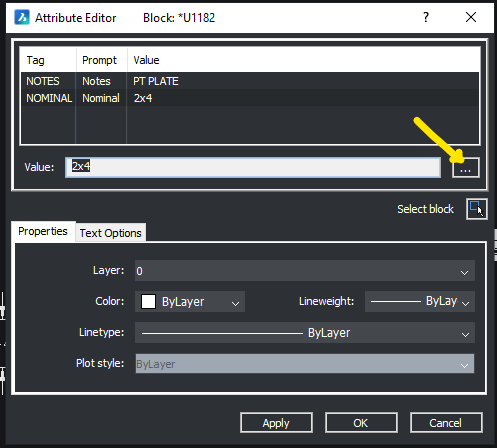
edit attribute window

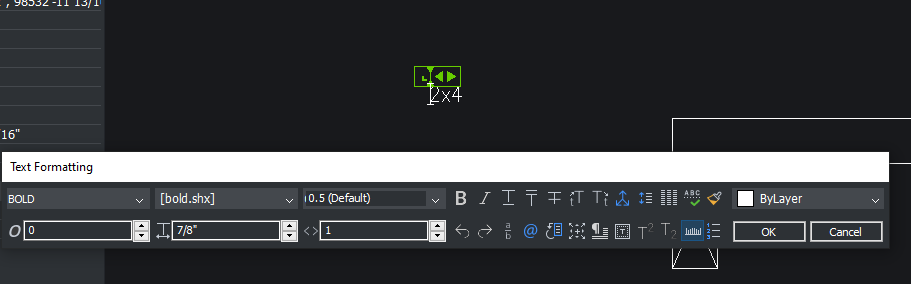
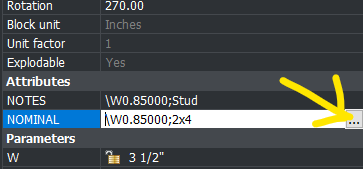
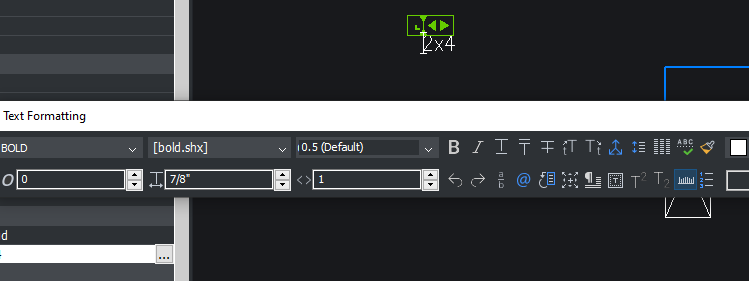
From Just starting out with this, when I open the attribute editor I can't seem to edit directly from the window, have to open a second window (3 dots) - Text Formatting and edit on screen. Also same when trying to edit from Properties bar. Is there a way around this for quick edits? Seems like I could just tab through these and edit in the editor in acad. TIA
From Properties:
Comments
-
If you can see a attribute say have a "." as default prompt you can use CTRL and mouse pick to open that attribute up for edit.
So are you just editing the text or want to edit a property ? Using a lisp would probably expose the properties of an attribute, again can select an attribute from a block by using (nentsel rather than (entsel which would pick the block.
0 -
Just want to edit the text. Got the properties figured out. Got the text figured also just trying to avoid the additional steps, should be able to edit in the Attribute Editor without opening the text formatting window.
Thanks
0 -
Unfortunately this is how it is for MTEXT attributes. If you didn't need multi line text consider updating the attribute to single line.
0 -
Thanks for the help. It is a single line text. BUT working now. Instead of checking the "Invisible" option when creating the attribute, I left it visible and added a "Visibility" parameter to the attribute. Now I can edit without the additional steps. Maybe try creating the attributes on a separate layer that I can disable print.
Now trying to figure out how to cycle through the blocks attribute fields by just hitting enter. I can do it on the blocks I imported from acad so know it's doable, but for some reason the ones I create in Bricscad I have to click on each field I want to edit.
0 -
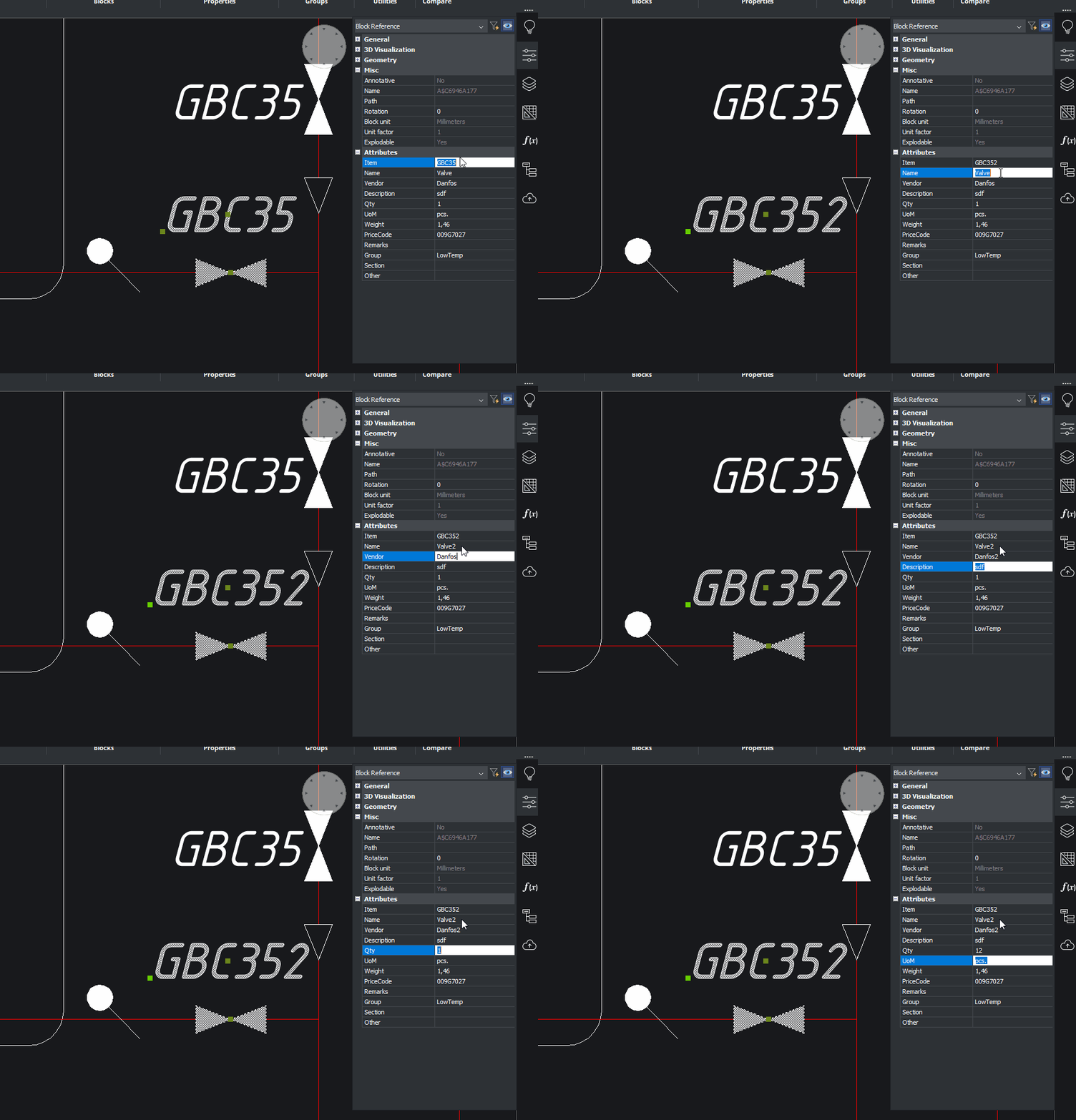
Usually properties allow to edit block instance attributes content - easy. With single instance, or multiple instances of different blocks.
 0
0 -
Yes, have it working good now. It was the attribute fields that I create with multiline text as Jason pointed out above, like in your example the attributes highlight in blue, the multiline highlight in black and won't group edit need to open them in the multiline editor.
Also ran into a problem I have to shut bricscad down and re-open to get group edits to work, I think it is having bluebeam open at the same time and bouncing back and fourth between the 2 throws it into that malfunction. Thanks for the help.
0

