Data Extraction format feet and inches

Hello, All
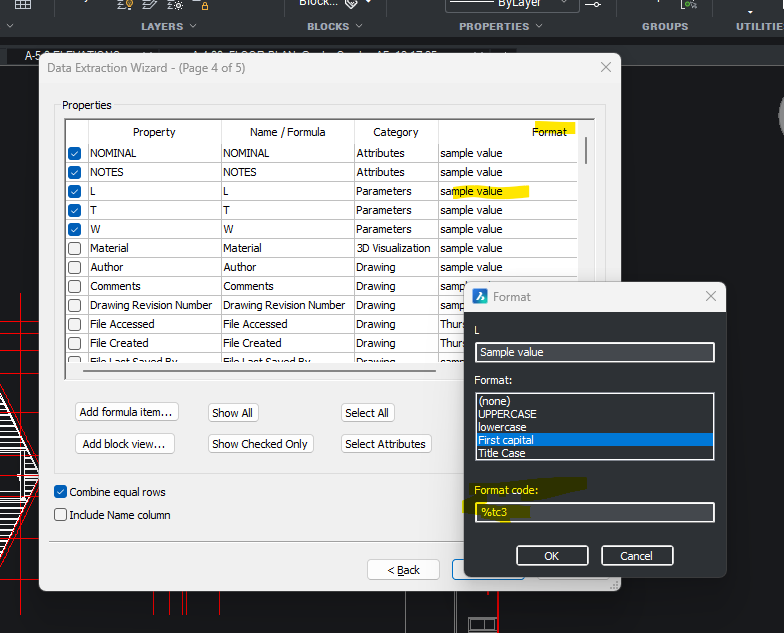
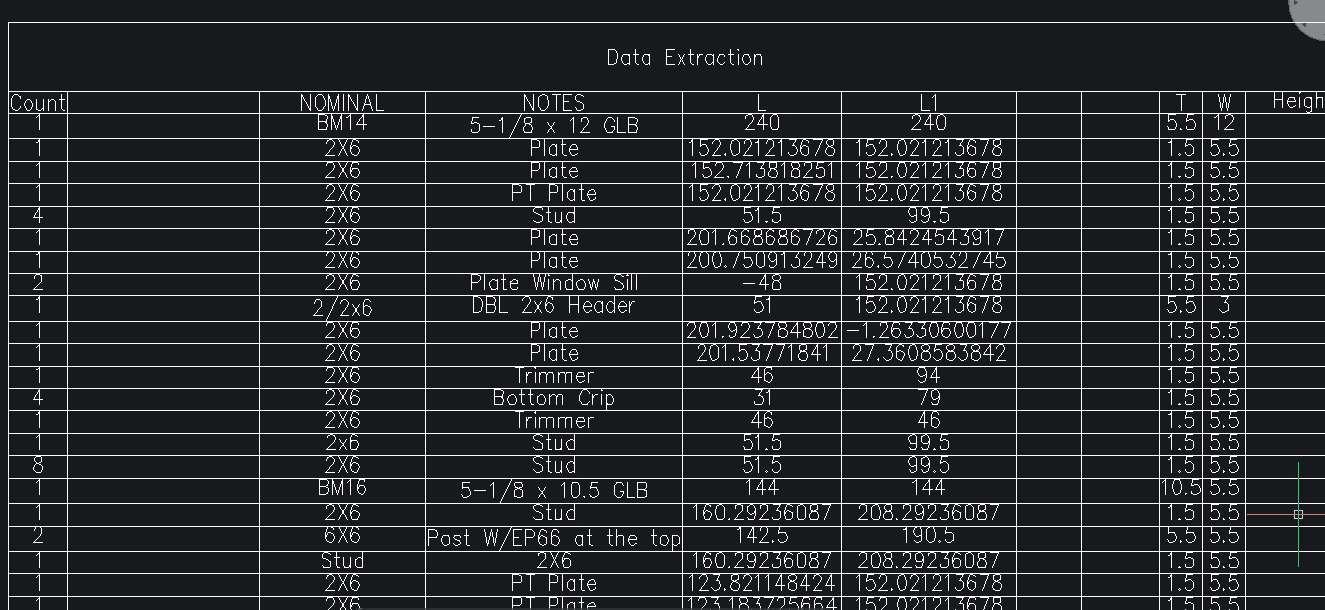
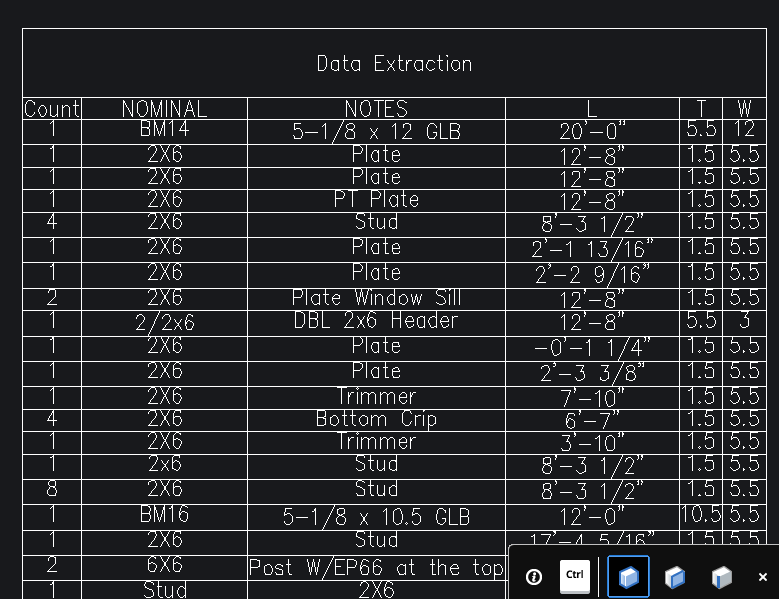
I run Dataextraction, get expected table, except for the length that shows in feet and inches on screen shows as decimal inches in table. There is a format option page 4 of the wizard that asks for a format code. My T and W rows I would like in inches/ fractions and the big one, I would like the L row to be feet and inches
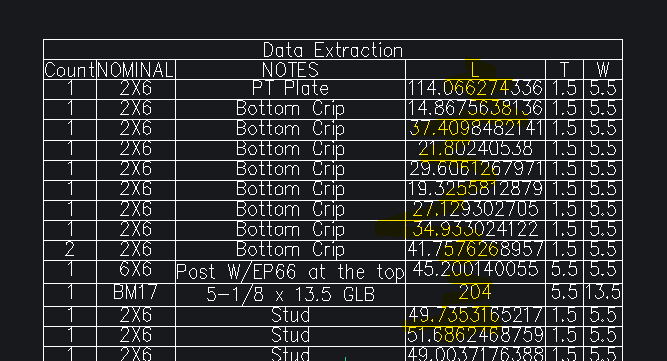
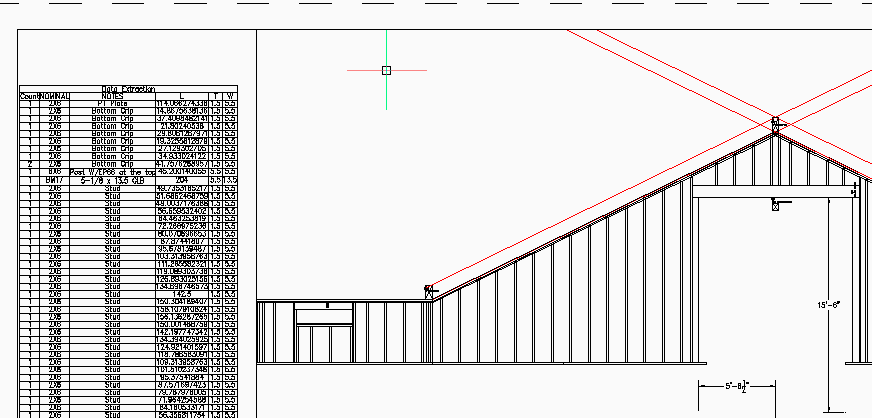
I can open the output file and make a conversion formula in excel, Then inport it back in, but I would really like to put the table in a viewport with the associated view without going through that exercise.
Comments
-
For me simplest way is make a lisp that makes the table the way you want it. If you can supply a sample dwg and a table in it then can maybe do something. I noticed lengths are to like 8 decimals.
0 -
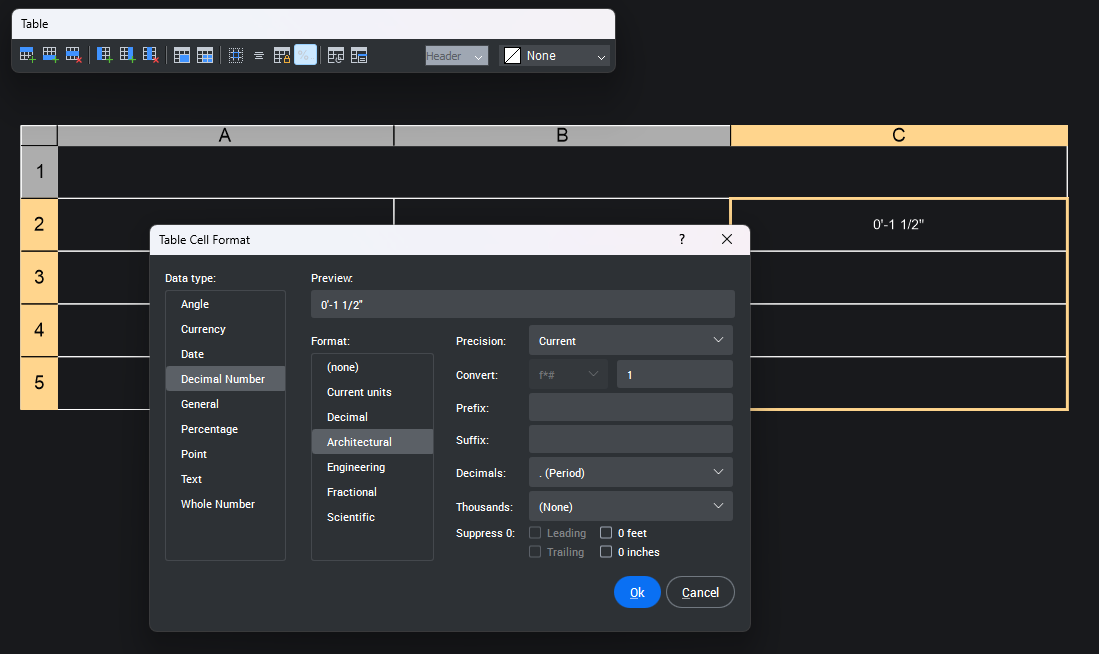
You should be able to format a column of cells to fractions after the fact… select a column and press the % icon
 1
1 -
OK, I see how you do that, that is exactly what I am looking for, but I'm missing something, I can't for the life of me select more then one cell at a time. What am I missing? Thanks.
0 -
Never mind, got it . Had to un-merge the header row. Shouldn't have to, but small inconvenience. Also, tried another file and feet and inches defaulted into the column so probably have to look at how I build the block, maybe dimstyle setting or override or something like that. Thanks again for the help.
1 -
There’s probably a better way from the data extraction dialog, it’s not something I use regularly. maybe others will chime in
0 -
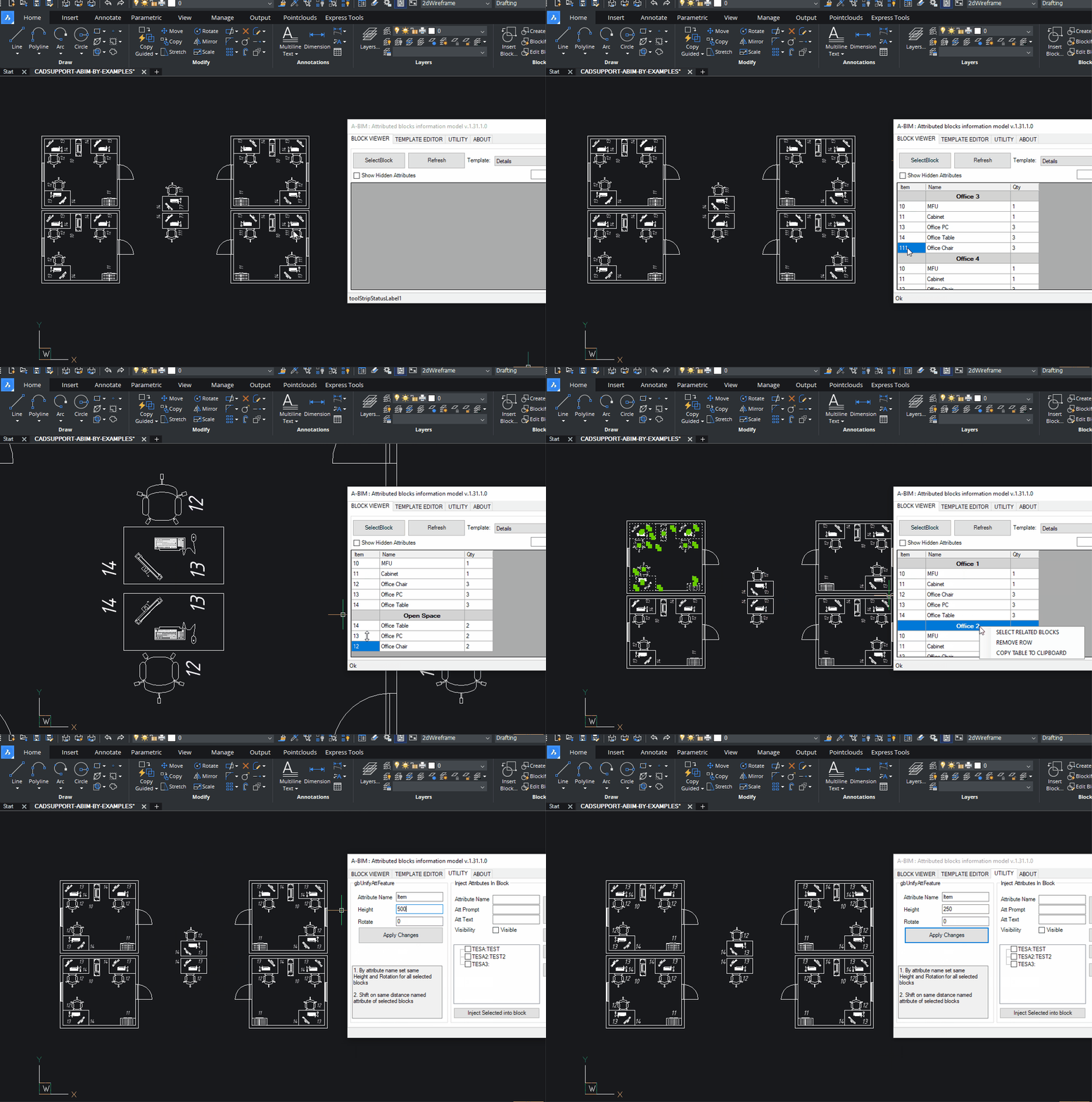
I'm working on Dataextraction Alternative for BricsCad, would be nice to try on your case.
 0
0 -
Want a copy of one of my files? Looks interesting. I am extracting a BOM for framed structures that I draw based on architectural backgrounds. Lots of parts and pieces based on a parametric block that I stretch or shrink to make studs, beams, etc. I extract W(Width) T(Thickness) L (Stretch) parameters and "Notes" and "Nominal" attributes.
 0
0 -
App works fine with Dynamic props, but I never try it with non metrical systems.
Need to test behaviour.
Yes. Would be nice to test on small sample of your project.
If you can provide it with table desired to get out of sample - would be great!
App is to be for free, will be available at this page :
2 -
Here you go, @Mikhail
BOM table is what I'm looking for.
1 -
Looks like a missing feature of data extraction? If those parameter values are always a double, you should have the option to set the number format
@Mikhail
I always though Pandas would be the ultimate data extraction tool, some assembly required.
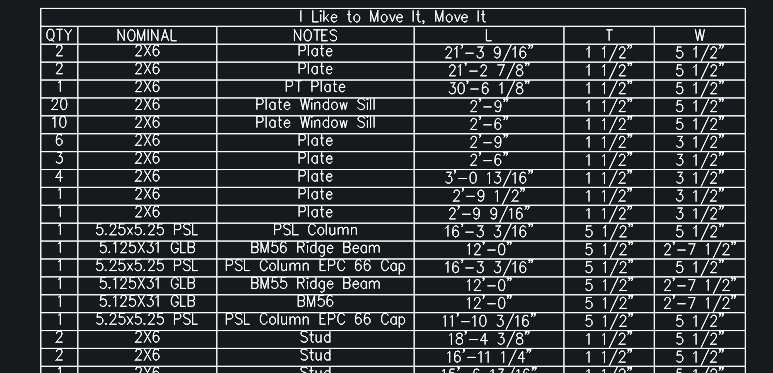
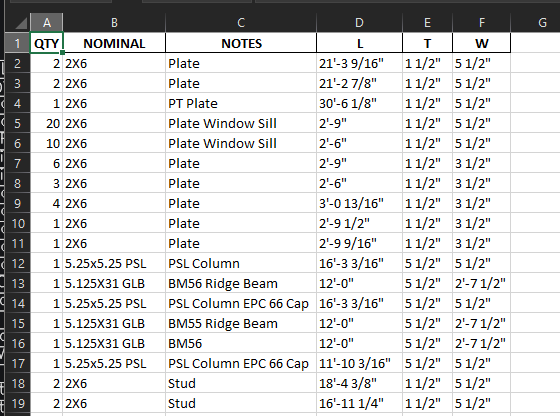
Here’s the code
1 -
Thank you! In progress.
Yes, its not so trivial to set such details through Api. But I almoust there.
Pandas is wonderfull. Let the all flowers grow.
My goal is 1 button click to get ready to print table, with nested grouping, correct sorting, groups, calculations and all other thing which dataextraction missing.
If blocks done well, and template setup right - its works. Few clicks to get job done, in same app, with result on same model.
Extremly usefull if have to make some revision changes few months after
0 -
Thank you for taking a look. I have other files that don't do this, so I think this particular ACAD 2018 file was just set up differently.
0 -
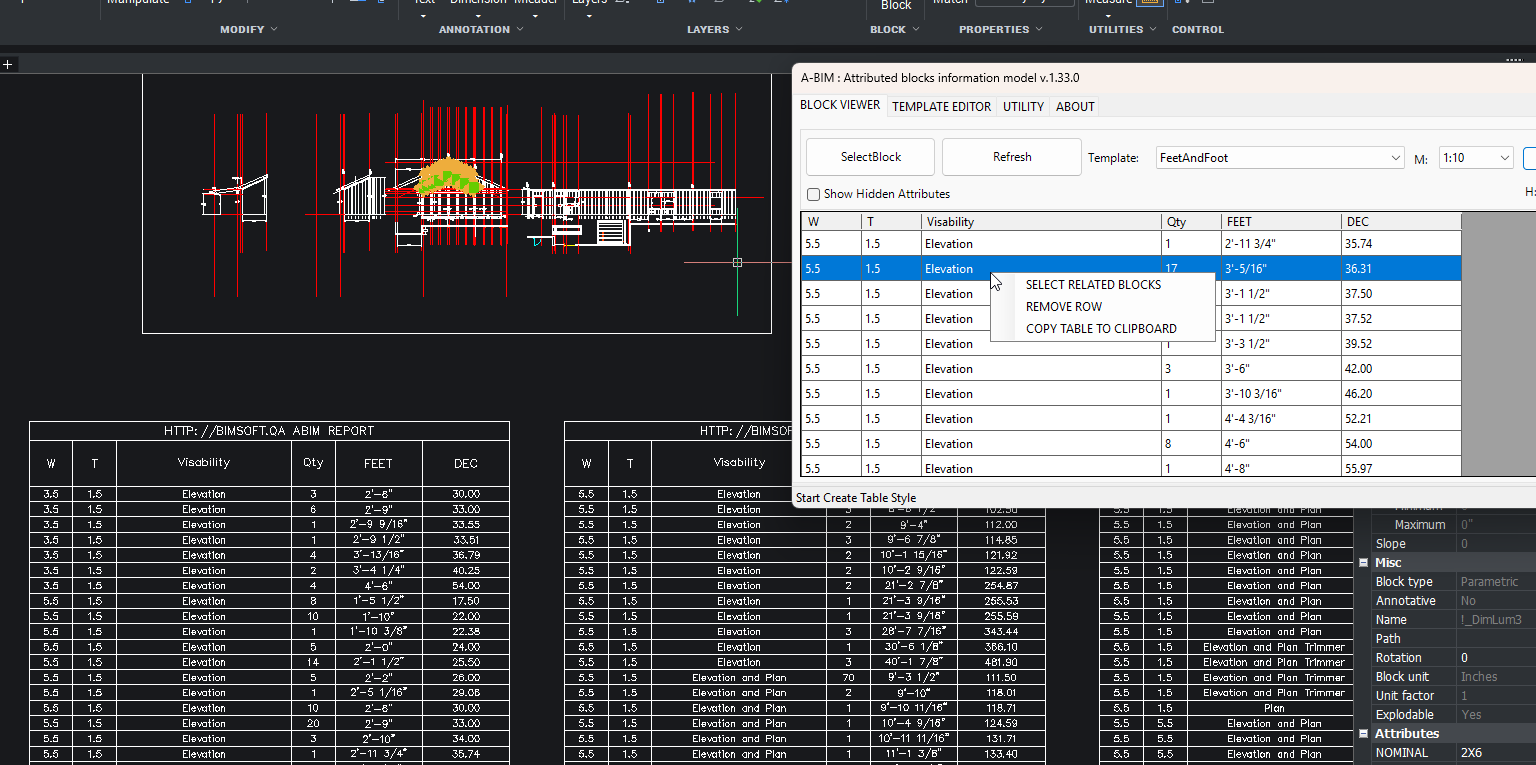
Thank you for such great example. It tooks a while to work around. But finally it works as expected.
Almoust. Application windows showup at first call. Close and open - do not work.
And debug do not show any issues or exception. Pretty weird thigs.
Let me know if you want to test. Will publish it next week for common use.0

