Quick Select issue

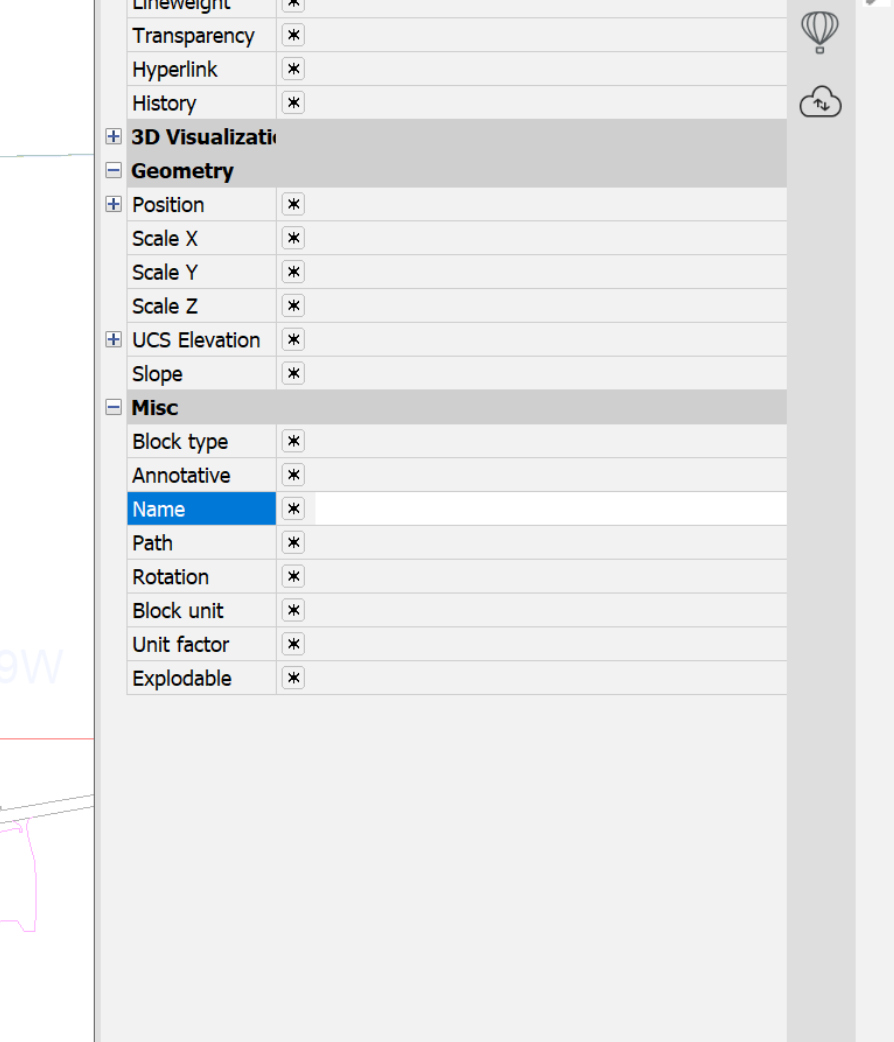
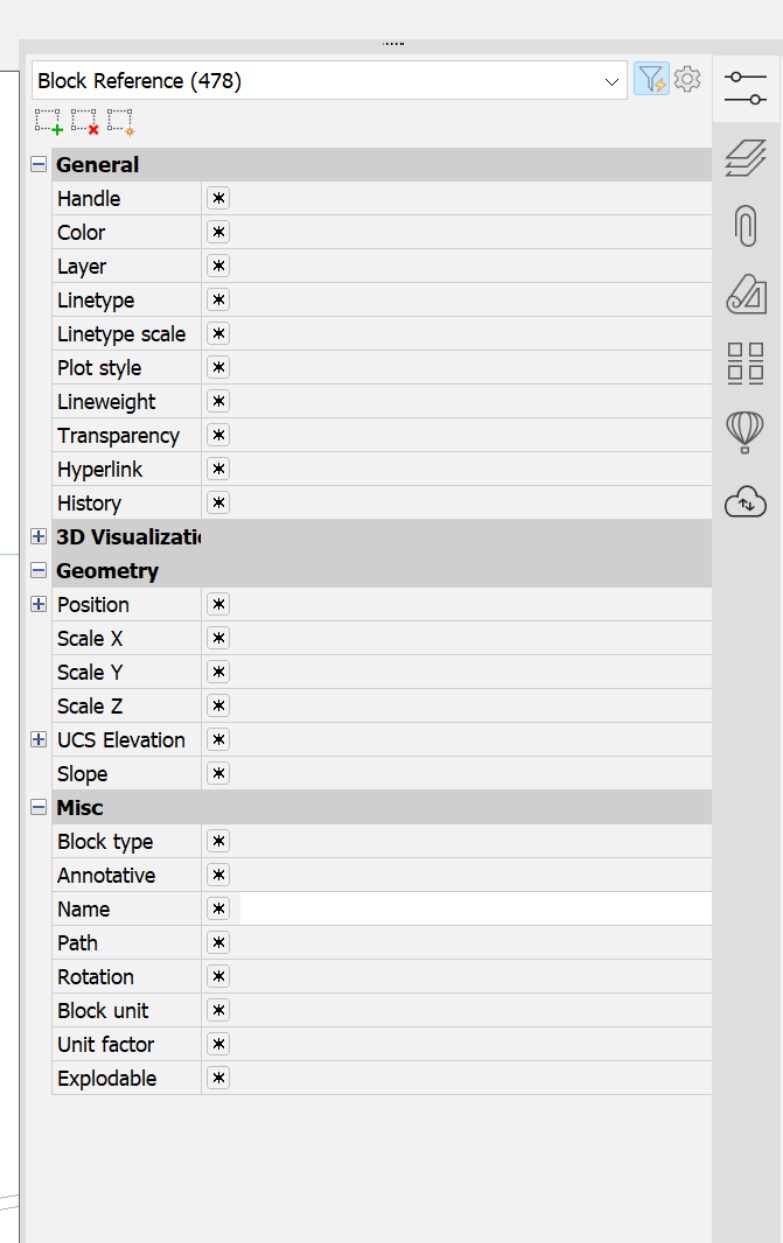
When I use quick select, I pick the filter/funnel icon, select block reference and scroll down to "name", in every other version I would get a drop down list with all the blocks I had in that drawing and I could pick the blocks I wanted to revise (scale, rotation, delete, etc.). I recently installed V26 and I can't figure out how to get that list anymore. Is there a setting I'm missing or is this just not going to work? Honestly its a deal breaker for me if I don't have that function.
Comments
-
Better screen shot showing my entire properties menu
 0
0 -
A simple little lisp may be more affective, you can select a single block get its name, effective name and say layer then select all etc using that criteria, If want more info just ask. In our dwt have like 100+ blocks CIV3D dwt so scrolling down is a pain.
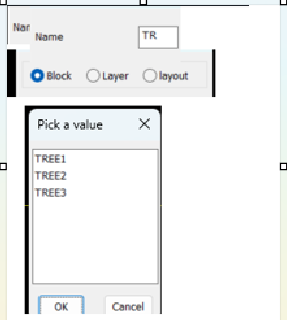
The other way may be use like as you add characters it displays matching block names like autofill. Dont have anything but sure it exists. may have a go at something like this.
 0
0 -
Looks to be a change in behaviour from V25. I would recommend raising a support request to get it fixed. Workaround in the meantime would be to use BricsCAD V25 instead of V26.
Alternatively you could also try using the structure panel, which offers a different method for browsing through entities on the drawing.
Jason Bourhill
CAD Concepts Ltd
0 -
The workaround I've found so far is to select one block and copy it's name into the Name spot. But it sure defeats the "quick" of quick select.
I put in a support request so we will see.
Thanks!
0 -
Same issue here, apparently quick select has become trash slect.
It was so simple before: select all, then polyline, then layer, then color then lenght and volilla.
Now, it;s killing me, I need to go back to v21 to use qucik selct make the changes and then back in V26.
The only thing remaining it;s to curse them all and look to other CAD Software.
0

