Python, Local AI and Rag concept

1, Make sure PyRx is installed and pip install lmstudio
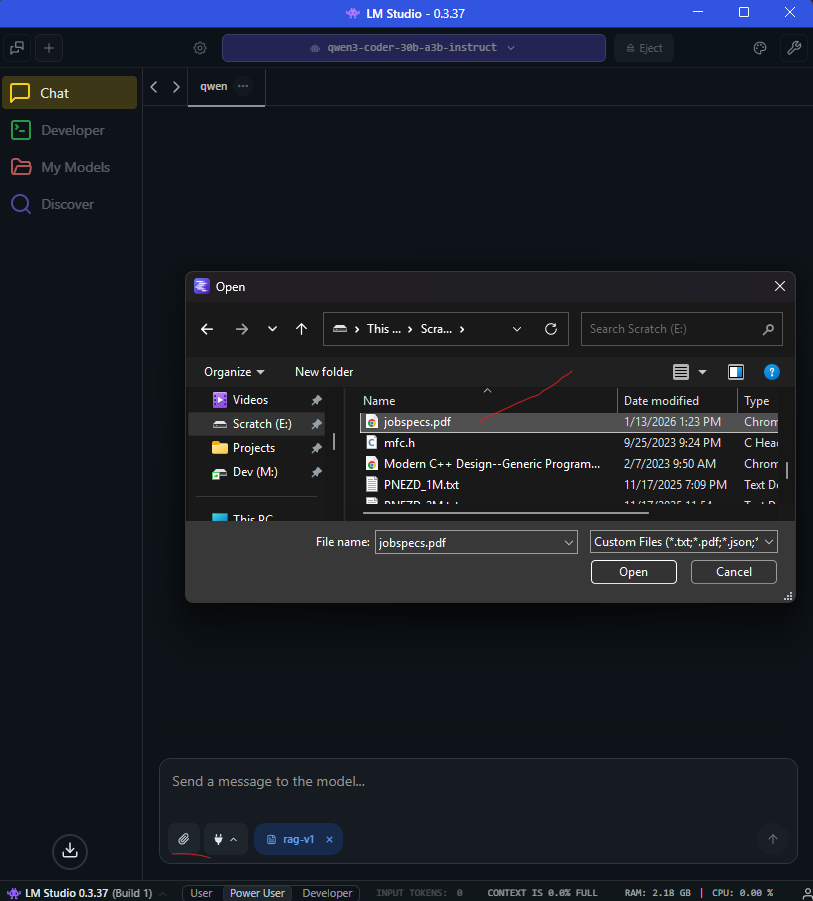
2, Download LM Studio
3, find a load a local model your computer can run, I used qwen3-coder-30b-a3b-instruct but it’s quite large, openai/gpt-oss-20b should run on a modern workstation.
4, Upload your documents, maybe some sort of job specification
5, load in a routine that can connect to LM studio. Check lmstudio docs for the details
For one computer, probably just use LM studio, but some small company could have a dedicated machine for inference. Best of all its all private
from pyrx import Ap, Db, Ed, Ge, Gi
import lmstudio as lms

@Ap.Command()
def yeehaw():
    try:
        ps , question  = Ed.Editor.getString(1,"Wuut? ")
        if ps != Ed.PromptStatus.eNormal:
            print("Oof: ")
            return
        model = lms.llm("qwen3-coder-30b-a3b-instruct")
        print(model.respond(question))
    except Exception as err:
        print(err)
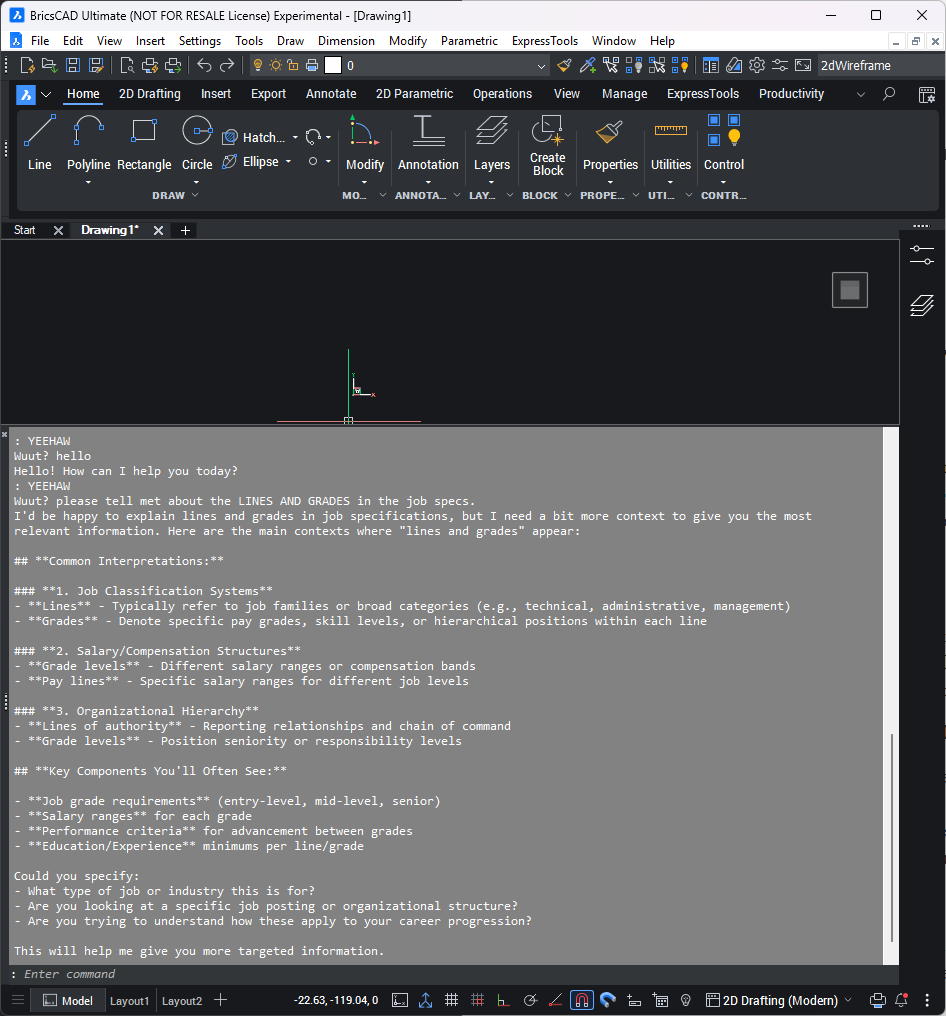
Comments
-
Another test, instead of using RAG, I fed the data directly into the context window. Not the most optimal way of creating a table. I guess the hard part is building up context from a bunch of lines
from pyrx import Ap, Db, Ed, Ge, Gi import lmstudio as lms from collections import defaultdict import traceback #scan for room blocks @Ap.Command() def yeehaw(): try: blockinfo = defaultdict(list) db = Db.curDb() for bname, bid in db.getBlocks().items(): if bname.casefold() != "elev".casefold(): continue btr = Db.BlockTableRecord(bid) if not btr.hasAttributeDefinitions(): continue refs = [Db.BlockReference(id) for id in btr.getBlockReferenceIds()] atts = [Db.AttributeReference(id) for ref in refs for id in ref.attributeIds()] for att in atts: blockinfo[bname].append(att.textString()) question = "please create a table of rooms.{}".format(str(blockinfo)) model = lms.llm("qwen3-coder-30b-a3b-instruct") resonse = model.respond(question) print(resonse.content) except Exception: print(traceback.format_exc())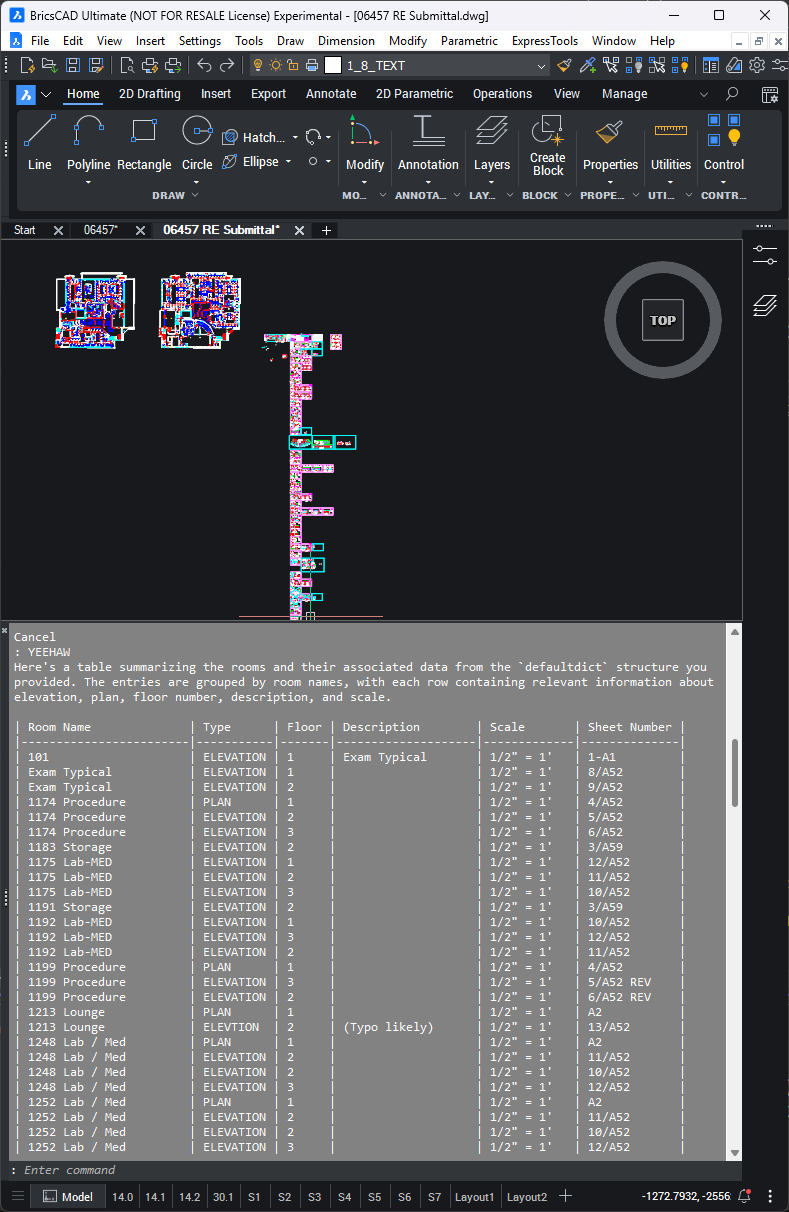 0
0 -
Okay, last test, would you live here? lol
from pyrx import Ap, Db, Ed, Ge, Gi import lmstudio as lms from collections import defaultdict import json import traceback @Ap.Command() def yeehaw(): try: question = """Please generate a floor plan of a typical single-story house, please only give me the room parameters in the format of a list of 2d points, I will then use these points to generate polylines. the end format should be JSON, {roomname, list_of_points}""" model = lms.llm("qwen3-coder-30b-a3b-instruct") resonse = model.respond(question) js_anwser = resonse.content js_anwser = js_anwser.strip('```') js_anwser = js_anwser.strip('json') data_dict = json.loads(js_anwser) plines = [] db = Db.curDb() for room, points in data_dict.items(): pl = Db.Polyline(points) pl.setClosed(True) print("Creating room {}: ".format(room)) plines.append(pl) db.addToModelspace(plines) except Exception: print(traceback.format_exc())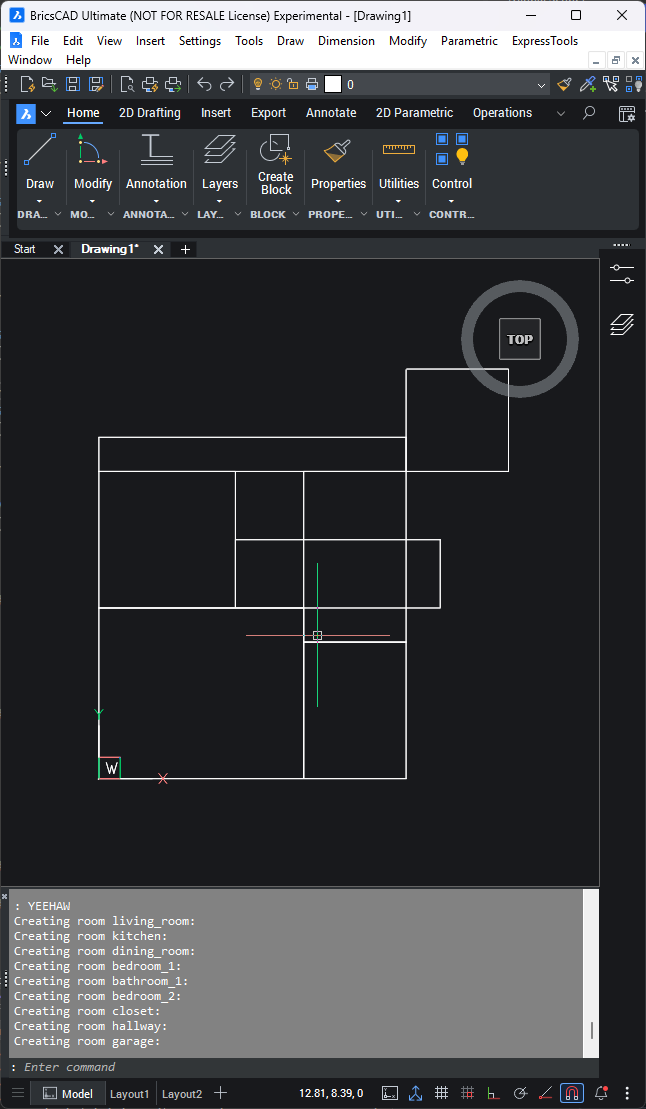 0
0 -
Neat experiment. Is that a bay bathroom? Hallway to garage? You should have added room labels!
0 -
Exactly, DOH! Should have added labels. I had already lost the context and the next generation would likely be different.
Like with coding, I can imagine drafting in collaboration with AI. Thoughts:
- There needs to be some mechanism to manage the state & IO:
- Conversation “why did you make that abnormal sized room? Can you make it bigger” or "I made the room bigger, what do you think?"
- Data, models seem to do well with JSON, maybe something like { conversation : data }
- Action, apply/collect data from/to the drawing.
- RAG, upload design documentation to the model.
- Context Window, there needs to be a way to edit/prune the context window for when the model starts to go wonky, or to explore chains of thought
Edit: AI said it would be happy with something like
{

  "conversation": [

     {"role": "user", "message": "Make the living room bigger"},

     {"role": "ai", "message": "I've increased it to 20x15 feet"}

],

"design_state": {

   ..data..

  }

}
0
