Convert 3D Polyline to 3D Alignment Object

Is there any lisp routine to convert a 3D Polyline (o polylines) to 3D alignment Objects (Civil)
not sure if possible to convert linear objects to Civil objects, I do not found samples.
Comments
-
Does it just need stripping the Z that is easy. Then make an alignment.
To take a normal 2dpline and make an alignment object no user interaction, you need to know how that is done from a programming perspective, In CIV3D there was sample code of how to do it, with lisp, there may be some one who has done the make an alignment code. Getting inside the civil database can be easy or very difficult.
Its not a simple task unless you can just use a command mode method, and maybe pass it the (entlast) variable name that is the 2dpoly, Did you try
PS 3dpoly to 2dpoly just google.
0 -
To follow up on this, does that mean I need to explode the 3D Polyline (on 2D Drawing), then covert those lines to Alignment (on Civil)? I googled it and it brought me to a 3rd party extension call Civil Site Design (BRISCAD). Is there any other means besides getting that extension?
Much appreciated for the assist!0 -
Where I use to work and they still do use CSD it is a complete civil package, it has years of development and is ahead of Bricscad CIVIL in many ways. Yes it has a cost but the extra features will pay for them selves saving you time. Also has drainage and sewerage.
The intersection tools are great time savers including roundabout designs.
Google say Civil site design youtube subject where subject is say "Make alignments" there should be Road design part 1 which should show how to make alignments and make simple road design producing Long/plan & Cross sections.
0 -
There’s stuff in Brx, BrxCvDbHAlignmentCurve, BrxCvDbHAlignmentLine, and by extension, Python.
There’s a sample written by a contributor @Sebastian
I have no idea how to use the API though outside of simple unit tests
0 -
Actually, there's a sample in Brx I converted to Python
from pyrx import Ap, Db, Ed, Ge, Gs, Cv @Ap.Command() def doit() -> None: # Get the current drawing database db = Db.curDb() # Prompt user to select a 3D Polyline ps, id, pnt = Ed.Editor.entSel("\nSelect Polyline: ", Db.Polyline3d.desc()) if ps != Ed.PromptStatus.eOk: raise RuntimeError("Oops {}:".format(ps)) # Open the selected polyline pline = Db.Polyline3d(id) plpnts3d = pline.toPoint3dList() # Make sure the polyline has enough points if len(plpnts3d) < 2: raise RuntimeError("Invalid input") # Create a new, empty Civil horizontal alignment object hAlignment = Cv.CvDbHAlignment() # Extract the underlying geometry curve data from the polyline composite = pline.getAcGeCurve() # Loop through each segment, convert to 2D, and add to the alignment for seg in [Ge.LineSeg3d.cast(s) for s in composite.getCurveList()]: hAlignment.addLineFixed(seg.startPoint().to2d(), seg.endPoint().to2d()) # Verify that segments were successfully added if hAlignment.elementCount() == 0: raise RuntimeError("Failed") # Save the new alignment into the drawing's Model Space db.addToModelspace(hAlignment)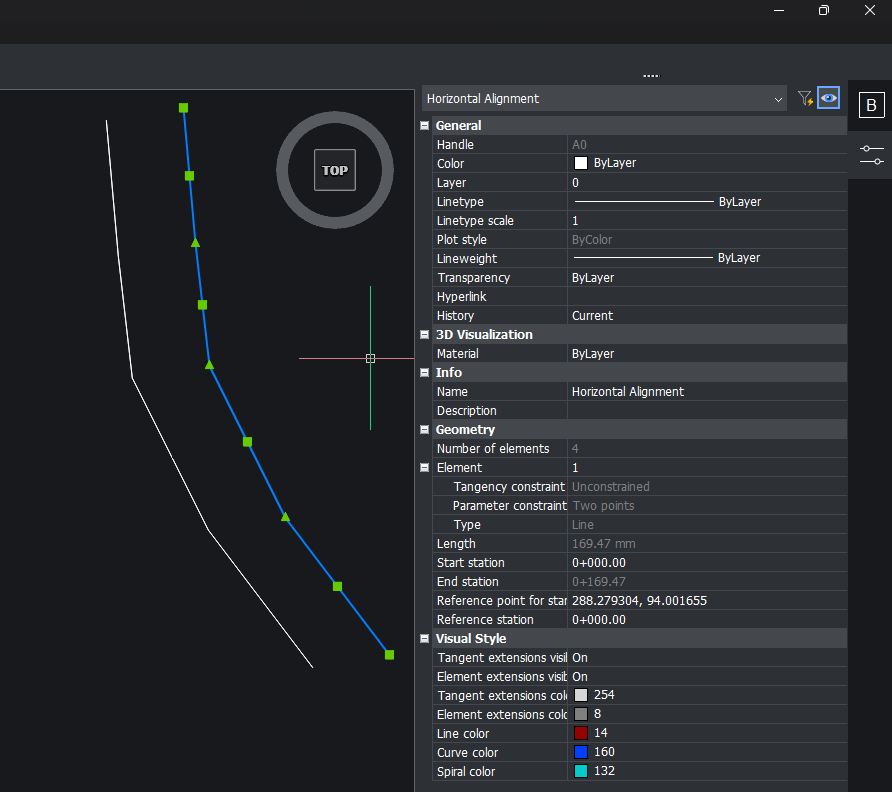 0
0 -
Thank you Its_Alive,
Will take a closer look of the python coding you provided.
Sincerely
likeabrics0 -
Having done years of road designing, you may get used to using the python option to make an alignment so would it be better to select 2d or 3d pline and just check which object you have ?
0