editing MText - Version 18.2.20 (x64) revision 55961

For a long while I have an annoying 'error' where I can't edit MText as if it was in a word doc or notepad.
I copy and paste text from a note document and then go to edit in B'cad
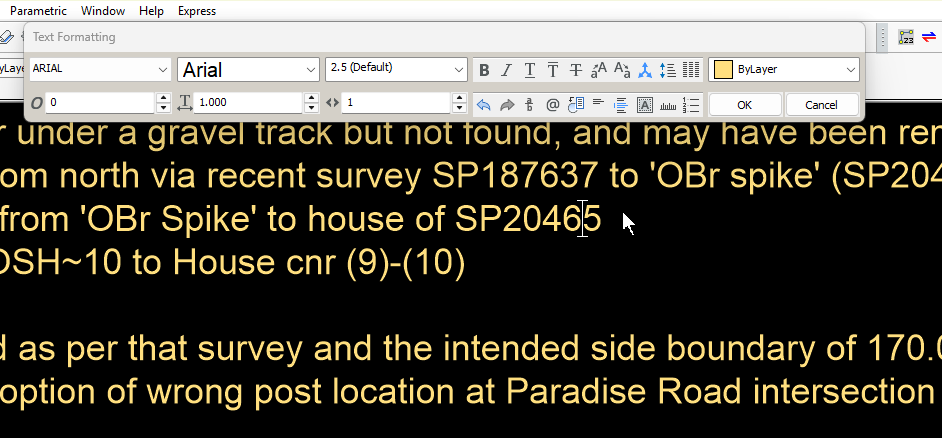
But I find when I want to edit a word it wont actually start the edit at end of that word, rather one letter back. So if I edit "letter back" and place the cursor at end of word, after the 'k', I get 'bac k'
Only way around is to do all my editing in notepad then finalise by pasting such into an MTEXT.
That falls down though when I want to use the full editing power of MText.
very frustrating.
See below. Placing the cursor after the 5 it actually inserts itself between the 6 and the 5
Has any one any idea what causes this please?
Bit more on this
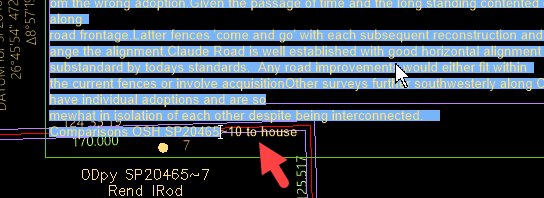
I opened the MText and tried selecting all the text.
But it would only allow me to mouse select as shown below and not to end of 'house'
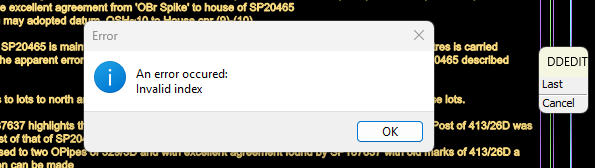
Then a Ctrl A did select all but then gave the error message following
Comments
-
Is it Microsoft Onenote, Notepad, Word, LibreOffice or some other word processing software. Word for example has all sorts of hidden stuff in the body of text, can screw up a paste.
0 -
thanks Alan
You raise a very valid comment. Notepad++, and good old Note or whatever comes with Win 11. Mm. Will take more notice now.
Do we have a no frills pure text note program?
Just found Simpleness. Will give that a twirl tomrrow
Edit. I think that's online storage which I definitely don't want.
Might just type in Bluebeam. I copy and paste annotations from my surveying program. Bearings, distances, easting, northing, elevations. Surely they must be free of detritus 😊
0 -
I use Notepad++ it is a simple editor can record macro's, serach replace and so on. For lisp can set that file is a lsp so the editor displays differently has bracket checking and more.
0 -
Seconding using Notepad ++ for distraction free text editing. (UltraEdit is very good too but is paid software and has tons of options you probably don't need).
Optionally you could consider using AutoHotKey (AHK) (free software) for standard blocks of text if you regularly use the same text, it can be used as a text expander or macro editor for use in other programs. It can be set to use Notepad++ as its text editor so there is no need for having multiple text editors for mtext editing and AHK.
So far AHK has been working very well with BricsCAD.
0 -
Regarding the cursor placement in the image of the mtext editor, this is mostly a text display issue with truetype fonts. I had this issue too sometimes but never had it with shx fonts nor with plain text editors like Notepad++ as the editor for mtexts.
Do you know you can set BricsCAD to use an external editor for editing mtexts, i.e. when you doubleclick on an mtext for editing it will open in the external text editor e.g. Notepad or Notepad++? That would save you the extra steps of copypasting.
1 -
Thanks RSW and Alan for the plug for Notepad++
I wasn't aware of that option to use external editor, thanks.I tried it and it worked a treat.
Only issue with that is I love the options in MTEXT to add symbols, change case etc that is so valuable for my surveying input.As said it worked a treat then Bricscad decided to throw a wobbly when I was using such.
I have shx fonts and ttf's.
The shx from my surveying software.
Probably should have stuck to shx's??I will look at AHK when I get this job finished.
Anyway. It seems like Notepad++ is safe so will use that.
much appreciate the input0
