Plotting 3d Solids (walls) without mitered corner lines

Is there any way to plot floor plans (based on 3d model) that utilize individual 3d solids (often joined using L Connection option in Quad or drawn at same time with jogs in wall layout) without plotting the diagonal lines that represent the mitered junction? Does attaching a composition/classifying the solids as walls alleviate this problem (I've done this in the past but don't recall if that matters). I'd like to simply plot solid entities without seeing the junction lines (and I don't want to combine them into a single solid, as that makes changes more difficult). I have experimented with a few different commands and display settings but haven't found one that works. I'm using V21 on a Mac, currently. Do newer versions of the program do this better without need to convert/classify solids as something else? Thank you.
Comments
-
Do newer versions of the program do this better without need to convert/classify solids as something else?
AFAIK No (?)
This is Model Space, not Paper Space (where I use a simple filed black and White Typed Plan appearance) but I think I can't get rid of the connection lines. As you can see here even for T-Connections or linear connected Walls ….
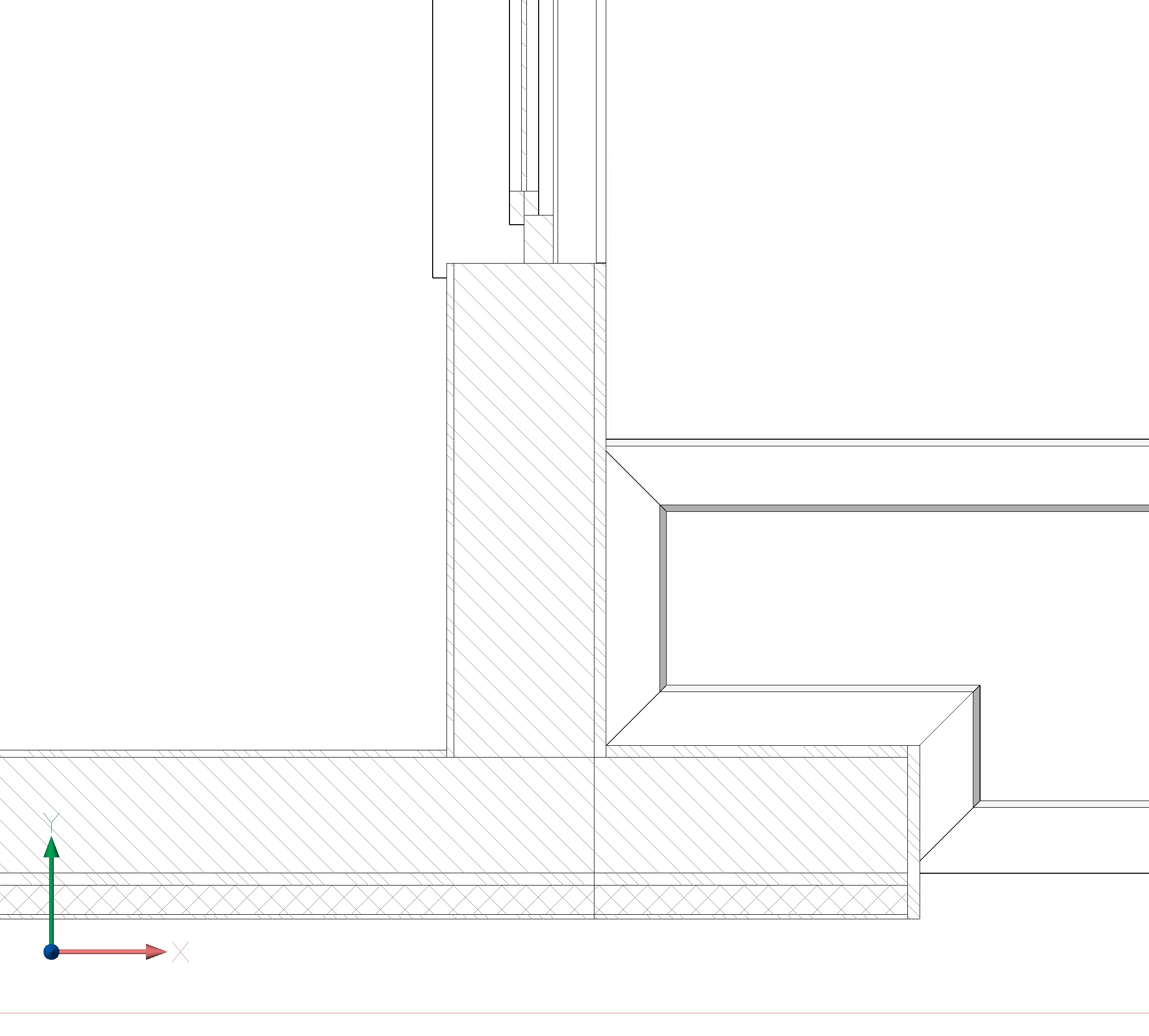
And I even would have the Plaster running through the T-connections in Plans if I would not model all on by Ply-level as in this example.
And I would not really with what Object Types I could replace, other than to create a giant Solids Boolean Addition for each Ply over the whole Story :)
But please someone correct me if I'm wrong.
0 -
I believe you can use the typed plans feature to achieve this by specifying the hatch as a solid and union
1 -
Thank you both for your input.
Zoomer, Yes, this looks similar to my experience with wall connections and the resulting lines that show up at these junctions.
Jtlive, Thanks for this tip. I may experiment with typed plans. I typically just plot the "old school" cad way from a simple viewport without setting up typed plans, but I will try to learn more about these features.
I appreciate your time.
0
