Revolved solid showing as jagged/segmented not smooth

Don't know why it's doing this in V26 but it's really aggravating as V25 didn't have this issue. See screenshot attached. Revolves are rough and segmented. In the past viewres and a regen helped but not here. Viewres/curve quality set at 15000, Facetres set at 10. What am I doing wrong?
Comments
-
Could you attach an example drawing here? Screenshot is missing in your post.
0 -
Oops! Sorry Lyubov. Top view of revolved cylinder in white. The 2D circles are fine so don't know what is going on.
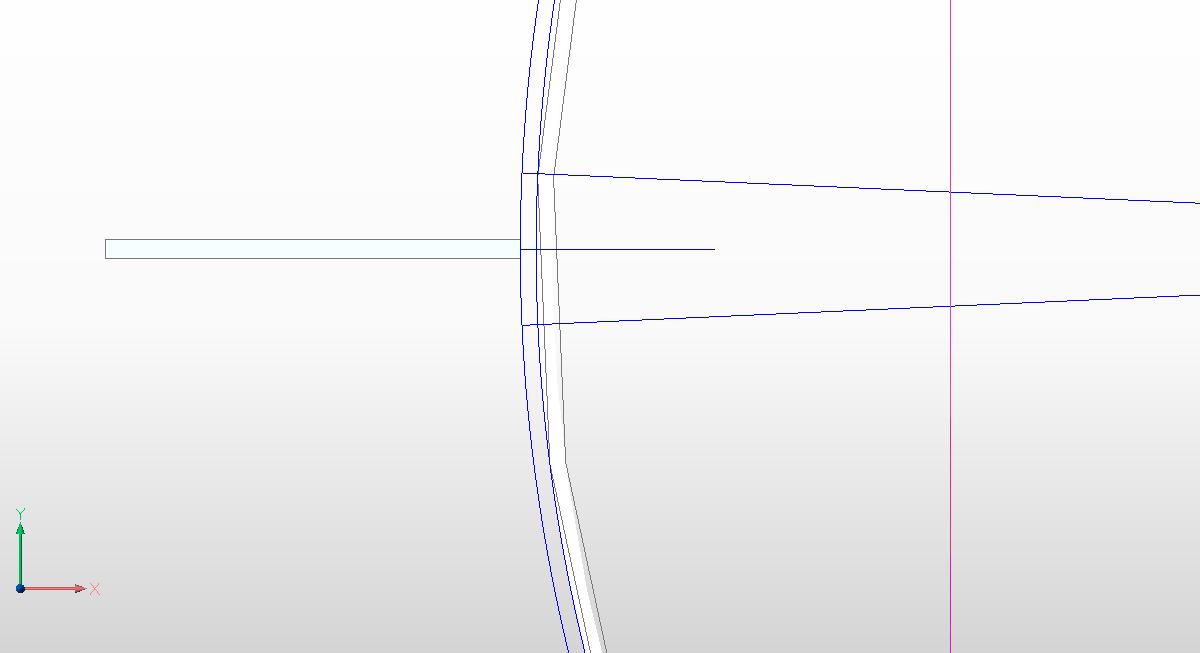 0
0 -
You can try the next settings instead of FACETRES: Use FACETRES system variable (SpaUseFacetRes) = 0, Surface tolerance (SpaSurfaceTol) = -0.25 and Normal tolerance (SpaNormalTol) = 10.
0 -
Yes that seems to look much better thanks!
0 -
You are welcome )
0 -
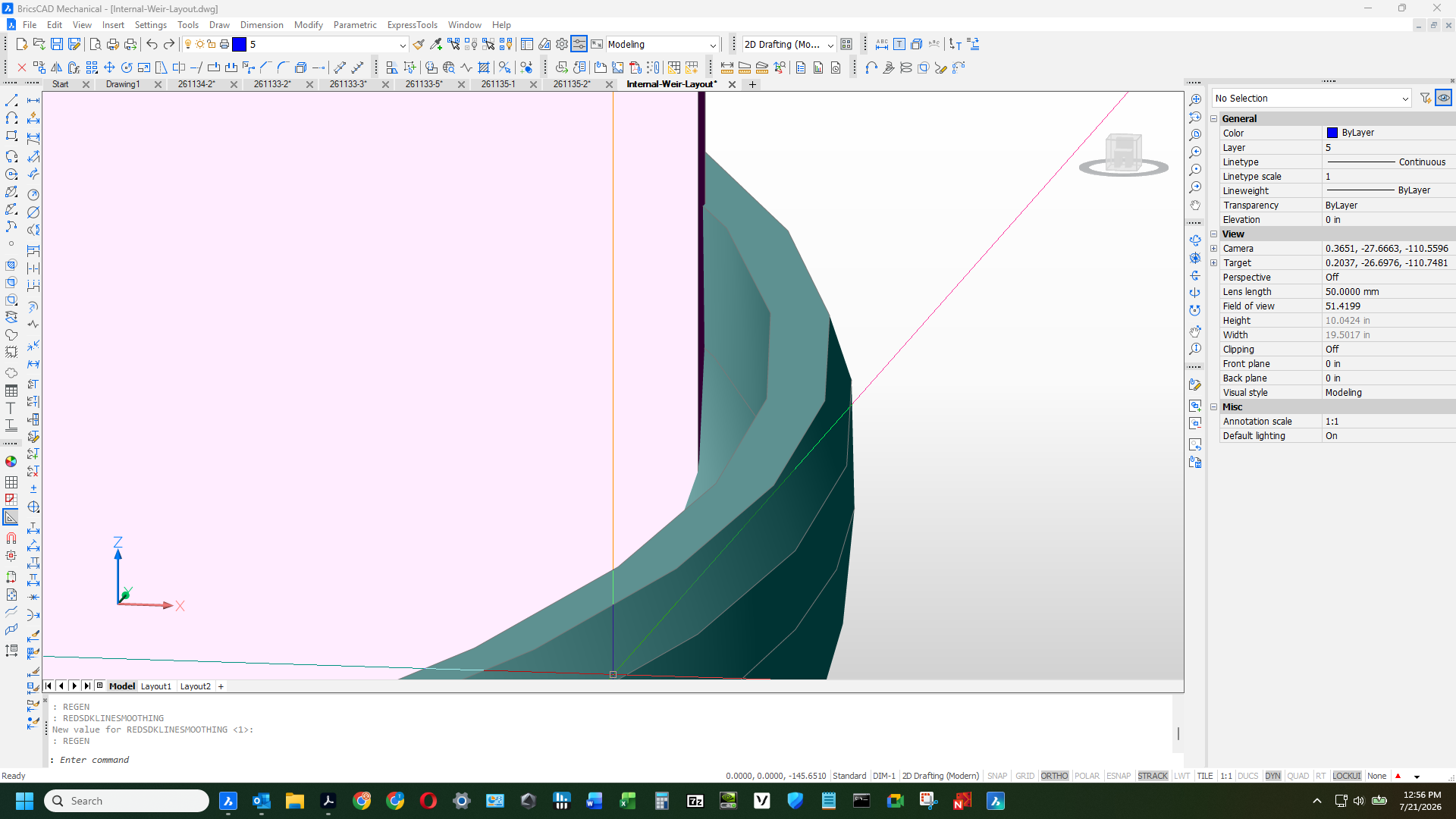
Encountered this issue again as I was laying out a sheet of plate to fit inside a cylinder. It is very hard to lay things out like this if the entities are showing as being segmented. I did what was recommended previously on this post but was wondering if there was "cure" for this instead of treating the symptoms. Perhaps looking into the nvidia settings and tweaking a few things. Attached is a snap shot of my current issue.
 0
0 -
Try Normal tolerance (SpaNormalTol) = 1 then Regenall, default is 15 highly faceted and so is 10, so 1 gives smoothest circles.
0 -
You may want to try the following settings for a smooth sweep, esp. for smaller objects like springs this works well so it may work here too
Sweep settings for smooth sweep in BC21+
SpaUseFacetRes = 0
SpaSurfaceTol = -0.25
SpaNormalTol = 15
SpaMaxNumGridLines = 20480 -
Just noticed that Lyubov Osina already gave some of the same settings, except the last one. Maybe that last settings might make enough of a difference as the default is lower than 2048 (1024 if I remember correctly, or it could have been much higher as I forgot to write down the default for that one)
0 -
The key setting here is SpaNormalTol = but not 15 that is course more faceting, the lower the number the smoother and slower try 1-3.
SPAUSEFACETRES must be 0 this is so AutoCAD's FACETRES 0.1 - 10 is NOT used.
0= uses Spatial settings
Screenshots:
spaNormalTOL=15.png see how much faceting there is?
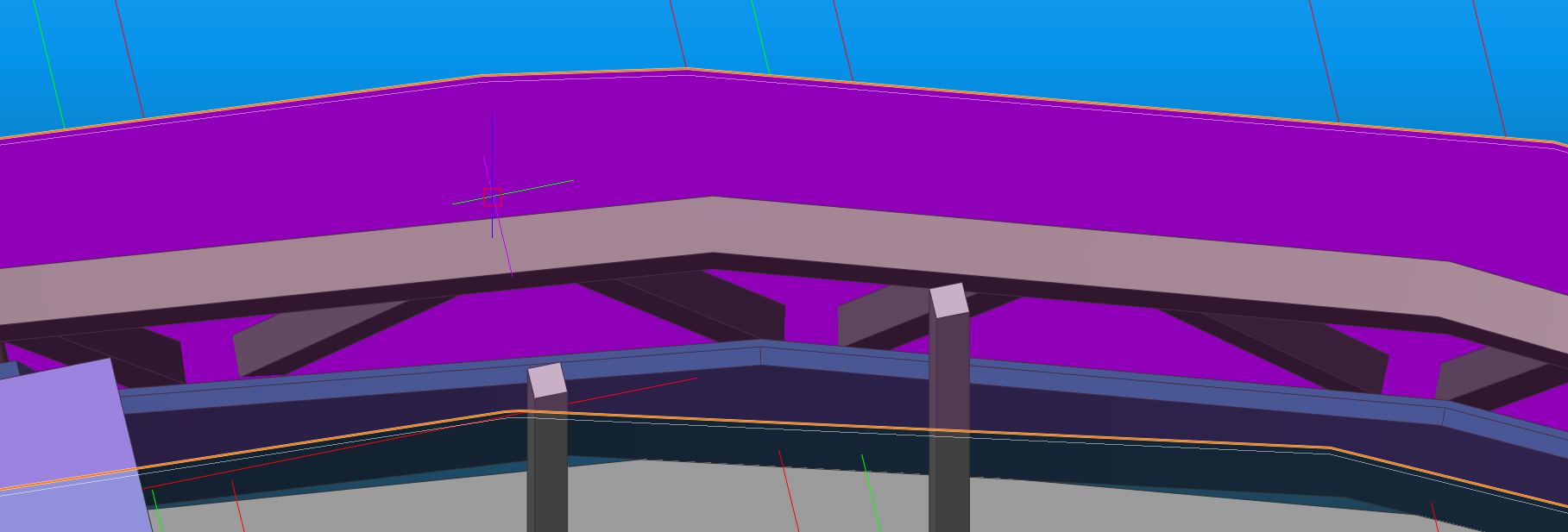
spaNormalTOL=1.png see, silky smooth (IDK how low it goes, but 0.001 is super long time to change)
>Lyubov Osina can you ask devs what the range is for SPANORMALTOL? it's not documented
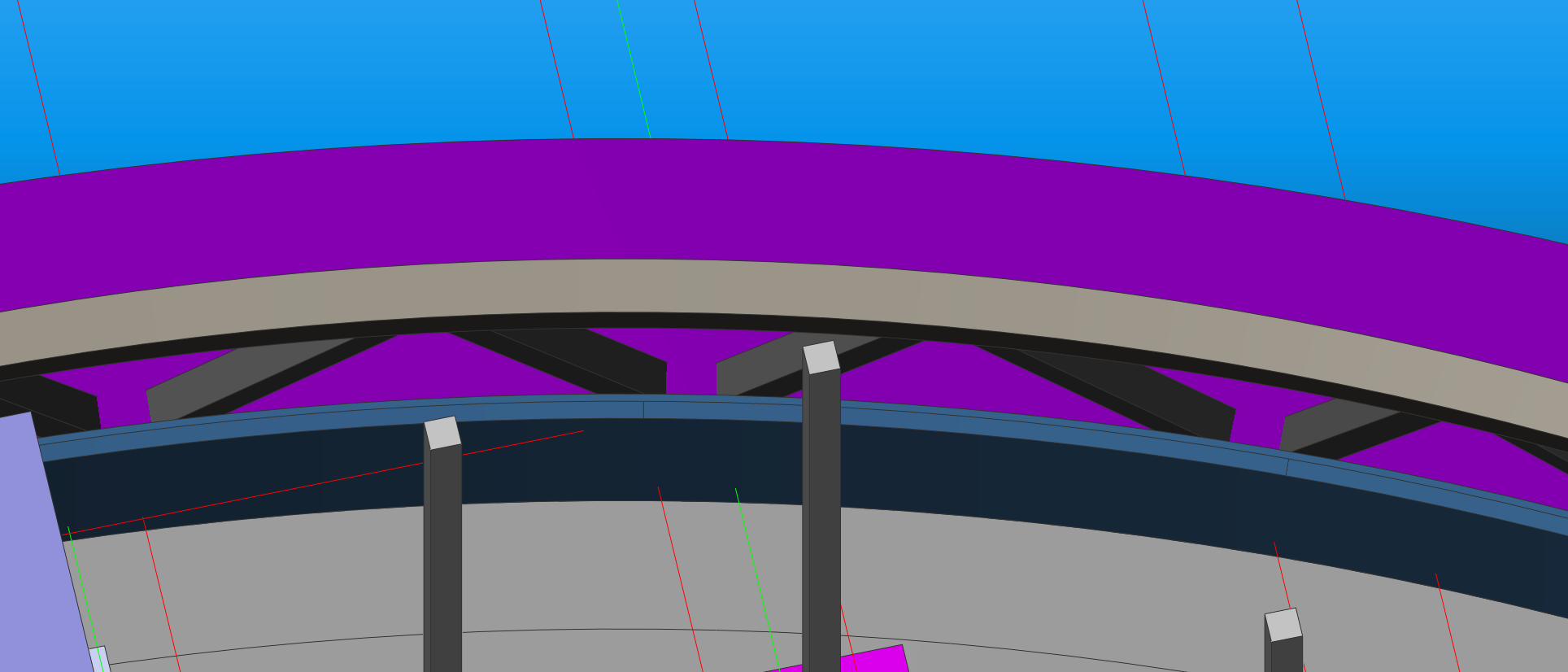 0
0 -
Hi @x4x , the range for SPANORMALTOL is from 0 to 90 degrees, but lowest values influence the speed, as you noticed.
0 -
Hi @x4x thanks for the clarification of the SpaNormalTol, the reason support advised 15 had to do with drawing views taken an enormous amount of time to generate/refresh a drawing view because a single object was causing BricsCAD to basically lock up. So this was basically a compromise for getting a good result without BricsCAD grinding to a halt.
0