kubuntu 26.04

Comments
-
I’m running Debian 13.4 (plus XFCE) with kernel 6.12, which sits roughly between Kubuntu 24.04 (6.8) and what 26.04 is expected to ship (~6.14+).
From that perspective:
BricsCAD itself is usually not very kernel-sensitive
Issues, if any, tend to come from:
GPU drivers (Mesa / proprietary)
Qt / OpenGL stack
Kernel version differences in this range are generally not a blockerSo if BricsCAD runs fine on a 6.12 kernel (it does here), I would not expect major problems on 26.04.
0 -
Thank you NedCAD. I see you are using X11 on your system, is Wayland then the problem cause i have seem some posts that sticking with X11 is better. if so i would need to install X11 on the 26.04 system if i do upgrade. thanks
0 -
if i do upgrade.
A bit off topic,
but how do you upgrade Linux, or better how to keep your Settings.I can live quite well with "rolling releases" like e.g. Manjaro (Arch) or Open Suse Tumbleweed (preferred), which is basically like Windows or macOS works/updates.
But as a Mac user, I would much prefer something like ElementaryOS (basically an Ubuntu with their Pantheon desktop).
So as Ubuntu, ElementaryOS is no rolling release distro. Means every 1-2 years there be a new version released - which means a new installation from scratch. There is neither an Update/Upgrade nor any Migration option. They even do not recommend to copy your home directory.
This means that you have to find and re-install all your Software and manually copy your App Settings to the correct location, which does not seem to work by common path locations nor follow any standards, if these ever exist.I think this is impractical and unrealistic.
How do experienced Linux users deal with this ?
Do you do everything from scratch every few years ?
Or do you copy your home directory anyway ?
(Or even keep it external to use it from multiple installations)Do you also your Bricscad installations each time from scratch ?
0 -
, Good you mention that, for BricsCAD I think X11 is safest. Wayland, via XWayland, can work but less predictable. It seems that on Kubuntu 26.04 you can just select an X11 session at login.
I’d stick to X11 for CAD work for now.
You can do a release upgrade (do-release-upgrade for Ubuntu likes), so a full reinstall isn’t required. Debian is a bit different.What works for me: just keep /home, upgrade the system, reinstall anything missing if needed.
For BricsCAD (and most other desktop programs) that’s pretty painless, i.e. install and configs from home.
A clean install is always an option, but not something I’d consider necessary.
0 -
Thank you very much @NedCAD
That's the first time I heard of possible release upgrades, at least for Ubuntu. So e.g. a Kubuntu could be an option again.
Unfortunately "Upgrading" for ElementoryOS still means mainly backups of "Documents" in Home only. Everything else is more or less not recommended or at your own risk.While "Documents" are usually already back upped or even outside of Home, all the tedious work is about Software installation and configuring OS and Apps. On Linux and Windows especially.
0 -
Yes, I know exactly what you mean
For me the key is: keep /home, keep configs/scripts under version control and automate as much as possible. That reduces the pain a lot.
For BricsCAD on Linux my setup is actually pretty simple: mostly some LISP files, support paths and shell-side tooling. So moving to another installation is usually quite manageable.
0 -
For me a clean Bricscad means changing 50-100 (?) Settings.
Look at the scroll bar length …. which are only my modified settings :)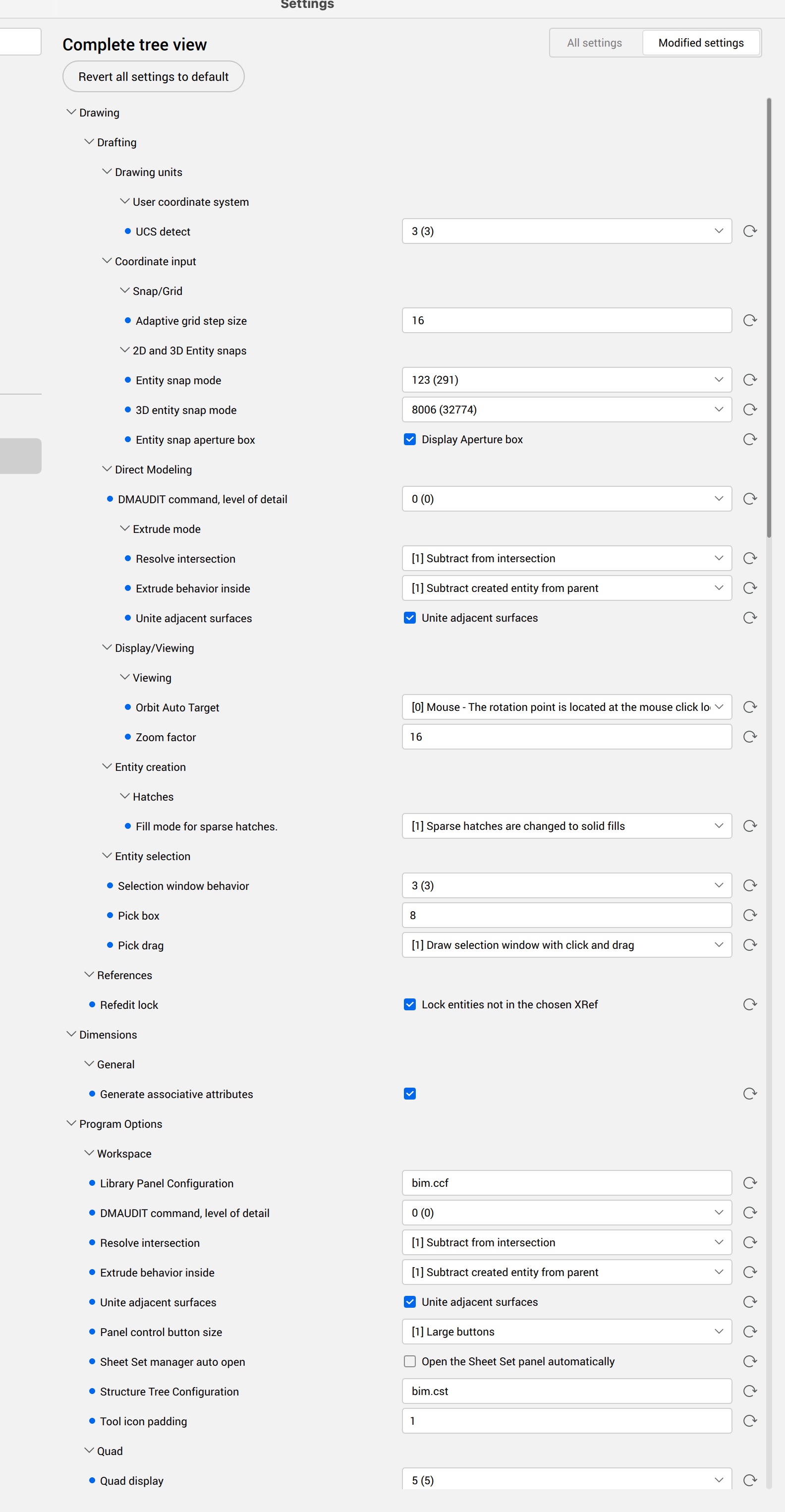 0
0 -
I know what you mean. That is exactly why I avoid doing most of this manually.
What works for me is a small BricsCAD support folder, for example:
/mnt/some/path/bricscadAdd that folder to the BricsCAD support path, and put an
on_doc_load.lspthere.Then I set most of my preferred variables from Lisp. A simplified example of
on_doc_load.lsp:(setq vars '(
(ANGBASE . 0.0)
(ANGDIR . 0)
(APBOX . 1)
(APERTURE . 10)
(COLORTHEME . 0)
(DYNMODE . 0)
(FILEDIA . 1)
(HPNAME . "solid")
(MENUBAR . 1)
(OSMODE . 511)
(PICKBOX . 10)
(SAVETIME . 10)
(TEXTSIZE . 2.5)
(UCSDETECT . 0)))
(mapcar
(function (lambda (dp) (setvar (car dp) (cdr dp))))
vars)
(setq vars nil)
(princ)After that, a fresh BricsCAD install becomes much less painful.
Modify to taste once, reuse forever :-)
0 -
Interesting.
Would end in more lines of code for me :)What I miss in Linux is some standardization structure and order ….
Folders and Paths, where to install Software, where to put Settings vs global Libraries, which Folders are relevant for advanced users, which you should not touch. When I set show invisible Files for the first time in /Home/… I thought every installation pollutes Home free to its liking.
Or is there such order in Linux and I was just unlucky with my custom non repository Software's installation behaviours ?0 -
You are not imagining that. Linux does have standards and conventions (/usr, /etc, XDG dirs, etc.), but applications do not always follow them consistently, so yes, home directories can become a bit of a "hidden folder museum" over time.
In a way it is somewhat comparable to %APPDATA% on Windows, except Linux gives applications a bit more freedom. And yes, some applications follow XDG conventions better than others. BricsCAD is not really an XDG-purist either.
Started in 2005, took some years to test all Ubuntu flavours, ended up with Xubuntu as my favourite and since 2 years I'm using Debian with XFCE. Minus very few exceptions (BricsCAD) I only use Debian repository, no flatpacks and snaps and consider my daily system clean, not polluted, organised and documented for the large part.
0 -
Thanks, I wasn't aware of XDG. Have to look into it.
I would also like to use the repositories only.
But for the CAD and 3D stuff that gets difficult. At one point I gave up trying to install tar balls on Arch. (Too tedious, Apps not registered in Startup Menu, ….
Currently I use daily builds, alpha and betas of Blender, Bonsai and Freecad on Mac and for testing on Windows.
Bricscad installs fine on Elementary. But so far I had no luck with Freecad App Images. For Blender I need Flatpack but realized Flatpack is also far from being current. Blender is not even in Elementary "App Store"0
