Toolbar command button help text.

I cannot figure out how to show the command button help text when the button is in a toolbar.
When mouse hovers over a button in a RIBBON panel I get a tooltip (I believe that is what it is called) showing the command button name and the help text.
When mouse hovers over a button in a TOOLBAR I get a tooltip that shows only the command name.
Please let me know if there is a setting that makes the help text show for toolbar buttons.
Oddly the "tooltip" in the ribbon has a grey background while the "tooltip" in the toolbar is much lighter in color. Not that I care what color they are but it make me think these "tooltips" are not really the same.
I am using Bricscad Pro Version 26.2.05 but this "problem" has been around since I started with V25.
Comments
-
I just had like a label in front of the command line.
ID_Offset_10 [_Button("Offset Beams 10",3DDO10,3DDO10)]^C^C^CO10
But I am using a full custom MNU made in notepad.
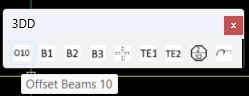
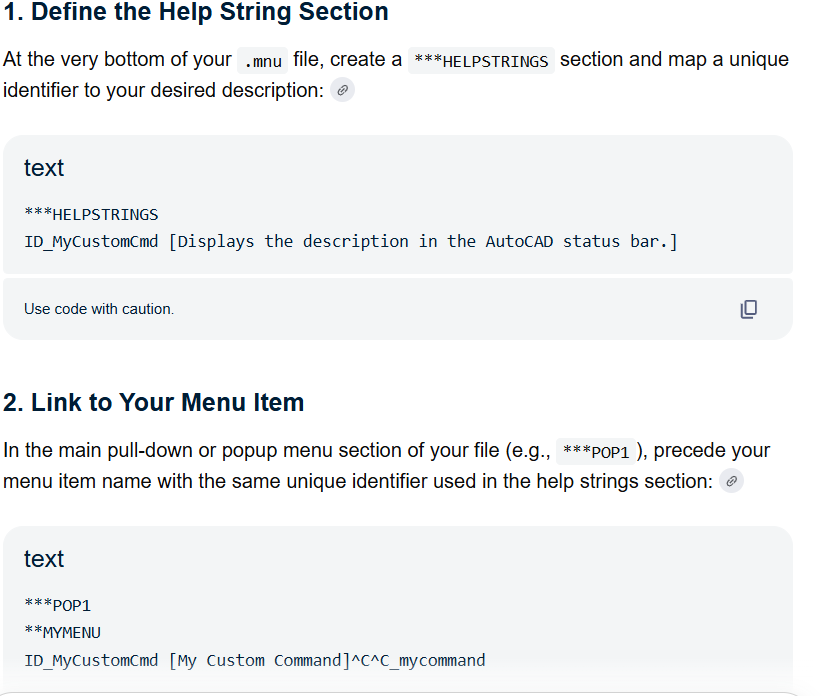
I tried this but not sure how to get help to show
***HELPSTRINGS
ID_Offset_10 [Draws offsets at 10 ]
 0
0 -
I found this BricsCAD blog (six years old) that states the following:
- Help --- specifies the help text displayed on the status bar. The text appears in the status bar, again when you hover the cursor over the button.
Nothing displays on my status bar when I hover a toolbar button. Actually I would not even want the help down in the status bar when my mouse and my eyes are at the toolbar that I have displayed directly below my ribbon at the top of my workspace. Even if this worked I would find it annoying to have the help text on the status bar. For ribbon buttons the help text is right there next to the cursor.
@ALANH thanks for taking the time to comment. I don't use menus and I know nothing about them. The toolbar information in the CUI editor is easy to use and quite clear. The hovering thing is apparently broken.
0
