CAD-Lisp support for Geany

For those looking for a cross-platform editor, I recently added CAD-Lisp support to Geany.
As I am doing more and more development work on Linux, I wanted a single editor and workflow for both Linux and Windows.
Features include:
- CAD-Lisp file type recognition
- Syntax highlighting for BricsCAD Lisp code (and OtherCAD)
- Custom function highlighting
- Improved brace matching
- Linux and Windows support
Documentation and download:
The CAD-Lisp wordlist is based on work by Torsten Moses.
Comments
-
Thanks a lot.
Blade is still so unstable on Linux…
0 -
I can't thank you enough!
Geany is the way to go - thanks for pointing me to it!
Roumen
0 -
I use Notepad++ which has Lips support, I am on windows.
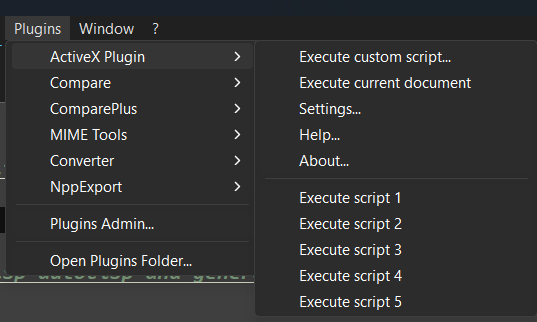
One option to consider for Geany, in Notepad ++ you can select code then run that code in your CAD. Which is very handy. It uses an ActiveX addon.
 0
0 -
Thanks for the suggestion. I can certainly see why running selected code directly in CAD is useful.
I looked into how this could be implemented for Geany. On Linux/X11, the selection could be written to a temporary Lisp file and
xdotoolcould activate BricsCAD and load it. That would work, but it is GUI automation rather than a proper interface. It depends on X11, is likely to break under Wayland, and would require a completely different implementation on Windows, such as ActiveX.This would therefore introduce platform-specific and rather fragile code into what is currently a straightforward language-support module. I prefer to keep the module portable and concentrate on solid CAD-Lisp editing support: syntax highlighting, symbols, completion and related editor features.
For running selected code directly in CAD, Notepad++ with its ActiveX add-on remains the better solution on Windows. Linux users who really want similar behaviour could still create a local Geany command or script tailored to their own CAD and desktop environment.
0