Viewport Scale Control

Just started working with BricsCAD late last week, as we are going to be replacing our very much outdated version of AutoCAD 2013. I have been impressed so far with how easy the transition has been and that I have been able to make my toolbars look virtually identical to my layout in AutoCAD.
One item I have been unable to find/replicate is the Viewport Scale Control dialog box that I use in AutoCAD (see attached pic).
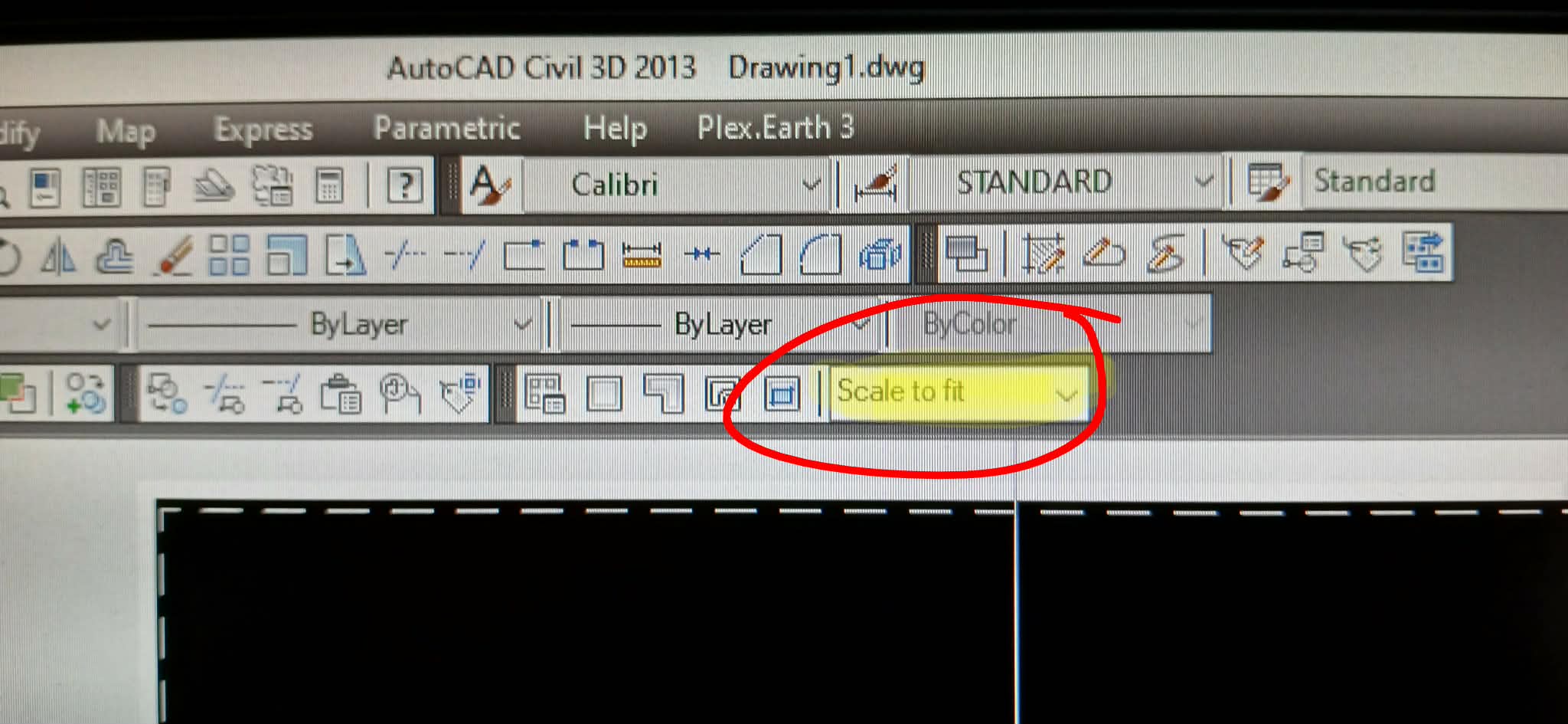
This may actually be a byproduct of the Civil 3D Suite that I use AutoCAD within. This box allows me to dynamically change the scale of my viewport without having to go into either the VPSCALE command or from within Properties. I can directly type in the desired scale (ie 1:300) and not have to rely on preset scales. It's part of my workflow when generating drawings and would be nice to have available within BricsCAD.
Is this option available within BricsCAD or does anyone know how I could create this dialog box as a custom addition? I am very much unfamiliar with how to create custom commands and toolbars, so I would need pretty explicit instructions.
Other than this one hiccup, I have been QUITE impressed with how well the transition has gone thus far. Makes me wish I had discovered BricsCAD a few years earlier.
Comments
-
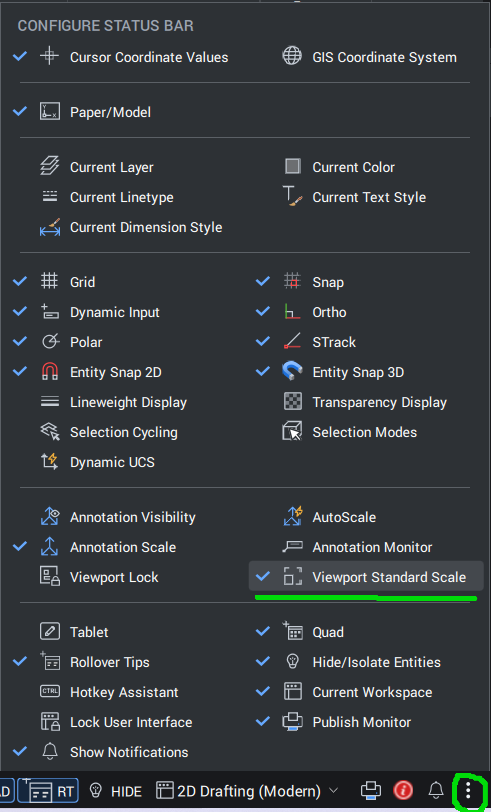
There is no such a toolbar or Ribbon control in BricsCAD, but you can change the Viewport scale via Properties panel or using 'Viewport Standard Scale' on the Status Bar. If this option is not displayed, press three dots button in the right part of the Status Bar and turn on 'Viewport Standard Scale'.
There is an issue with creation of custom scale via this control, it's on correction at the moment.
 0
0 -
That is something I used every day in CIV3D once you worked out what number to enter it was easy. 1:50 = 20. Viewports ?
I tried looking into the acad cuix I do know how to get inside one. I could not find the scale option, may have another go.
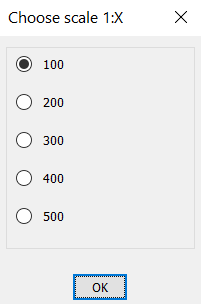
Ok all is not lost you can via lisp have a similar option. Something like this, the limit is about 20 scales the screen limit, "any" scale can be an option. You can have this as say a toolbar option to an existing toolbar. Let me know what you think. Maybe the Layout Toolbar.
 0
0