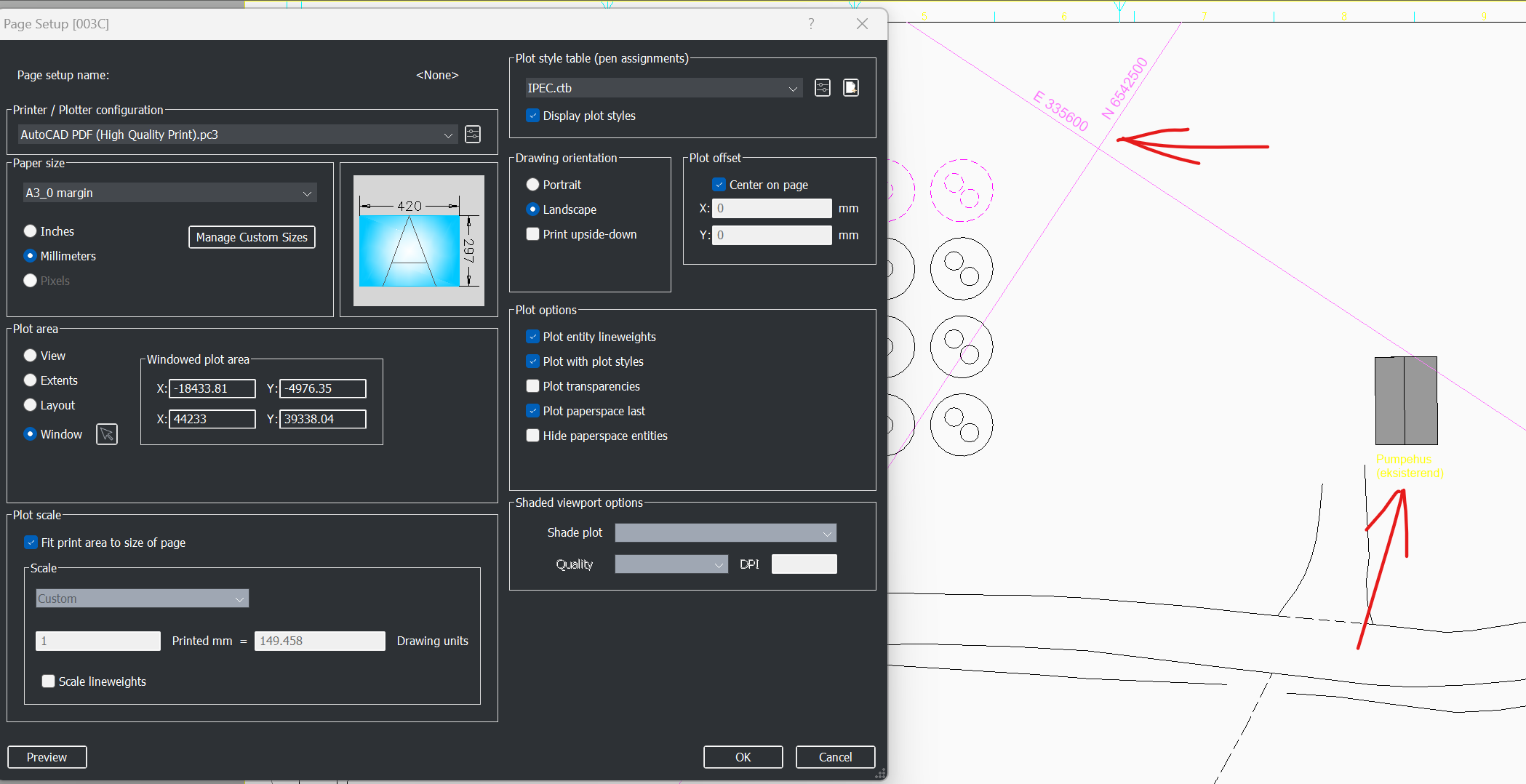
V27 - Layout, display plot styles

Hi, Installed V27 this morning. And have been struggling with this. Layout is not displaying/using the assigned plot styles. Both on screen and on the printer!
It is worth mention the exact same file on V26 or Autocad LT is working perfectly.
On the attached screenshot it should all show in black.
Any ideas?
PS: Maybe I should have posted elsewhere, this is running on "Mechanical". Although the fille is a common 2D.
Comments
-
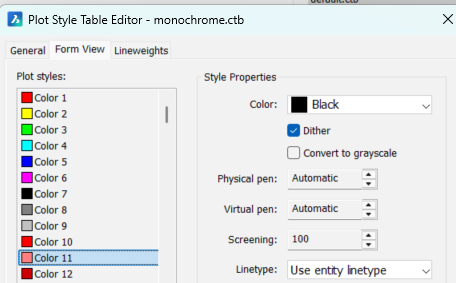
Just a dumb question, in the ctb all color is set to black ? We had 1-250 as black 250+ is Grey.
 0
-
Hi @CAR , please try to make the name of CTB file at least 7 characters, does it change the displaying?
0 -
Hi, Lyubov
Thank you for your assistance. Indeed it helped. At the time I tried several options. Create a new CTB, rename the existing CTB, etc. They all changed behavior based on the filename length. For a temporary outcome for one or two files it's OK.
But on the long run, it is an inadmissible deal breaker, I have thousands of files "hanging" on that. I'll not touch them because of yet another major core mistake!
In fact I came here this morning, solely because I installed the "new" V27. And I was wondering if this and other issues had been tackled with positive outcomes. Unfortunately they did not. :-(
So, back to V26 once more. Cheers
To Alanh. Thank you for your comment. No, only the first colors are black (1-7). Everything else keep the original colors. As mentioned the problem is the CTB filename length!
Fun fact: More of a curiosity really. The output to PDF file, produce the intended color results! The same output to a printer does not! Same on the screen, as seen on the attached image. Cheers
0