V27 LookFrom with cardinal points

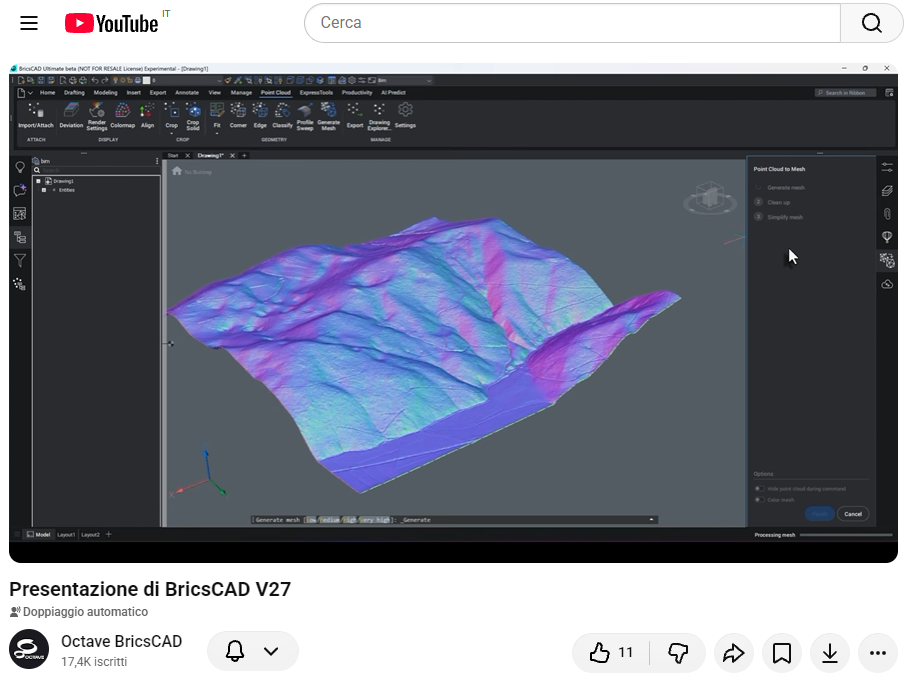
In a presentation image for V27, I noticed that "LookFrom" finally displays the cardinal points (N-W-E-S). Unfortunately, I can't seem to find this in the settings. Could someone point me in the right direction? I have the "Ultimate" version. Thanks!
Comments
-
Hello, LookFrom doesn't show you the cardinal points.
Here you can check LookFrom in BricsCAD:
Can you, please attach the image you saw for V27?
0 -
Thank you, Patricia, for your interest.
I have attached "Image 1" from the Bricscad V27 presentation video on YouTube (https://www.youtube.com/watch?v=XY6l5u1_5CU).
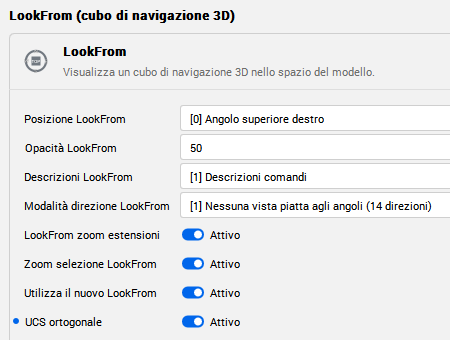
"Image 2" is taken directly from the Bricscad settings (the image is small and pixelated).
Thank You
0 -
Thank you for the image.
Cardinal points are available in the Look From control only if the drawing file has geographic location data assigned.0 -
Thank you for your response.
I believe that having these default indicators even without entering geographic coordinates would be beneficial for everyone.
When viewing a drawing or object from above, such indicators would immediately show you your orientation. I imagine other users would agree.
I honestly don’t understand, all other CAD software includes this feature.
Thank you.0 -
^ I second this
0 -
^^I Third this, it is probably easier to code having it being a default than having to code the current default and have an extra piece of code for when geographic coordinates are used.
That being said, when is the remaining functionality of the old LookFrom that has not yet been included going to be implemented into the new LookFrom?
0