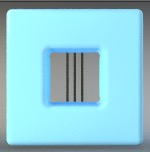
v27 Incorrect Quad Menu Icon

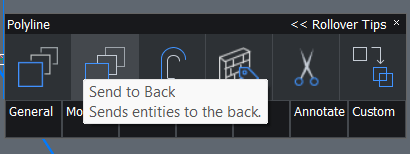
It appears that the quad menu icon icon for draw order option send to back in BricsCAD v27 is wrong, it displays the same icon as the bring to front option, I believe this is a bug. Pls is there a way to change the icon temporarily pending when it is fixed?
Comments
-
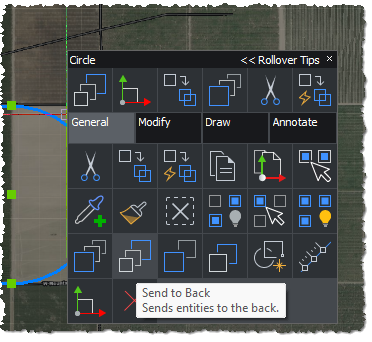
Mine is OK.
0 -
Pls confirm that you are actually using v27 so I can attempt reinstallation, cause I've tried checking the menu customization settings for the built-in icons set incase there was a glitch in the icon assignment but its also the same thing there, and this was not the case with my previous v26 installation
0 -
In V27 on my system (WIndows 11) the icons look ok
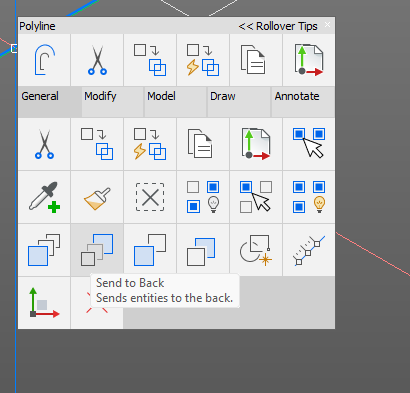 0
-
Ok then, will attempt a clean reinstall, thank you.
0 -
Still didn't fix the issue for me, anyone has any suggestions?
0 -
A few questions:
- What version of BricsCAD are you using, Lite, Pro, Mechanical, BIM or Ultimate?
- Did you try starting BricsCAD in safe mode and check if it then happens as well?
- Does creating a new user profile solve the issue or not?
- Do you perhaps have a non-English language version? In that case then it might be a bug specific for that language? (Just a guess, I've seen bugs that happen in only one language version but not in another)
- Was the quad menu customized by someone or you? e.g. The icon might have been accidentally changed.
0 -
Ultimate
Tried safe mode
Still the same with an new user profile
English
No quad customizations, this was the situation on opening the program after installation
BTW the issue is not just with the menu, its the same on the menu option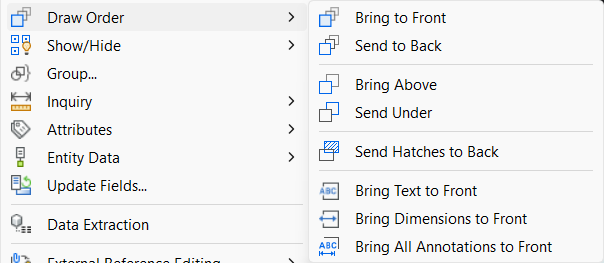 0
-
Hi @Jtlive , would you be so kind to report this via Support request also?
0 -
Thanks a lot for creation of Support request, the problem is forwarded to developers.
0