Custom Beam Tag

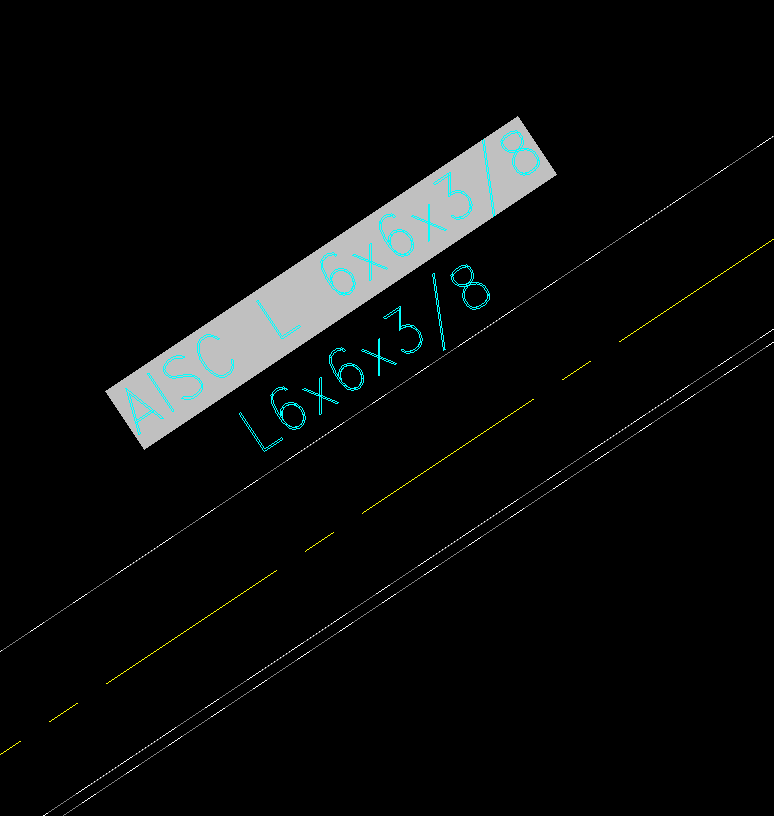
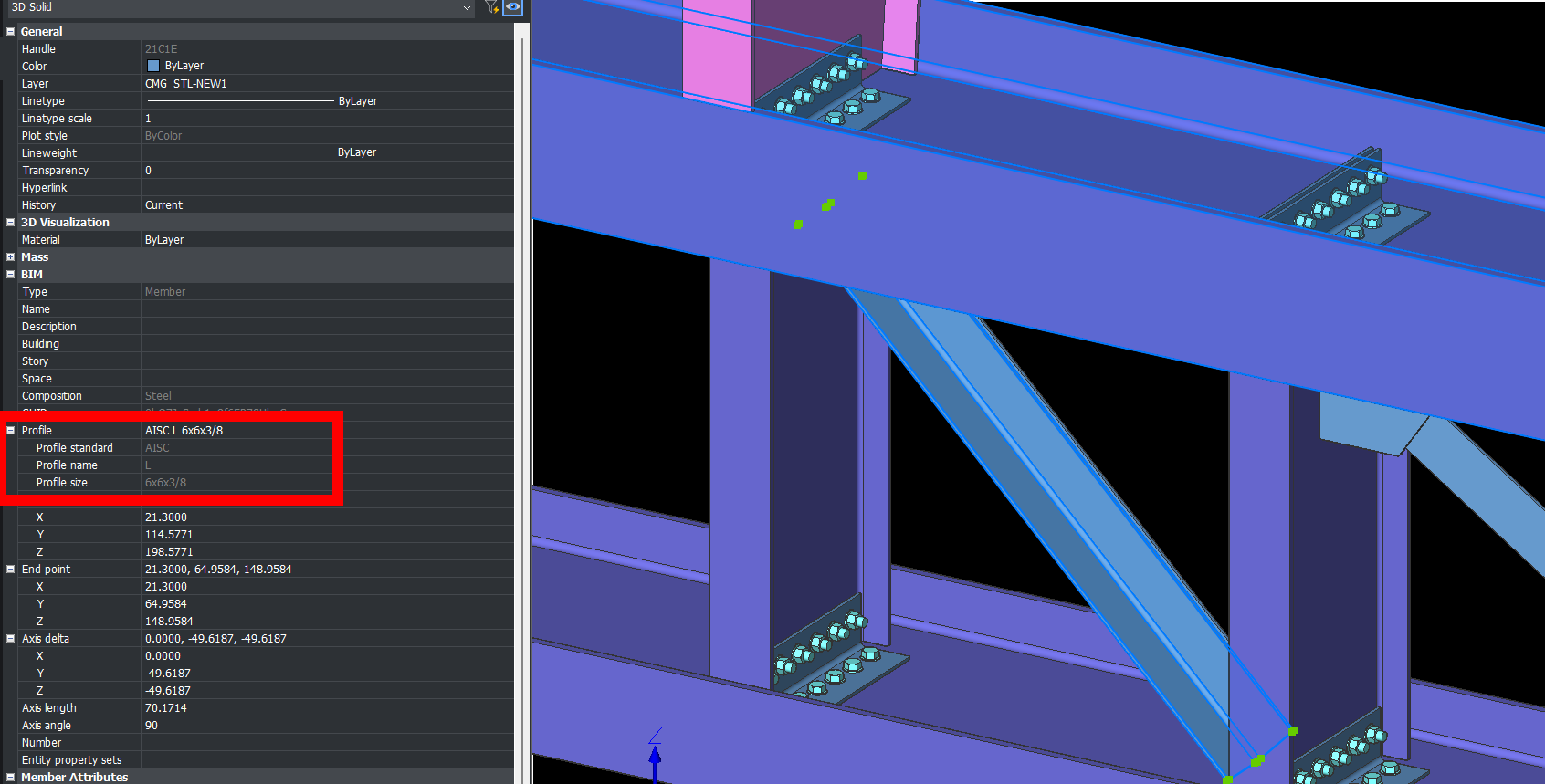
I am trying to create a custom beam tag. The first image shows the BIM profile tag (Grey outline) and below it the desired format (basic mtext). I do not want to see AISC and to remove the space between the profile shape and the size of the profile. On the second image when selecting the member i can see the Profile name "L" and Profile size "6x6x3/8". My original idea was to have a mleader style with mtext fields [Profile name] [Profile size] but I cannot find those values under the BIM properties, only the parent Profile that has all the values combined.
Comments
-
I don't have BIM but can you post a sample dwg from a lisp point of view can redo the label as you require, say on another layer. It's a easy task but I don't know if I can see the label with Pro version.
; thanks to Lee-mac for this defun
(defun csv->lst (str ans / pos )
(if (setq pos (vl-string-position ans str))
(cons (substr str 1 pos) (csv->lst (substr str (+ pos 2)) ans))
(list str)
)
)(setq str "ASIC L 6X6X3/8") ; get this from dwg
(setq strlst (csv->lst str 32))
(setq newstr (strcat (cadr strlst)(caddr strlst)))"L6X6X3/8"
0 -
yeah, need a sample drawing to test
0 -
You can dump the properties of an entity in LISP using dumpallproperties
(dumpallproperties (car (entsel)))This will include BIM properties if they are there. Doing this, I could see that "Profile" was available, but not "profile name" or "profile size", which leads me to believe that these are probably calculated from the "Profile" value.
To get make them accessible to a BIMTAG, you could use some LISP to extract the profile value, format it how you want, then put it back in a BIM field that you can access, such as the Description. The attached LISP is an example of doing this
;; SetProfileDescription

;; Take the Profile name from a BIM profile entity and use it to create its description
(defun C:SetProfileDescription ( / beam profile profile_list desc)

(setq beam (car (entsel "\nSelect BIM profile: ")))

(cond

(beam

(setq profile (getpropertyvalue  beam  "Profile~BIM")) ; retrieve the profile value

(cond

(profile

(setq profile_list (vle-string-split " " profile)) ; split the profile value out to a list

(setq desc (apply 'STRCAT (cdr profile_list))) ; form the description by removing the first item, then stringing the remainder together

(setq err (vl-catch-all-apply 'setpropertyvalue  (list beam "Description~BIM" desc))) ; apply the description to the beam

(if (vl-catch-all-error-p err) ; if there was an error

(princ (vl-catch-all-error-message err)) ; report the error

(princ (strcat "\nDescription set to: " desc)) ; other wise confirm

)

)

(T (princ "\nNo profile data found"))

)

)

(T (princ "\nNothing selected"))
)

(prin1)
)
Jason Bourhill
CAD Concepts Ltd
0 -
Thanks for the replies. I am attaching a sample drawing. I have the bim section in the same file as the model for simplicity (I hope). The tags are in the layout tab.
Using a lisp to set the description works but I will have to look into adding some automation to it for adding new members and changing the profile size update the description.
0 -
Besides building your own custom field evaluator, your best option is to convert the whole drawing at once. Here’s a python script if you can run PyRx, or maybe someone (AI?) can port this to autolisp
import traceback from pyrx import Ap, Db, Ed, Ge @Ap.Command() def doit(): try: ps, ss = Ed.Editor.selectAll([(0, "MULTILEADER")]) if ps != Ed.PromptStatus.eOk: raise RuntimeError("oof {}:".format(ps)) for id in ss: leader = Db.MLeader(id) if leader.hasFields(): mt = leader.mtext() sold = mt.contents() fid = leader.getField() fd = Db.Field(fid) code = fd.getFieldCode(Db.FieldCodeFlag.kFieldCode) if not 'BcObjProp2dMLeader' in code: continue if not 'Profile~BIM' in code: continue if not 'AISC' in sold: continue snew = sold.replace("AISC", "").replace(" ", "") mt.setContents(snew) leader.upgradeOpen() leader.setMText(mt) except Exception as e: print("Error encountered:") traceback.print_exc()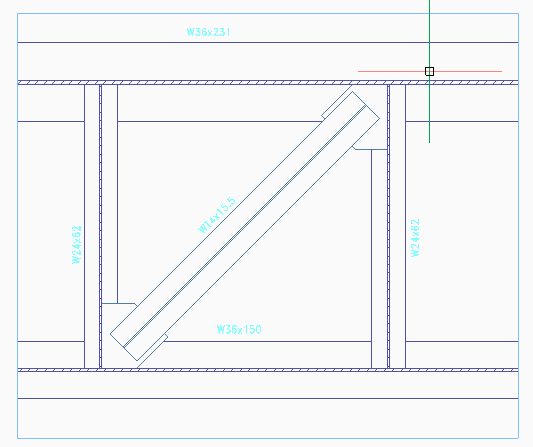 0
-
Using the Its_Alive idea of get "ALL" multi leaders, then look for "ASIC" as 1st word in the Mleader so use the (vl-string-split " " str) as suggested by Jason, join new label, I would make a new layer and have the new m/text label on that layer, turn off or change the layer of any edited Mleaders so can control which one you see. Can add a check if current new label then update for beam type change. Yes Lisp.
Just using this as an example in CIV3D you can make your own label descriptions so for any one using BIM can that be done so label does not have the "ASIC" as part of the default label. I dont have BIM.
Itneresting labels are not attached to model why is that ?
0


