Rhino-like Flow / FlowAlongSrf in BricsCAD? (twisted torus case)

Hi everyone,
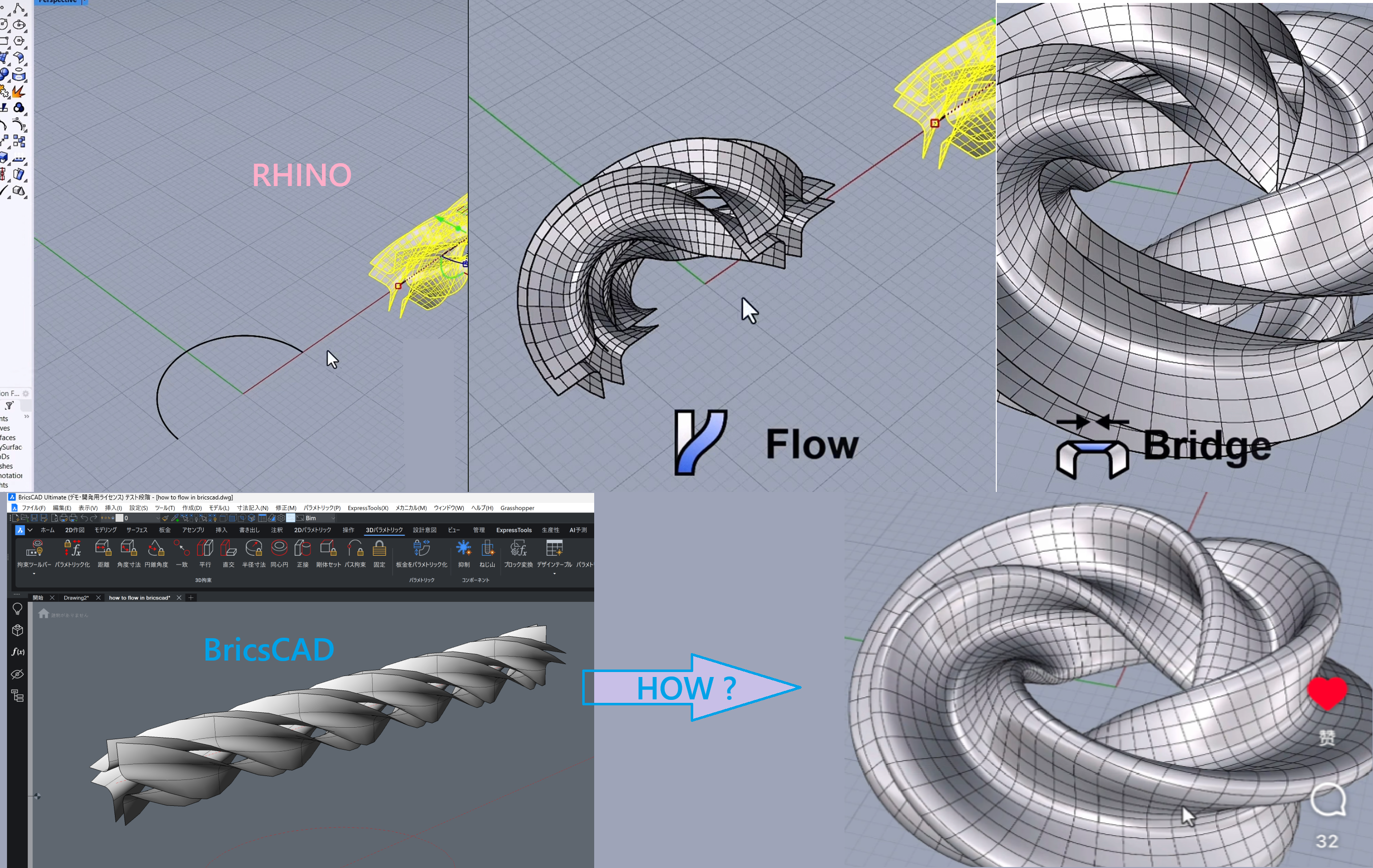
In Rhino I often use Flow / FlowAlongSrf to morph geometry along a surface, for example to create a twisted, closed torus (“donut”) by flowing a profile along a looped surface.
I am now working in BricsCAD and wondering:
- Is there any native tool, workflow, or BRX/.NET API approach to achieve a similar surface-based flow deformation?
- Has anyone successfully implemented something comparable to Rhino’s FlowAlongSrf, especially for closed / twisted surfaces?
I know simple curve-based d
eformation is possible, but I’m specifically interested in true surface UV-based flow.
Any insight, examples, or plugin recommendations would be greatly appreciated. Thanks!
Comments
-
Just use the SWEEP command with the Twist option…..
SWEEP
Select profile entities or [MOde/Interactive/Circle/selection options (?)]:
Entities in set: 1
Select profile entities or [MOde/Interactive/Circle/selection options (?)]:
Entities in set: 2
Select profile entities or [MOde/Interactive/Circle/selection options (?)]:
Entities in set: 3
Select profile entities or [MOde/Interactive/Circle/selection options (?)]:
Entities in set: 4
Select profile entities or [MOde/Interactive/Circle/selection options (?)]:
Select sweep path or [Alignment/Base point/Twist/Profile orientation/Create/Subtract/Unite/Interactive/selection options (?)]: t
Enter twist angle or [allow Banking for a non-planar path] <0>: 90
Select sweep path or [Alignment/Base point/Twist/Profile orientation/Create/Subtract/Unite/Interactive/selection options (?)]:
4 entities were swept successfully.
In your case the profiles have a rotational symmetry of 90 degrees and you can use any sweep path as long as you use a twist angle which is a multiple of 90, (90 180 270 etc)
I have used 90, 450 and 540 which is your original choise….
You must also use an open curve with identical start- and end points !
If you use a circle or a closed curve you get the message :
A closed path cannot be used as a sweeping path when a twist angle is used.
I used an open polyline with 2 arcs ! NOT a circle…
you find attached the test file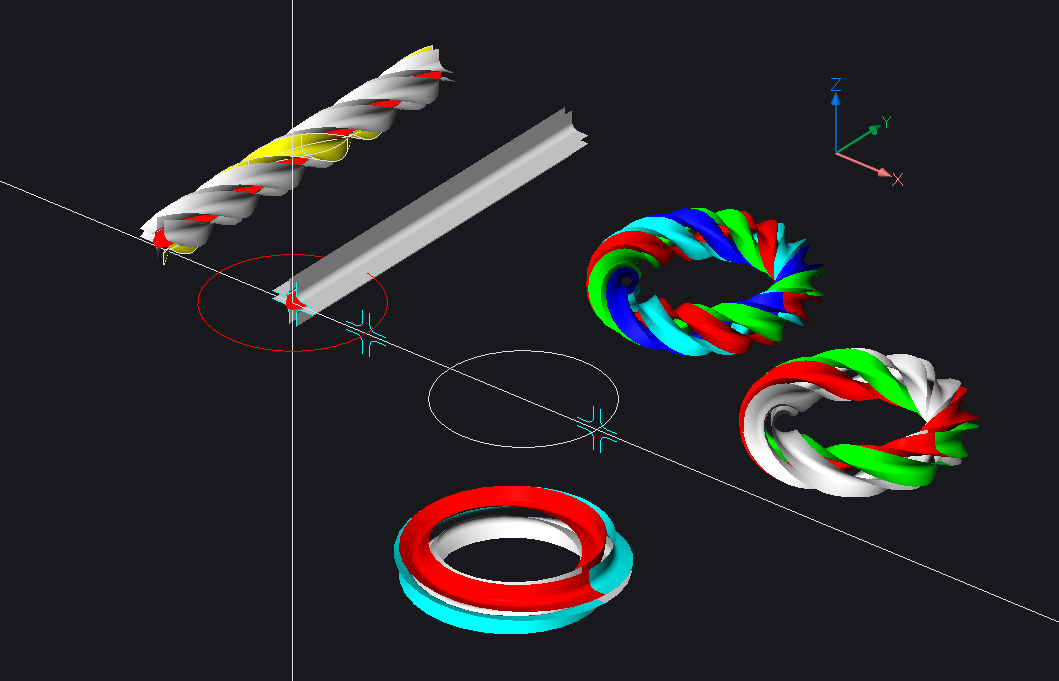
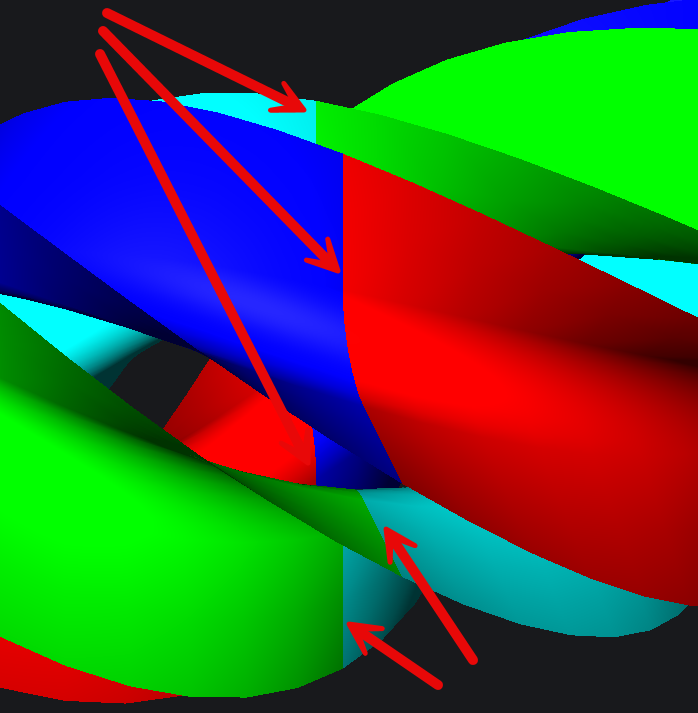
The closing seams…
 2
2 -
Finally a workaround is possible, in order to bypass the restriction that a closed path cannot be used as a sweeping path when a twist angle is used….😉
1. A closed curve can be devided in 2 parts having the same length, in this example a spline
2. A sweep can be generated using the same angle in this case 90 x 50 = 4500 degrees…for each of the 2 parts of the curve.
3. Finally union the two 3d solids and you get a 3D solid, which is in effect the result of sweeping a closed profile along a closed arbitrary curve using a twist angle.
Other results are possible if the path curve is devided in segments with different lengths and the same twist angle is used.
Finally the same sweep solid for each segment can be generated for segments having different lengths according to the formula ratio = Twist angle / Segment Length
Find some screenshots and a test file attached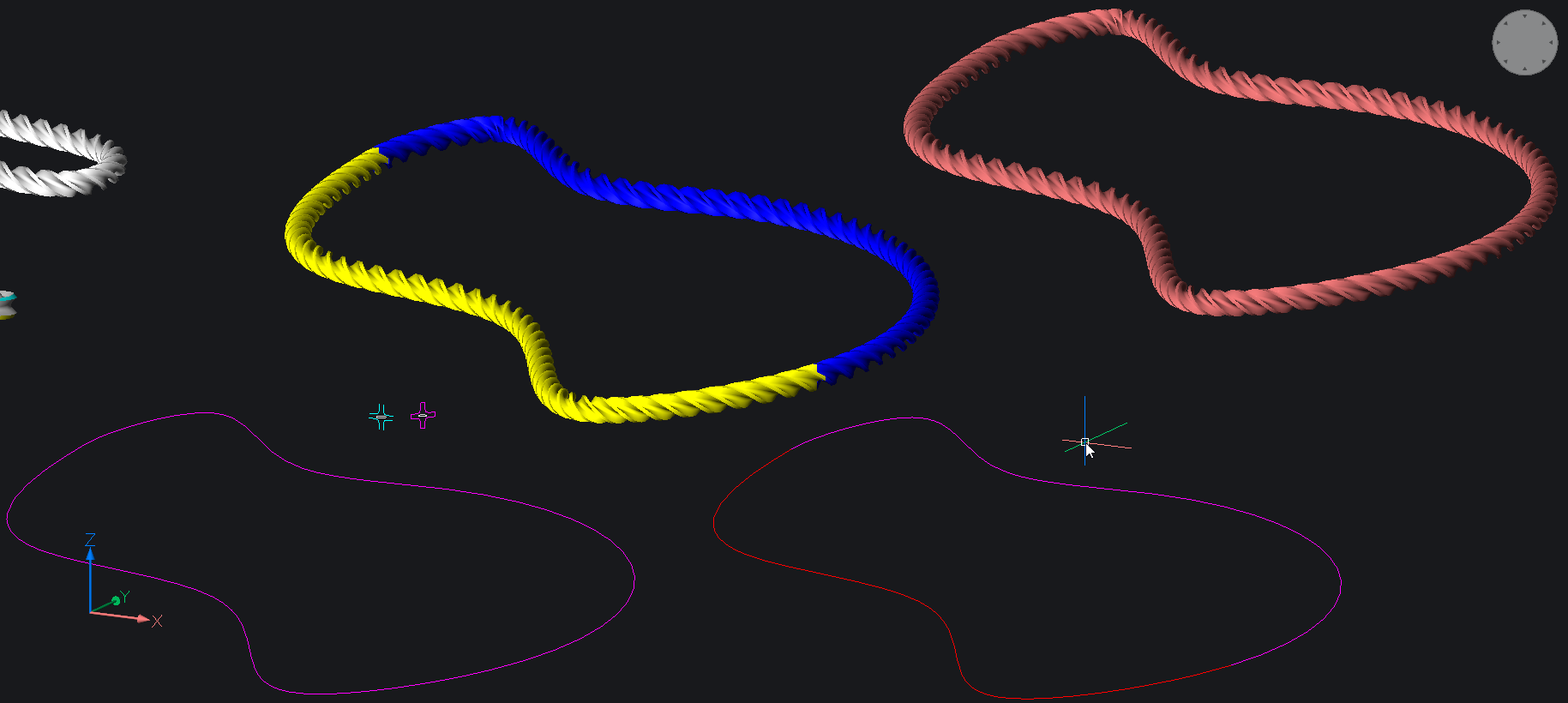
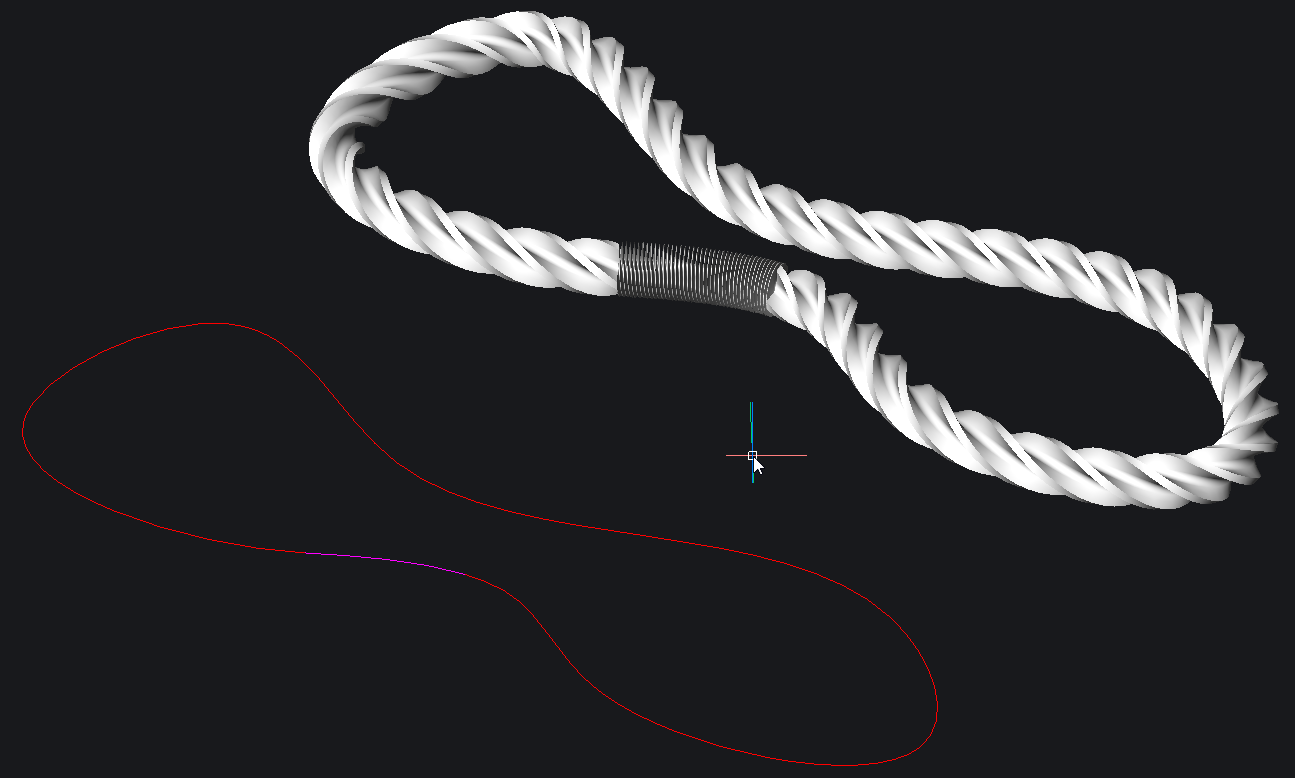
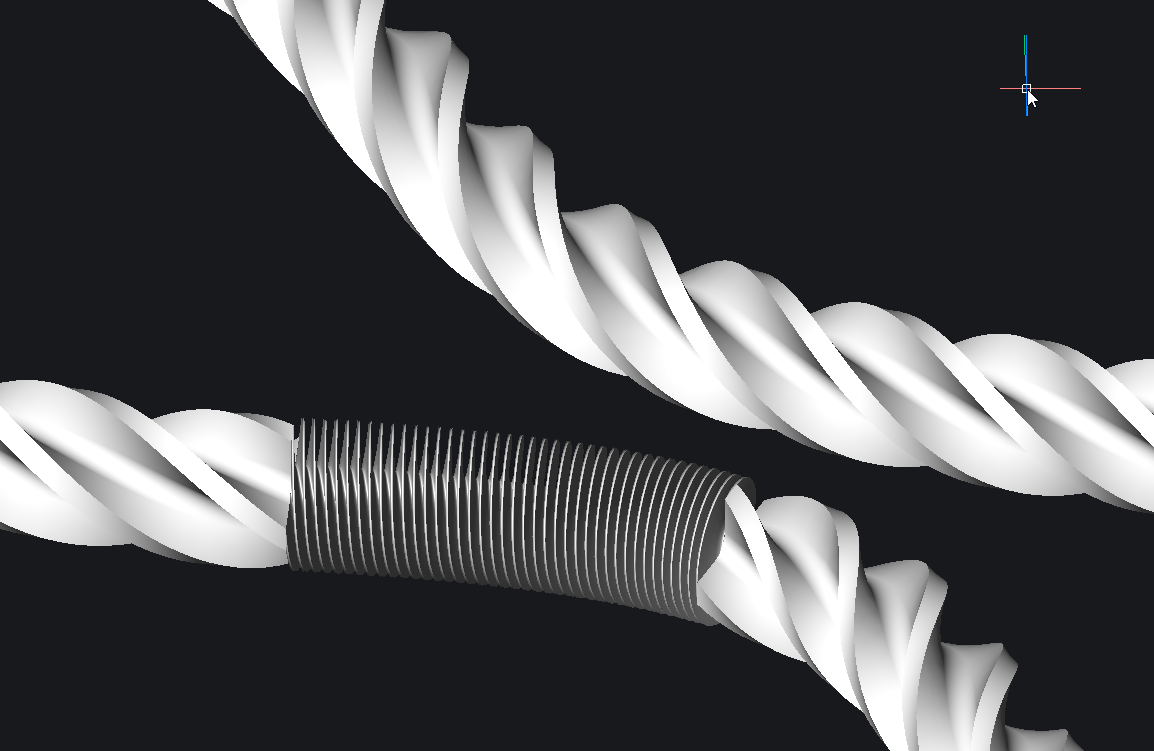
:
1 -
Hi, thank you very much for your reply.
I finally understand the key point now.Previously I was trying to use TWIST first and then SWEEP separately.
The TWIST command asked me to pick a twist axis (start and end point),
so I couldn’t select an arc as the axis — that’s why I got stuck.Now I realize that:
🟥 SWEEP with the Twist option does NOT require selecting a twist axis.
🟥 You only need to press T during the SWEEP command and enter the twist angle.
This makes everything much clearer.
Thanks again for pointing me in the right direction!
I am so satisfied with the result!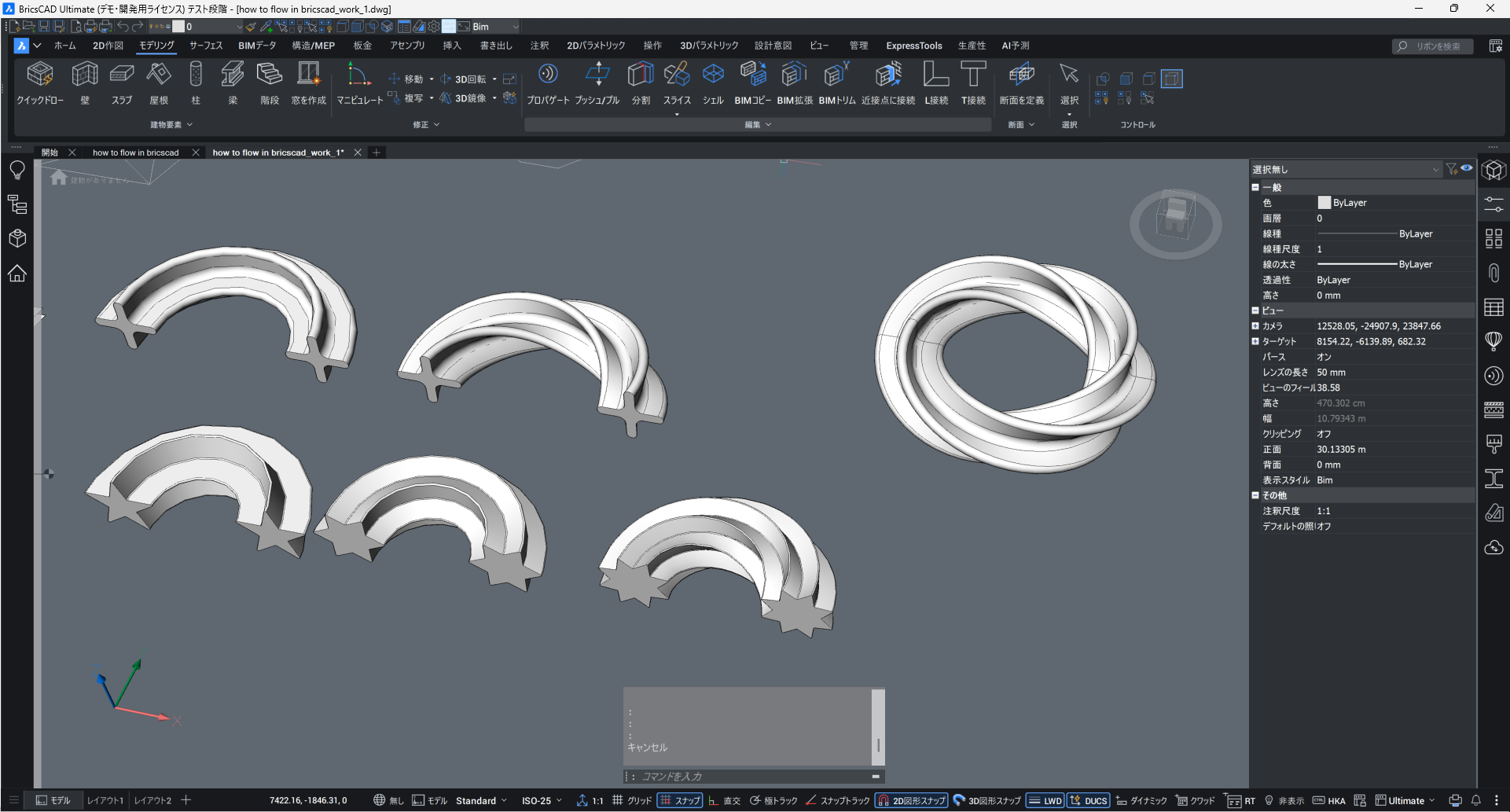
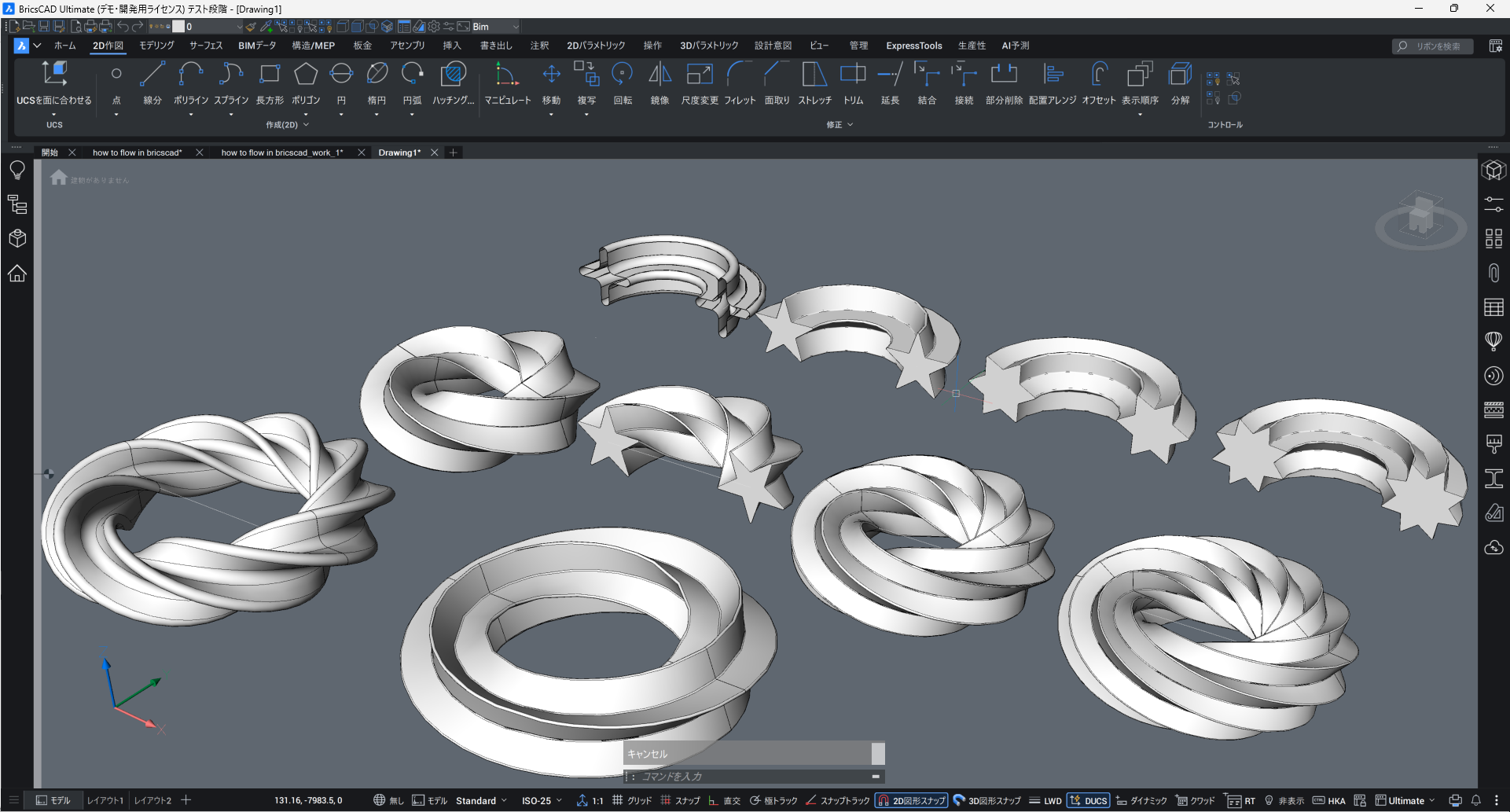 2
2 -
👍️👍️👋
1
