Permission denied

Comments
-
I think meanwhile we have Version 26.1.08 ….
But something isn't working (at least with Mac version) of 26.1.08 either.
I can't save existing (!) Files, neither on a network drive nor local.
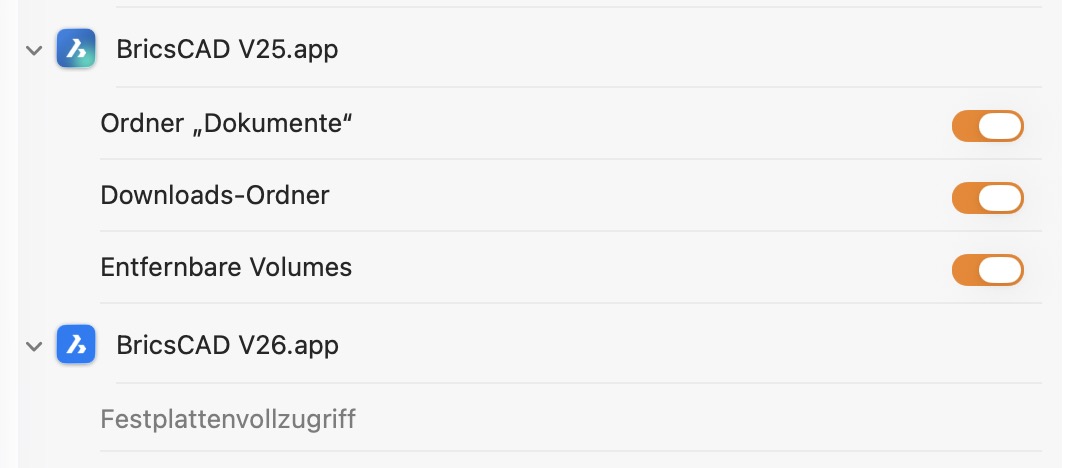
Looks like I can save new files from scratch sometimes locally.Also the permissions seem to not work. While all Apps ask for permission when accessing any kind of drive, V26 somehow does not. It will not even be able to when getting full disk rights. If I disable full disk access, you will see that V26 only asked for User/Documents folder.
But there is no real sense behind that Settings and V26's behavior, as it can't save in User/Documents/Bricscad anyway.
BTW,
I had no such problems with any other V26 version before. And also V25 is still able to save as expected. AFAIR there was also no macOS update for a while
0 -
BTW
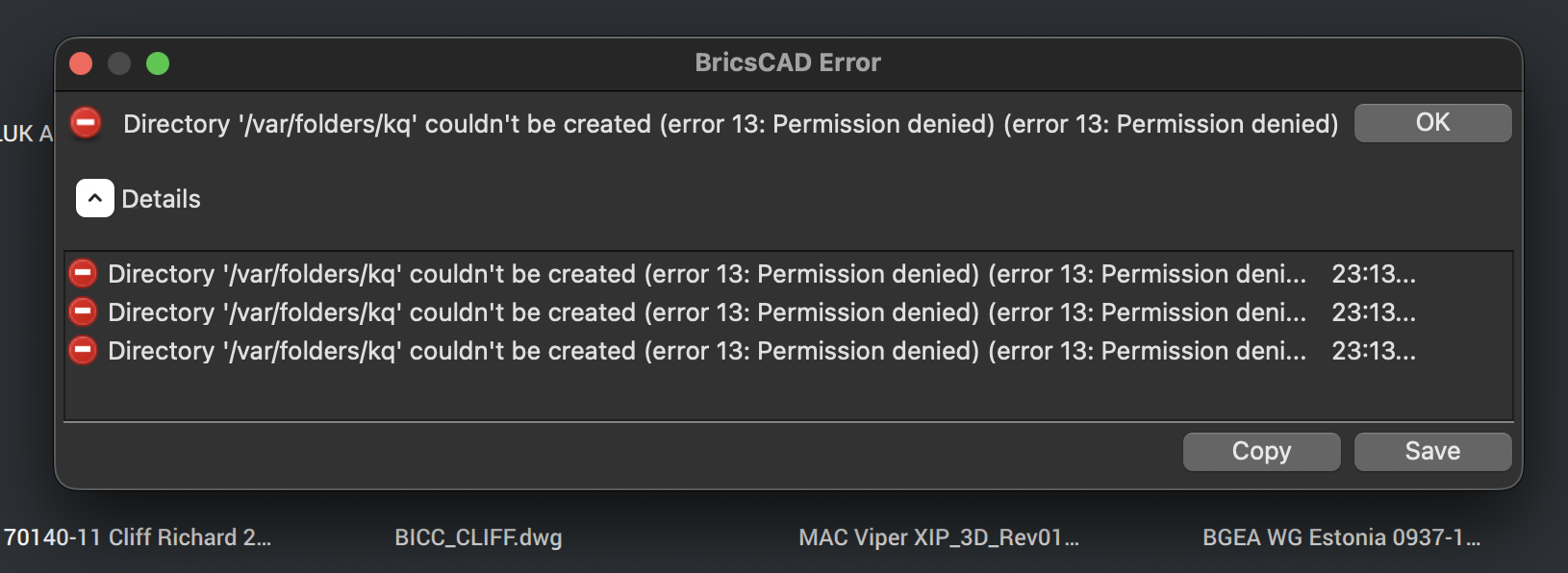
When I open any drawing, I get the following error:
/var/folders/kq couldn't be created…
Do you see any strange or missing settings in Apple Settings, Privacy and Security, for Files and Folders ?
 0
0 -
Performing the following steps should fix it:
1. Make sure BricsCAD is closed.
2. From the Finder's bar select Go -> Go to folder...
3. Type /private/var/folders and press Enter to access the folder.
4. Here create a new folder and name it kq.
1 -
I don't have that Folder but Bricscad does not warn here.
(And creating it does not change anything)0 -
The folder differs from machine to machine.
If you look at the screenshot of the error posed by deljones, it mentions that it can't create the following folder /var/folders/kq. If you get a similar error you should create the folder mentioned in that error (I'm not sure if "Bricscad does not warn here." means you don't get any errors).
0 -
Yes, I meant I never got a warning about any write issues ….
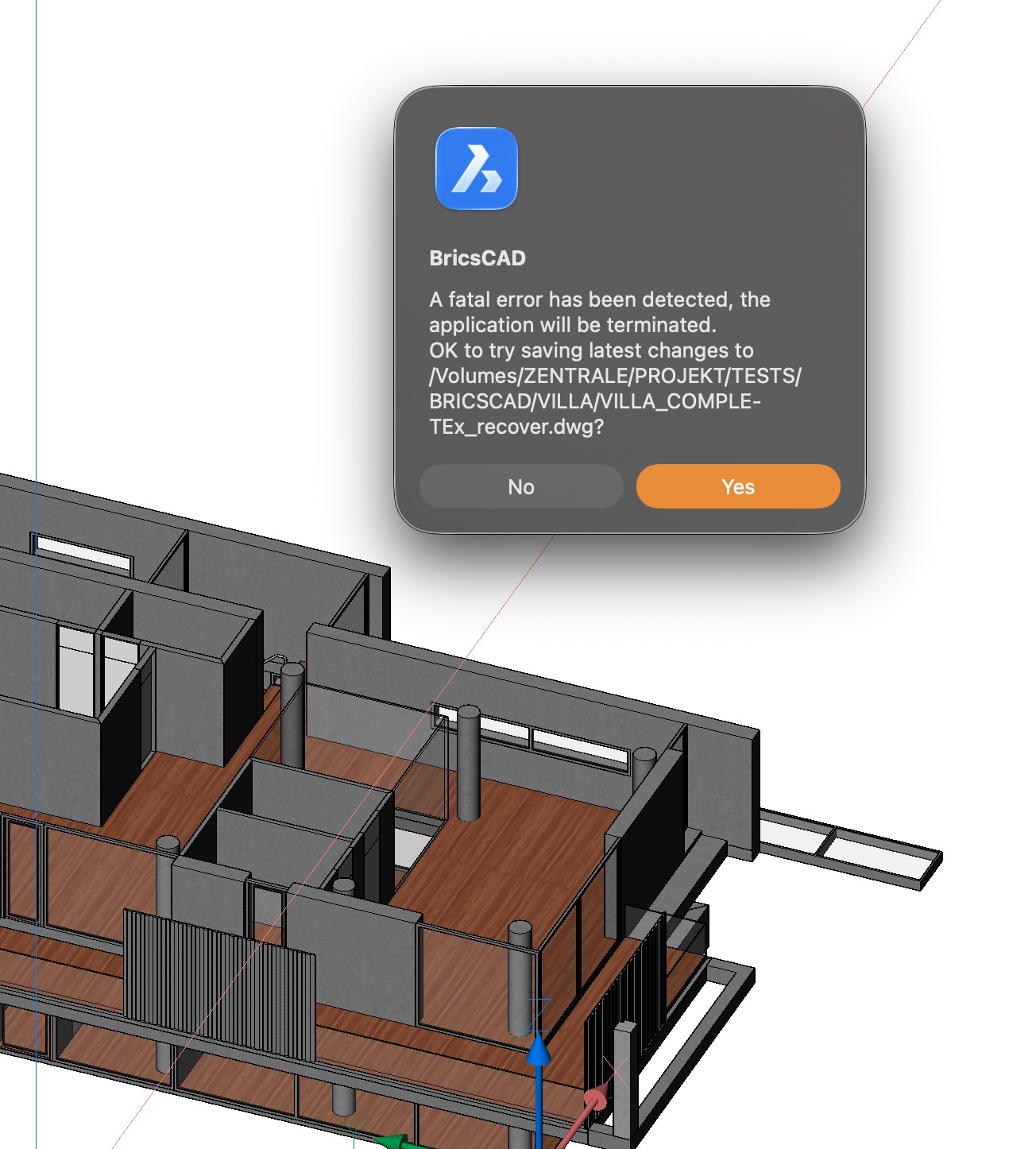
But something is completely broken on Mac since V26.01.8
(and following versions …. (which can at least save recover DWGs)
But nevertheless, properly asking for access rights and saving (+as) is all broken
 0
0 -
I think this deserves a support request for a more in depth look (adding sample drawings and crash reports if generated helps). On my end V26.1,08 works fine on mac.
0 -
Good to know it works for you. I'm still testing ….
0 -
Tried on Windows too (data attache to the same network drive).
Same problem. No chance to save certain files. Similar notice "File is locked or secured". But I can't see any hints of that in Explorer and Finder
So far I just looked for .dwl and such. In Windows I realized that there exists a ".BricscadProjectLock" file (".* " on Mac means file is hidden) I have not found such file in the other related project though.
Why and who would do want a Project locked ?
That Lock file (size 0 kB, no content) does not appear if I try to work with and save the files on Mac. And I deleted that file a few times on Windows ! Could Windows be the culprit ?
Would Windows sabotage my Project on a Mac drive by applying files hidden only on Mac ?Another issue on Windows was, if Bricscad Win can't save a file, for each save attempt Win creates a TMP file - but also deletes the DWG !?
Anyway, I could not save on Windows even when that .BricscadProjectLock was deleted.
Even more strange, after testing on Windows and closing Bricscad I went back to Mac. I opened the file there again - and could now save it as nothing ever happened (?)
May test what happens today ….What I also do not like is that Bricscad, at least on Mac, when it is not able to save, refuses to close. Multiple ESC do not help. It has to be force quit. Usually on Mac, Finder right click offers force quit when an App is not responding. Not in this case, Bricscad isn't frozen . You could even open new files and such. Usually you get a a notice in Command Line that "qsave" or "save as" failed. Bricscad is just not able to terminate the save command, at not before 10+ minutes. Although you already clicked the warning away.
0 -
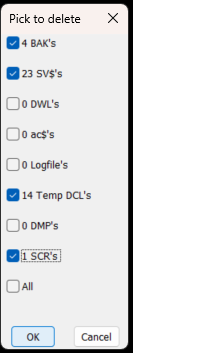
There is in Options where to save temporary files, "Temporary Prefix", you will be surprised how much gets left in there, Windows version. the code should get the value of your temporary file location. My temp directory has been reset rather than the deep default one to d:\Acadtemp
You will find SV$ BAK DWLx AC$ LOG DCL DMP
The multi toggles is auto loaded from the cleanup and can be used in any code make sure its saved in a support path.
 0
0

