Mleader with block content vs insertion point

Dear all,
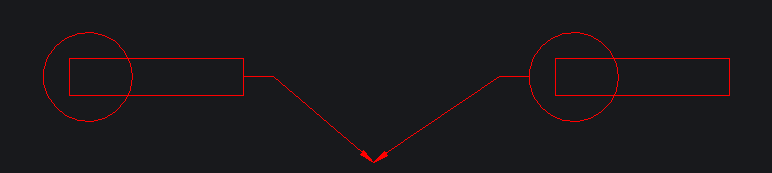
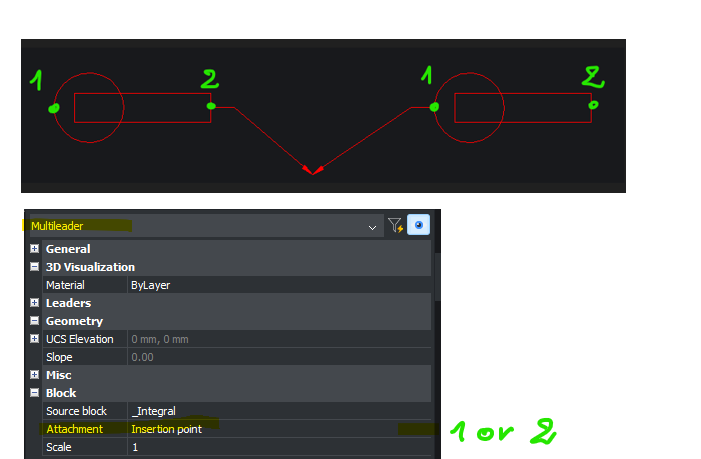
Is it possible to get 2 insertion points in a block placed in a Mleader style to get the possibility to switch from the Mleader properties dialog box ? My block is non symetrical and I don't how to handle it with a Mleader. See attached illustration.
Comments
-
Not sure what your after, in a mleader is all sorts of info about points of a mleader, if you know scale of block and its insertion point can work out a second point. Your image does not show any points so no idea. Use just that POINT and PDMODE 34, to show points you want.
0 -
Here you will find attached a new pic to illustrate the behaviour I expect.
The block (as content of the Mleader) does contain 2 instertion points. I wish I could switch from one to the other in the Attachement property of the Mleader.
0