Adding Contour Labels Issue SOLVED

I have a surface that I need to contour and label.
I can extract contours via TINEXTRACT no problem when I just need contours, and I can label the slope % of the ground or spot level it via ADDSURFACELABELS no problem, but the 'Contours' part of ADDSURFACELABELS doesn't seem to work for me.
My current workflow is as follows:
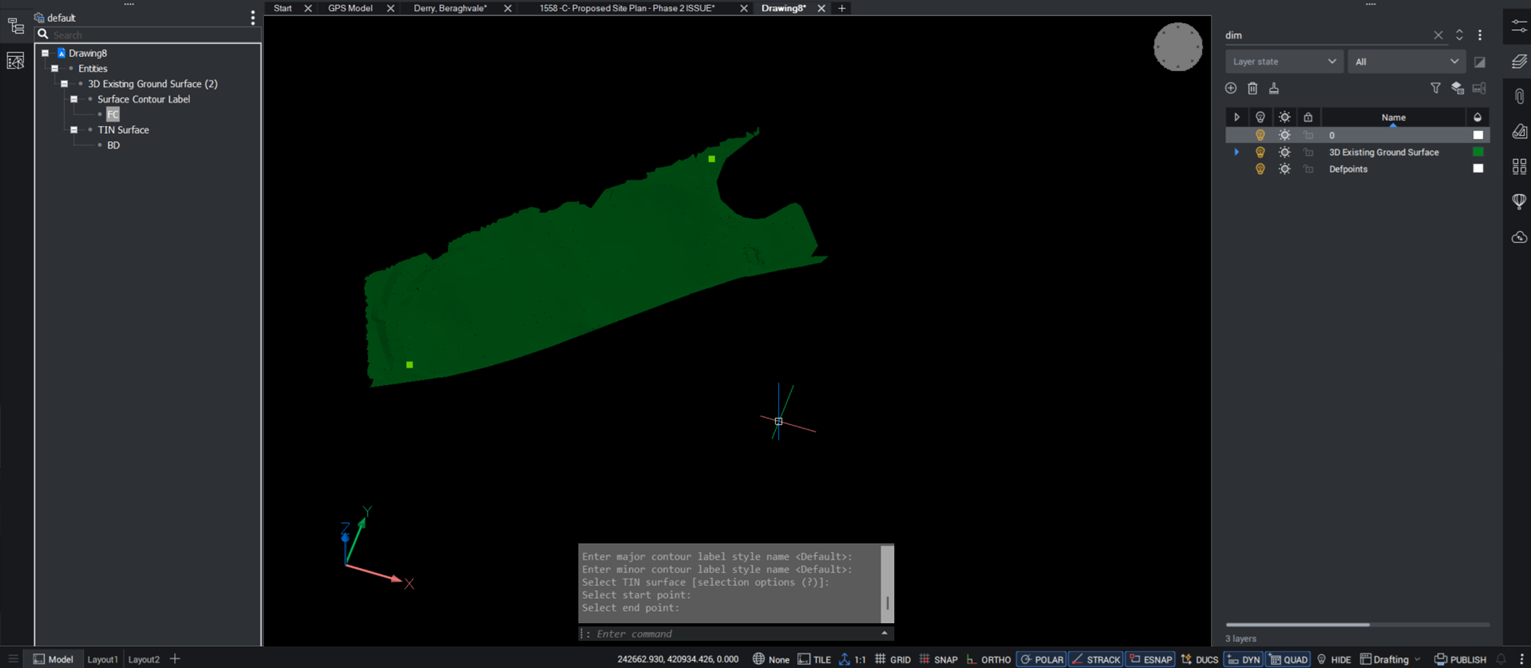
ADDSURFACELABELS, 'Contour', 'Default' for label styles (major and minor), select my TIN surface, select a start point (tried various places), select an end point (tried various places).
Nothing appears for me.. tried it with and without contours extracted from the surface, changing the text size etc. via CIVILEXPLORER, there's an elevation difference of about 25m so the standard 10m Major and 1m Minor contours are well represented.
All layers are visable/thawed to make sure they aren' being placed elsewhere etc.
Any ideas where I might be going wrong?
Comments
-
Hello.
The first thing to check would be the creation of the entity.
After running the command, you could use the Structure panel.
The newly created entity should be listed as Surface Contour Label.Using the context menu in the Structure panel, you can select the entity or zoom on it.
This will help to locate it in the drawing.Further, if the entity exists but is not visible, there could be a setting of the label style that interferes.
If the entity doesn't exist, the problem might be that AddSurfaceLabels fails for some reason.
0 -
Thanks for this.
When I open the structure panel, the Surface Contour Label is listed there and is selectable.
When it's selected it only shows the start and end points that I selected.
I've checked the settings in the CIVILEXPLORER menu, changed the colour, text size, any setting I can think of that would help, but still only the start and end points show up.
0 -
I think the problem is in your default style I dont use Bricscad Civil have something else, the default setting is asking for a point. I am not sure how you do that. In some civil software a spacing is asked for or in CIV3D you drag a line over contours and intersection is label point.
The help did not really help ! But I may have been looking in wrong spot what did youtube reveal, found a few links.
0 -
Found the issue…
In CIVILEXPLORER, under the Civils section, when i select the surface i put the contours on, the 'Enable contours' toggle was set to off…
It's always a simple fix isn't it.
Thanks for the help in pointing me to the right direction.
0