Parametric eccentric loft

I am trying to make parametric blocks for swage fittings, see attached pdf.
I have done separate files for all the end connection options, PBE, TBE, BBE, PLE-TSE, etc, with pipe size and schedule options within each file for concentric swages. BLE_TSE file attached.
Now to the eccentric options.
No matter what I do I cannot get the eccentrics to work. I simply changed the concentric revolved cone in the middle of the fitting to a lofted eccentric cone. I can get it to change the end pipe sizes and schedules to work, but as soon as I put in a length constraint it stops working.
I know it can be done as the BricsCAD standard library has eccentric reducers where the length
changes as you go through the various sizes.
I have tried looking at the parameters and exporting the parameter table from their eccentric reducer. The only parameters are Size, OD & Thickness for the two ends and the Schedule. There is no parameters for lengths. In The block editor there are no constraints to be seen to see how it's done. The same applies for the BricsCAD concentric reducers.
Does anyone know how to get a lofted eccentric cone to change length.
Any help appreciated.
Cheers
Dennis
Comments
-
Hi, your file may have a virus and destroy mu laptop…I don't have access to any of my software. Recheck this.
0 -
Hi Dennis,
I don't think it is possible to generate these type of fittings currently using BricsCAD's parametric tools. Instead you would need to make use of the custom standard part feature, which allows you to build custom pipe fittings based on a pre-defined piping element.
Using this method, I was able to create a library of MS-SP-95 Eccentric reducer PBE. See attached zip file.
The text syntax used to define custom standard parts is quite painful to use. Any mistake through typo or error will result in the file failing to load, with no helpful messaging as to what the issue might be. Because of this, I found it simpler to:
- Create a generic model of the parametric part that I wanted, with ALL the available parameters for that fitting type exposed.
- Open the generic model created and clean it up ready for use:
- Convert it from a mechanical component (deprecated) to a mechanical block.
- Run drawing health or AUDIT on the drawing to check and fix any errors.
- Delete any superfluous entities from the model leaving just the component.
- PURGE the drawing, then SAVE.
- Copy the Generic model to the custom component you want to create. Open the Mechanical Browser and:
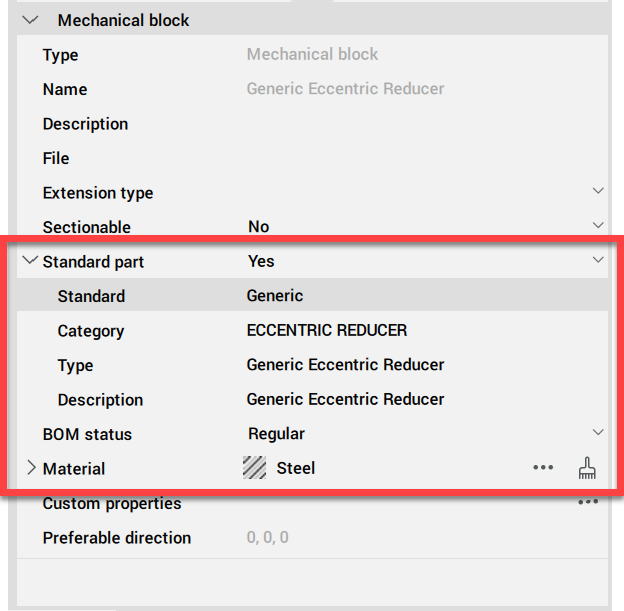
- Set the standard part information to suit your component.
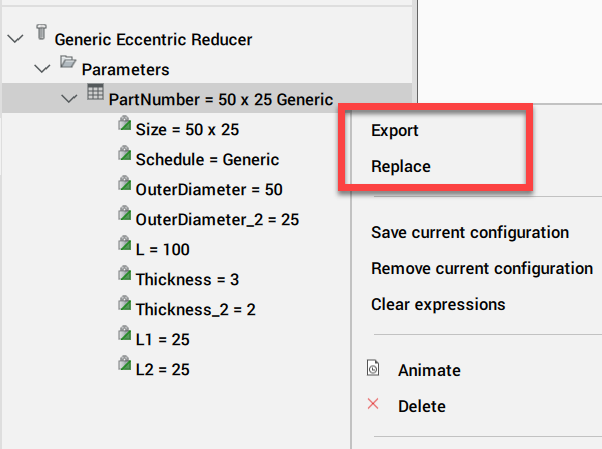
- Right click on the table under parameters and export it out to a .CSV file.
- Open the .CSV file and populate with your desired details.
- Return to the table and use the Replace option to import your .CSV data back in.
- Work through each parameter an turn the option to expose the parameter when inserted On/Off to suit.
- Copy the completed block to the appropriate location in the library.
Jason Bourhill
CAD Concepts Ltd
0 -
Creating a MS-SP-95 Eccentric reducer with Both Bevelled Edge (BBE) is much more of a challenge. The custom standard part feature doesn't include bevel's or threads as an option when generating. I could only manage to succeed in adding a bevel to the large fixed end. The small end would lose the bevel with sizing changes.
In terms of the Bevel, it is easier to create this as a separate parametric block, placing the solid on a subtraction layer "BC_SUBTRACT" so that it subtracts from the component on insertion
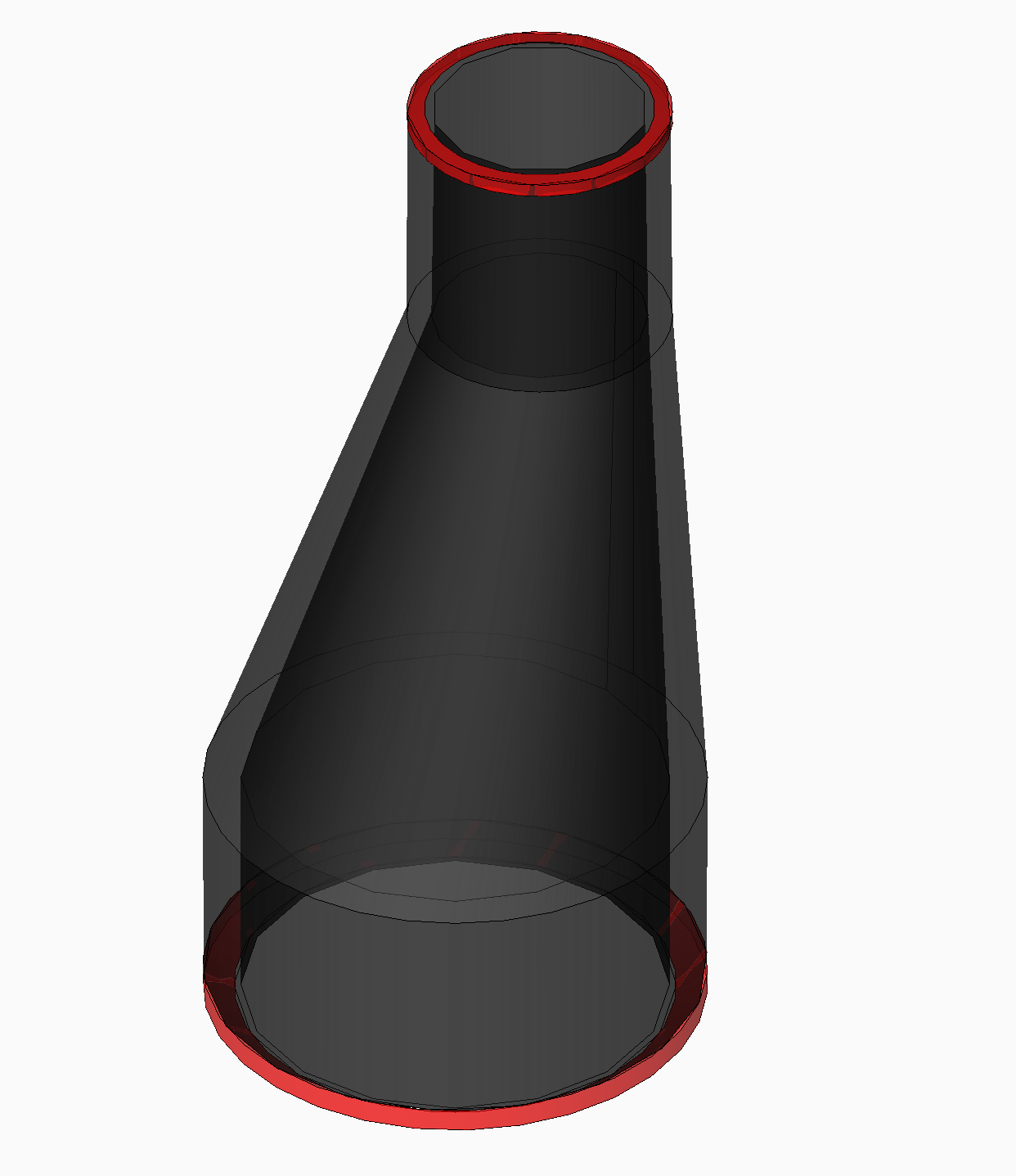
I think it could be possible to get the BBE version to work parametrically by breaking the reducer up into 3 parts:
- Bottom connection with bevel.
- Eccentric component based on a custom standard part.
- Top connection with bevel
Jason Bourhill
CAD Concepts Ltd
0
