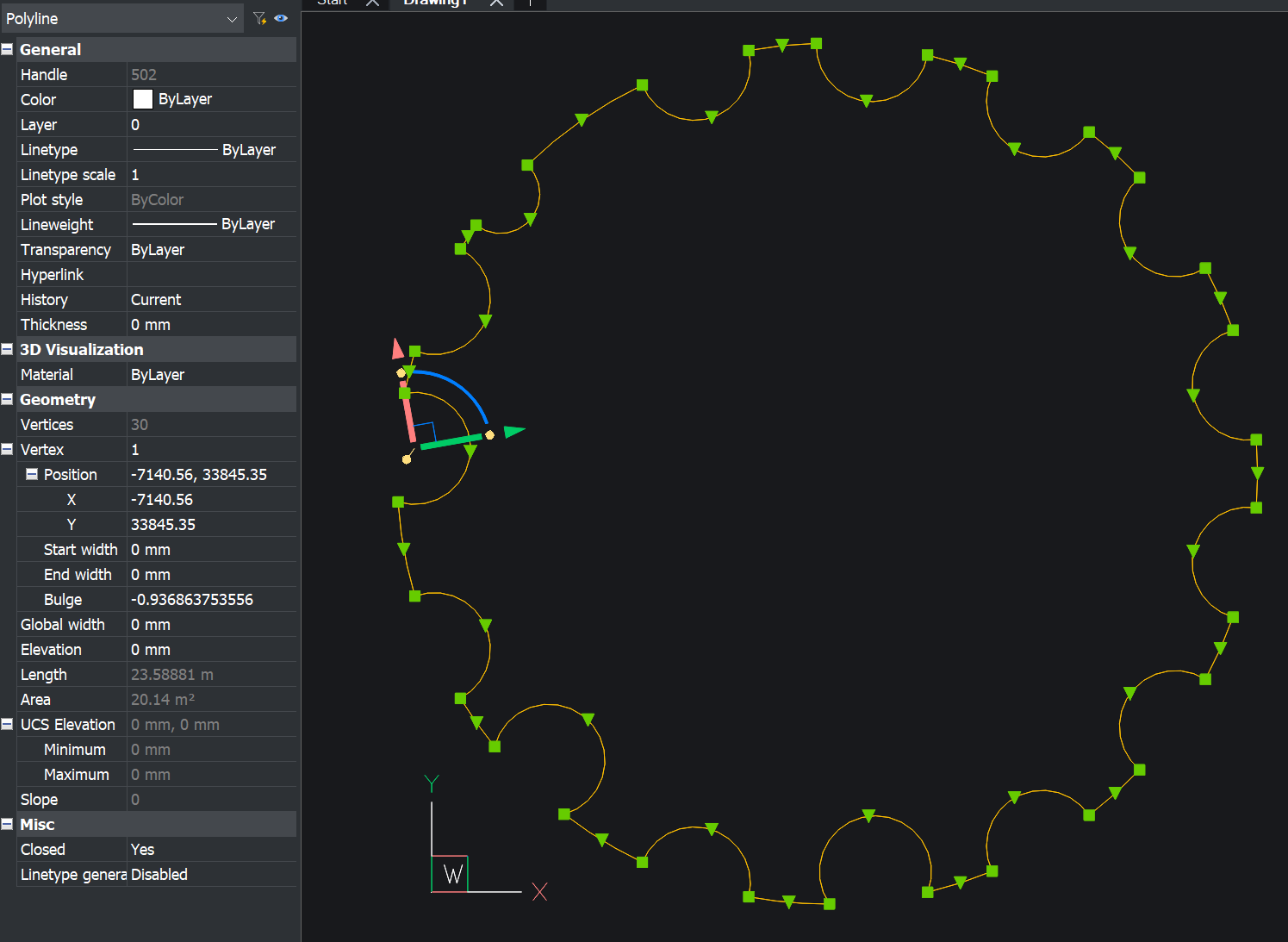
Fillet failed at curved corners with polyline filleting option.

This is a closed polygon on a plane
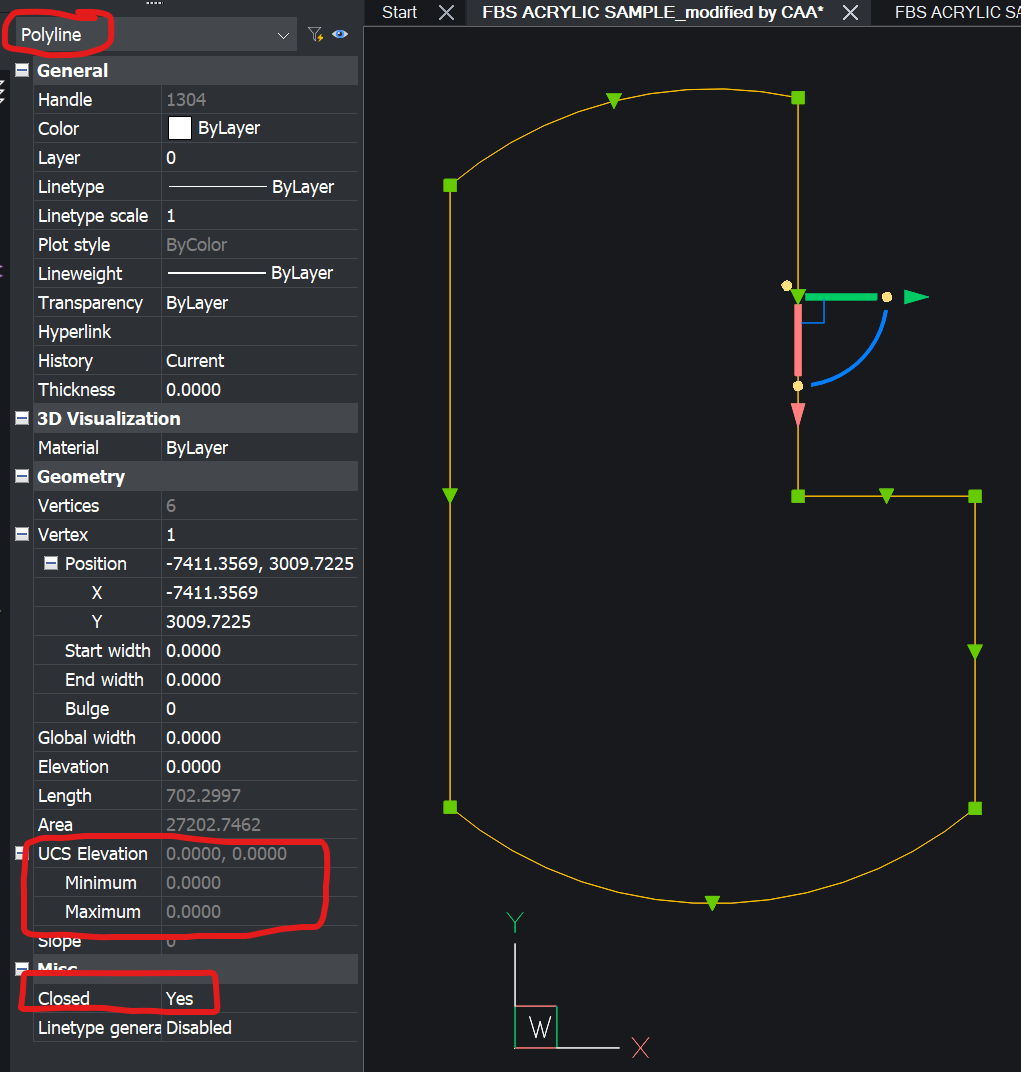
Used fillet command with a small radius value (around 10.1mm) as shown below
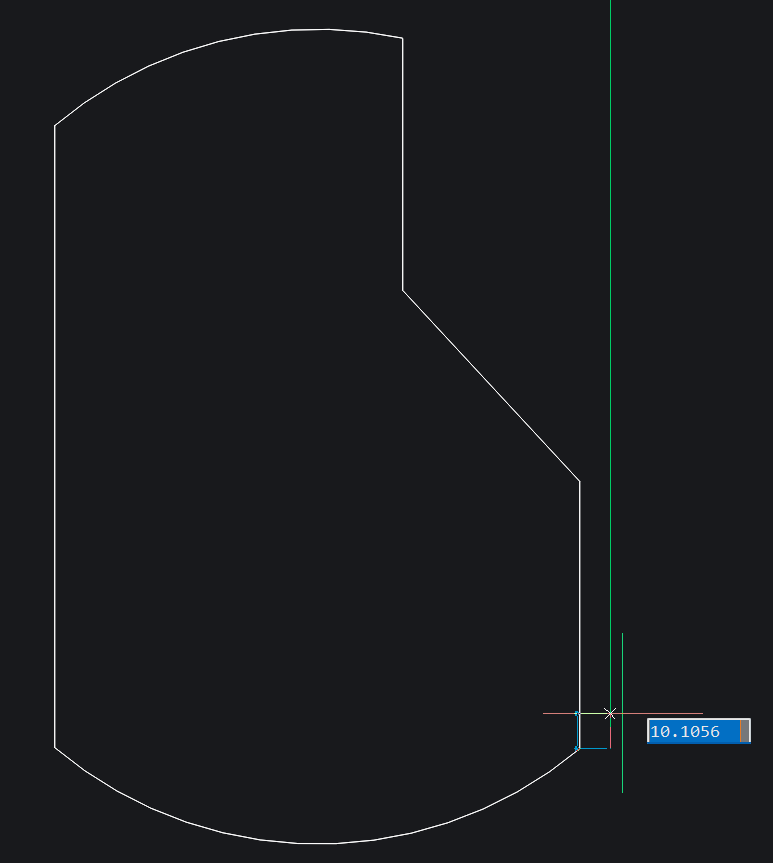
Used polyline option to fillet. Then the result is like this
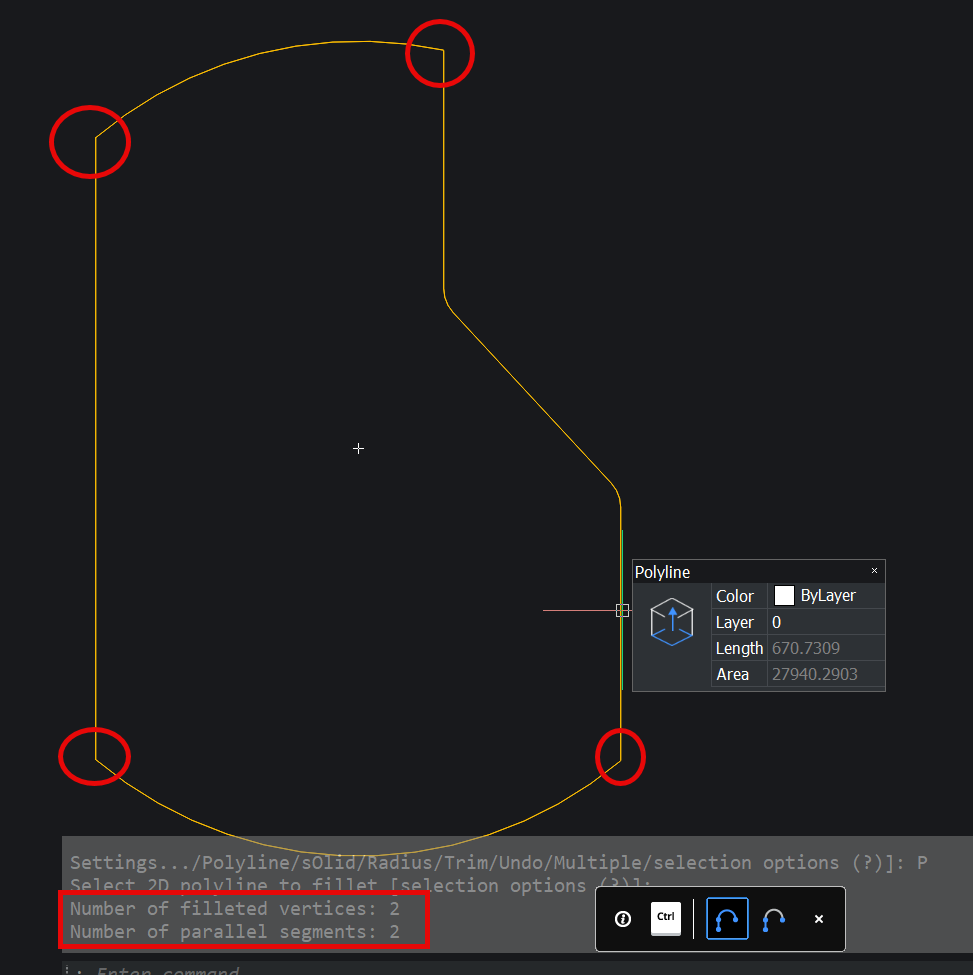
Curved corners failed to fillet.
In this kind of case, it fully failed.
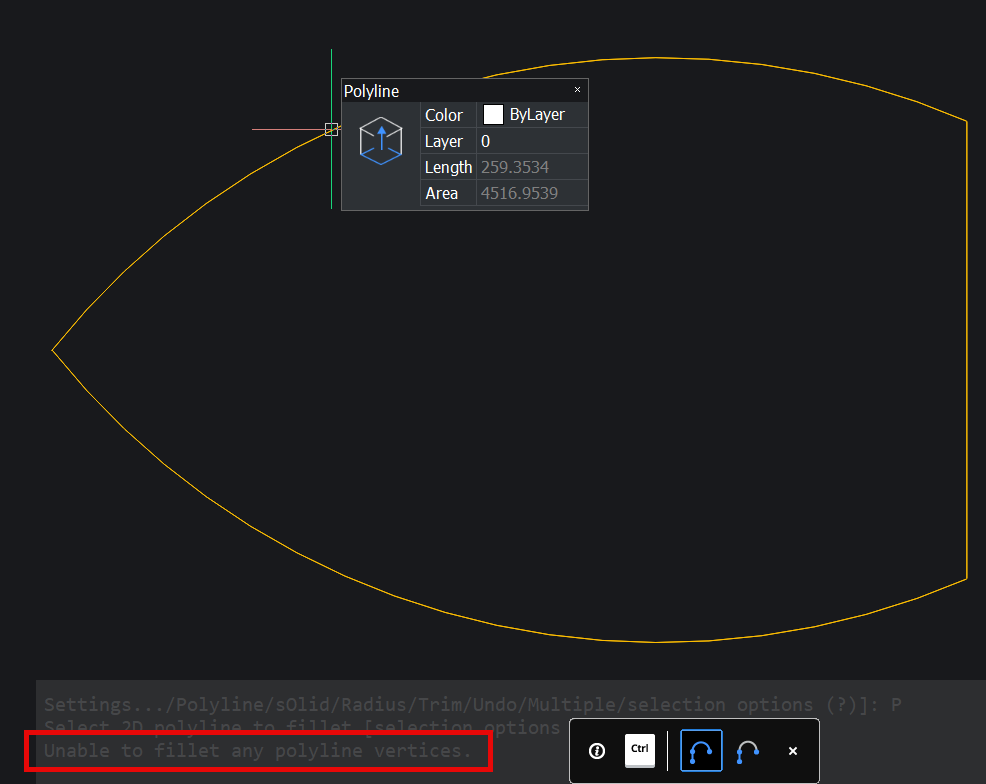
What is the solution of this.
Comments
-
Interesting drew a shape and got "Cannot fillet polyline arc segments." Had to explode and do fillet then join again.
It may be possible to still do a fillet but you break the pline object with correct TP then add the arc back in and join. Probably out there. Another was Circle TTR but then have to trim and join but it seems to work. May be the way in this case.
Maybe do a support request.
0 -
Just imagine irregular pattern like this and you have to fillet every single corner.
AutoCAD handles it in just one shot filleting the corners of a closed polyline. We are missing a big utility in BricsCAD arsenal.
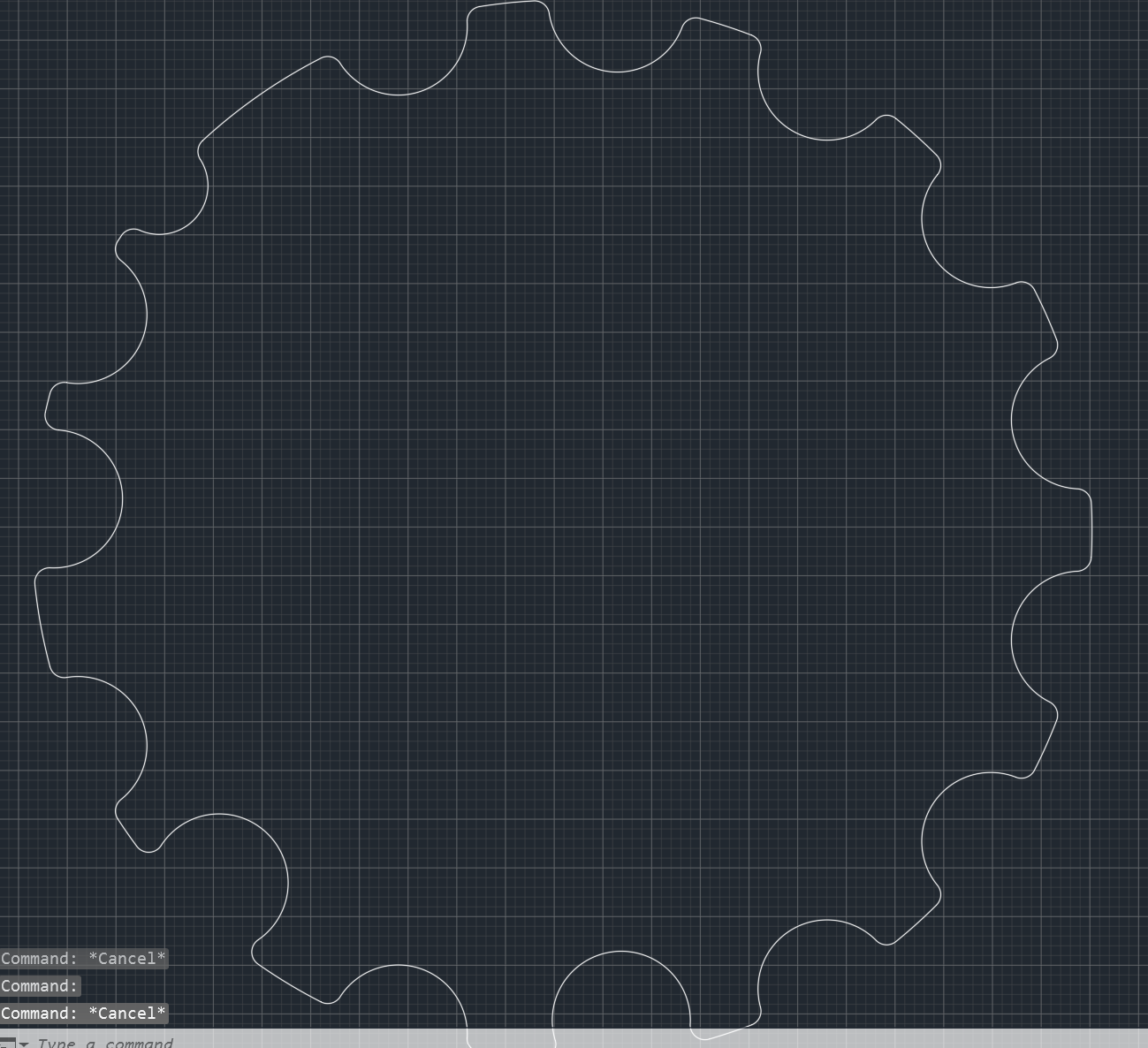
Can anyone from the developer team resolve it?
0 -
@admin It is possible to fillet all corners in one go in BricsCAD.
1, Start the fillet command
2. Set the fillet radius
3. Select the object (e.g. as in your example) by using a crossing window selection (e.g. by dragging the crossing window from right to left across (a part of) the object
4. Click on the selected object and it will fillet all corners in one goThis assuming the object has corners that can be filleted by the fillet command, in the case of the first post it would still fail. When that issue gets fixed then the above should work as well on such objects.
0 -
RSW does not work. If you look in this image colored to show what has happened. Red is fillet but no fillet to green line and arc. Using pedit Fillet Polygon. Yes if want a rectang filleted it will work but request is for a pline with arcs. Made that type of shape and default fillet and pedit do not work. I did work out how to break a pline and add an arc for line intersections, an ARC-ARC need Circle TTR same with Line-Arc combo. I have used CAD for over 40 years and the fillet problem has existed since ACAD 1.4. I did use CIVIL software back in the 80's and it used a different method to solve this problem. It rears its head every couple of years in forums.
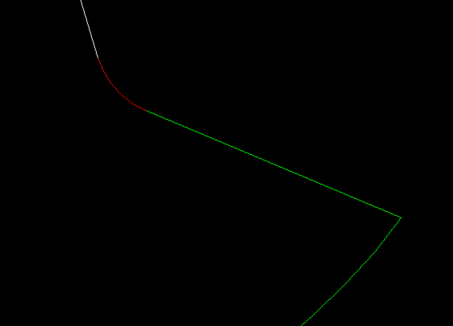
This is the iron shape, filet returns the error "Cannot fillet polyline arc segments".
Using Circle TTR can see it is correct but needs lots of trimming. Yes can lisp code it. Find intersect points then break and make new arc then join or use a multi trim method.
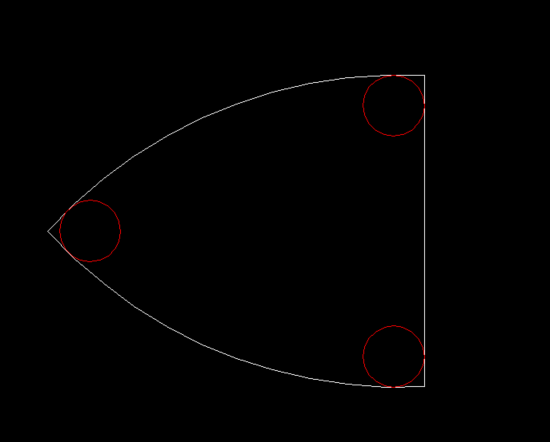
To Admin can you post sample dwg please.
0 -
It's worth to create a support request about this.
0 -
I had some time so had a play of a pline with a line and arc corner. This is for plines only. Tried on shapes like 1st post.
; Fillet two arcs or line-arcs in plines
; By AlanH Oct 2026(defun C:dorad ( / oldsnap ent obj obj2 pt1 pt2 pts)
; Checking if pline is CW or CCW and set to CCW
; Orignal idea by Kent Cooper, 1 August 2018 Offsetinorout.lsp
; By Alan H July 2020(defun AH:chkcwccw (plent / objpl objnew area1 area2 minpoint maxpoint)
(setq objpl (vlax-ename->vla-object plent))
(vla-GetBoundingBox objpl 'minpoint 'maxpoint)
(setq pointmin (vlax-safearray->list minpoint))
(setq pointmax (vlax-safearray->list maxpoint))
(setq dist (/ (distance pointmin pointmax) 20.0))
(vla-offset objpl dist)
(setq objnew (vlax-ename->vla-object (entlast)))
(setq area1 (vlax-get objnew 'Area))
(vla-delete objnew)
(vla-offset objpl (- dist))
(setq objnew (vlax-ename->vla-object (entlast)))
(setq area2 (vlax-get objnew 'Area))
(vla-delete objnew)
(if (> area1 area2)
(command "Pedit" plent "R" "")
)
(princ)
); need a check here for is it a pline or is it a line-arc
(setq oldsnap (getvar 'osmode))
(setvar 'osmode 512)
(setq ent (entsel "\nPick 1st line/arc "))
(setq pt1 (cadr ent))
(setq ent (car ent))
(setq obj (vlax-ename->vla-object ent))(setq pt2 (cadr (entsel "\nPick 2nd line/arc ")))
(if (= (getvar 'filletrad) 0.0)(setvar filletrad 20))
(setq rad (getvar 'filletrad))
(setq radr (getreal (strcat "\nEnter radius <" (rtos rad 2 2) " >")))
(if (= radr nil)
(princ)
(setq rad radr)
)
(setvar 'filletrad rad)(AH:chkcwccw ent)
(setvar 'osmode 0)(command "circle" "TTR" pt1 pt2 rad)
(setq ent2 (entlast))
(setq obj2 (vlax-ename->vla-object ent2))
(setq cen (vlax-get obj2 'center))(setq pts (vlax-invoke Obj 'intersectWith obj2 acExtendnone))
(setq pt1 (list (nth 0 pts)(nth 1 pts)))
(setq pt2 (list (nth 3 pts)(nth 4 pts)))(setq ent2 (entlast))
(setq mp (mapcar '* (mapcar '+ pt1 pt2) '(0.5 0.5)))
(setq ang (+ (angle mp cen)))
(setq pt (polar mp ang (+ rad (distance mp cen))))(command "line" pt1 pt2 "")
(command "TRIM" (entlast) "" pt "")
(command "erase" (entlast) "")(command "line" mp (polar MP (+ pi ang) 2) "")
(setq obj3 (vlax-ename->vla-object (entlast)))
(setq pts (vlax-invoke Obj 'intersectWith obj3 acExtendOtherEntity))
(vla-delete obj3)(command "trim" ent2 "" (list (car pts)(cadr pts)) "")
(command "join" ent (entlast) "")
(setvar 'osmode oldsnap)
(princ)
)(princ "\nZoom in a bit near fillet corner, then type dorad ")
@admin if you post the cog dwg may have an idea how to put the small radius on every corner in one go.
0 -
Wow it worked made a scalloped pline with sharp corners, the code added a small radius to each corner. You may need to change zoom C factor as must see the segments to work at a reasonable scale.
; https://forum.bricsys.com/discussion/40547/fillet-failed-at-curved-corners-with-polyline-filleting-option#latest
; Version 2 do fixed rad on corners
; Do a multi fillet of a pline with multi arcs eg gear
; By AlanH Oct 2026(defun c:dorad2 ( / co-ord dist ent len obj oldsnap pt1 pt2 ptxy rad x)
(defun AH:dofillet ( / )
(command "zoom" "C" pt1 25)
(command "circle" "TTR" pt1 pt2 rad)(setq ent2 (entlast))
(setq obj2 (vlax-ename->vla-object ent2))
(setq cen (vlax-get obj2 'center))(setq pts (vlax-invoke Obj 'intersectWith obj2 acExtendnone))
(setq pt1 (list (nth 0 pts)(nth 1 pts)))
(setq pt2 (list (nth 3 pts)(nth 4 pts)))(setq mp (mapcar '* (mapcar '+ pt1 pt2) '(0.5 0.5)))
(setq ang (+ (angle mp cen)))
(setq pt (polar mp ang (+ rad (distance mp cen))))(command "line" pt1 pt2 "")
(command "TRIM" (entlast) "" pt "")
(command "erase" (entlast) "")(command "line" mp (polar MP (+ pi ang) 0.1) "")
(setq obj3 (vlax-ename->vla-object (entlast)))
(setq pts (vlax-invoke Obj 'intersectWith obj3 acExtendOtherEntity))
(vla-delete obj3)(command "trim" ent2 "" (list (car pts)(cadr pts)) "")
(command "join" ent (entlast) "")(princ)
); starts here
(setq oldsnap (getvar 'osmode))
(setvar 'osmode 0)(setq ent (car (entsel "\nPick pline ")))
(setq co-ord (mapcar 'cdr (vl-remove-if-not '(lambda (x) (= (car x) 10)) (entget ent))))
(setq rad (getreal "\nEnter radius "))
(setq obj (vlax-ename->vla-object ent))
(setq len (vlax-get obj 'length)); need to do 1st point seperately as needs last segemnt for fillet
(setq pt1 (vlax-curve-getpointatdist obj (- len rad)))
(setq pt2 (vlax-curve-getpointatdist obj rad))(AH:dofillet)
; rest of fillets
(setq x 0)
(repeat (- (length co-ord) 1)
(setq ptxy (nth (setq x (1+ x)) co-ord))
(setq dist (vlax-curve-getdistatpoint obj ptxy))
(setq pt1 (vlax-curve-getpointatdist obj (- dist rad)))
(setq pt2 (vlax-curve-getpointatdist obj (+ dist rad)))
(AH:dofillet)
)(setvar 'osmode oldsnap)
(princ)
)(c:dorad2)
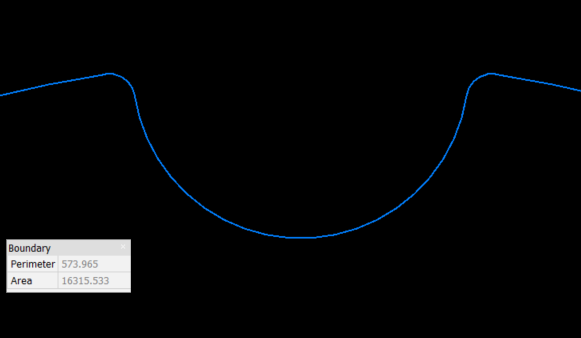 0
0