PROBLEM WITH HATCH DIALOG BOX

When i run the hatch command, the dialog box doesn't open, the options just appear in the command line.
If i select “settings,” it does open. this happens to me in v27, it didn't happen in v26.
I don't know if there's a variable or option to make sure the dialog box always opens.
Comments
-
same here.
0 -
Looks like they made it compatible with how it’s done in AutoCAD. Maybe the old way caused issues with lisp.
0 -
about lisp:
when I type to command line (command "HATCH") I don't get the options from the hatch command so I can't even use lisp to by pass this issue to go to settings using lisp…
0 -
As I see, the behavior of HATCH command was changed to align the behavior with AutoCAD, in preparation to Hatch Ribbon implementation.
0 -
I reported this earlier:
Too bad that on V27 launch this wasn't completely solved.
Funny thing is that on the launch party yesterday the team emphasized that fewer clicks are needed in general. Not with boundary creation though.
Would have liked that the behaviour of a command that is so common was kept unchanged untill full Hatch Ribbon implementation is finished.
Or are we missing something here @Lyubov Osina?0 -
Hello,
I experienced this today as well. Why make this change?
What I noticed is that a number of options are now visible in the command bar, including Settings.
When I type the letter "T", the familiar hatch menu appears.
For the time being, you could add it to the command as a workaround.
I still need to figure out what should go in there, but maybe someone knows.
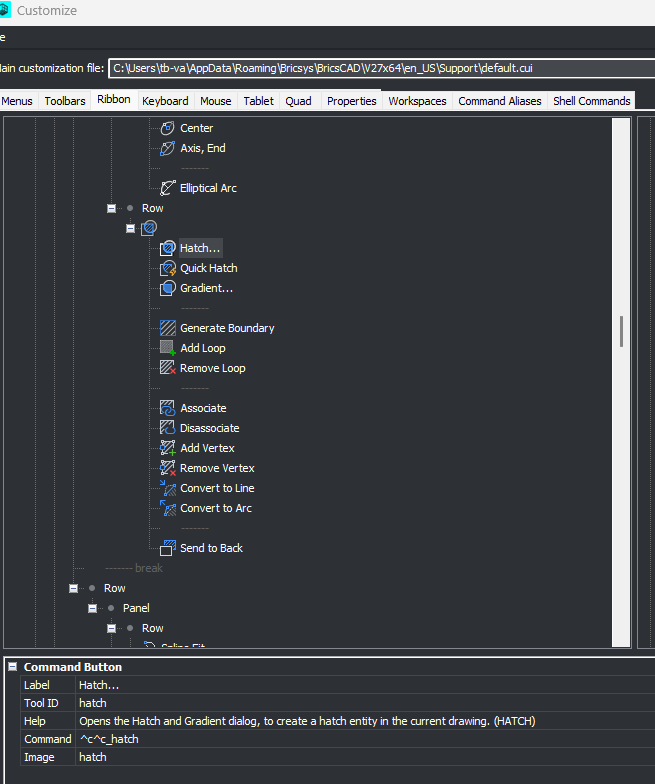
Ben0 -
Excellent suggestion as a workaround Ben! @bva1968 Many thanx!
Just ad ;_t to the command and it works as it used to do.0 -
For me (command "HATCH") shows a prompt with command options in the command line:
: (command "HATCH")
: HATCH
Current hatch pattern: ANSI31
Specify internal point or [hatch Properties/Select entities/Remove boundaries/Advanced options/Draw order/Origin/ANnotative/hatch COlor/Layer/Transparency/Undo]:0 -
I'm afraid, you don't miss anything here, behavior of Hatch is changed, but only partially, Hatch Ribbon is not yet available. I'd suggest you to create a support request to get back Hatch dialog till Hatch Ribbon implementation.
0 -
or ask to have a 'CLASSICHATCH' command
0 -
what I ment is that in the options prompts after (command "HATCH") there is no option for settings,
unlike if I typye HATCH to command line and then have the option T.
that is why I can't get to hatch dialog from lisp.
0 -
Another observation, in AutoCAD the hatch command shows the dialog with the ribbon closed, BricsCAD does not
0 -
foud a lisp way:
(defun c:hh ( / );;get classic hatch dialog in V27(initdia)(command "._HATCH" "T")(princ))the "catch" is the use of initdia…
0 -
Nice!
0 -
Dr. google to the rescue… 😁
0 -
Interesting, I didn't notice this 🤔
0 -
Another hatch dialog box problem
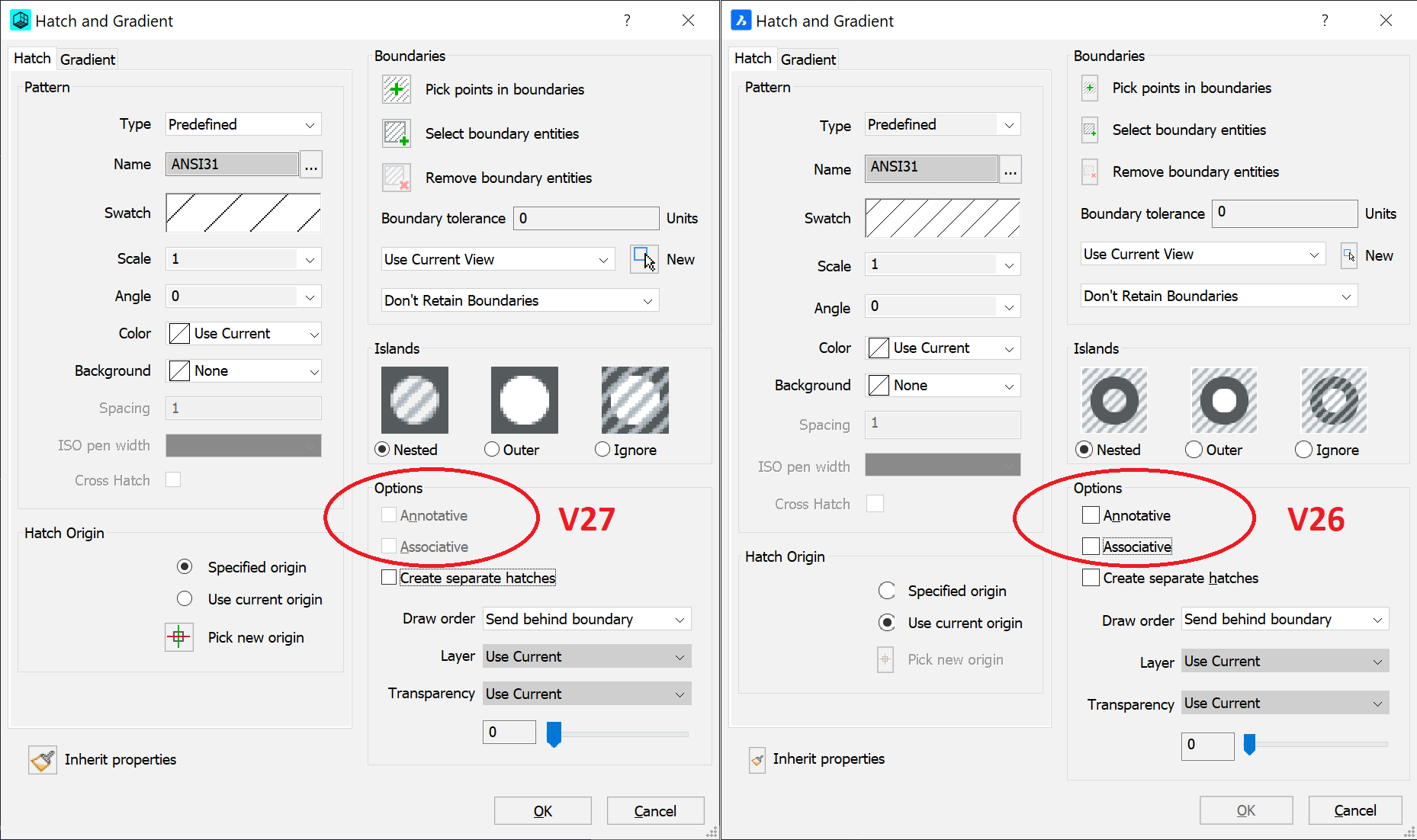
In V27 I am unable to set the hatch to be associative within dialog box. Furthermore, after selecting objects, to return to dialog box I have once again press "t" (but associative option is still dead). In V26 dialog box returned automatically, allowing adjusting hatch parameters.
The only work around I found to change this option, is command "-Hatch" via command line , interestingly after this modification dialog option becomes active (until it is disabled).
0 -
about set the hatch to be associative within dialog box - for me it is working,
see attached screen recording.
about returning to the dialog - yes,
must prees T - not as V26…
0