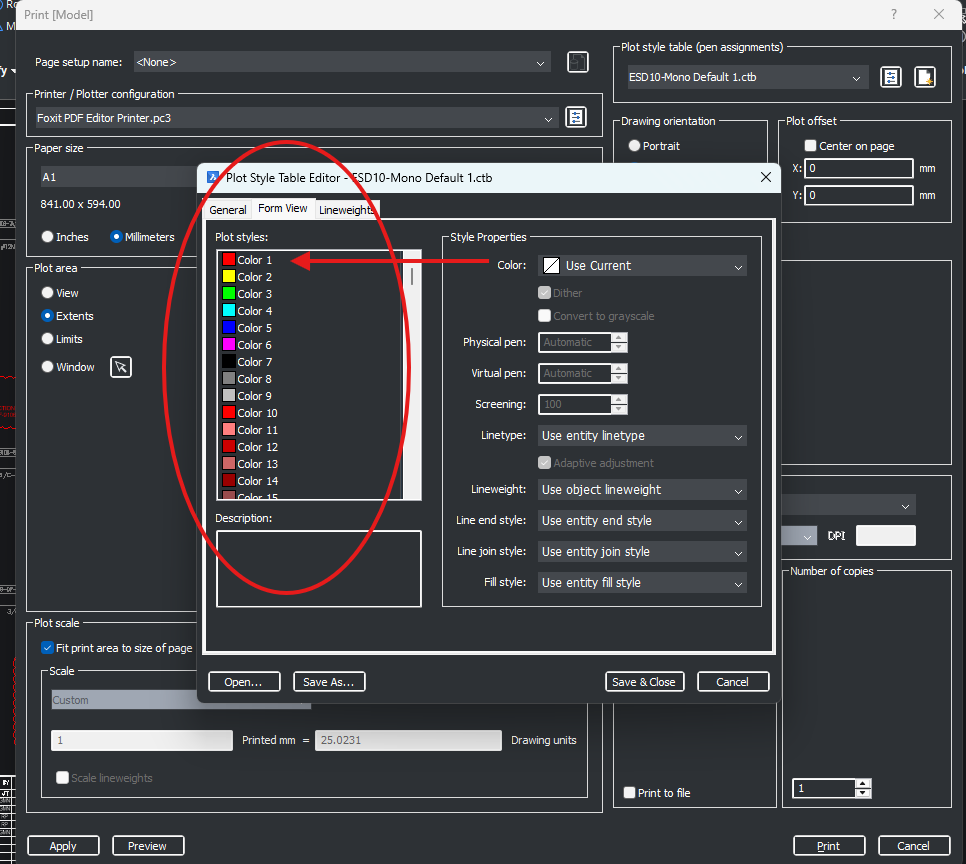
Plot style table (Pen assignment) _ Edit plot style

I am facing another issue with the CTB pen settings.
Assume that I already have a pen style configured according to my requirements. At the beginning of the drawing, I use four colors: Red, Blue, Cyan, and Yellow, and the CTB settings for these colors are already correctly defined.
Later, if I need to introduce an additional color, for example Green, I open the CTB settings and modify only the Green color according to my plotting requirement, such as plotting it in Green or Black.
The issue is that when I modify the setting for Green, the previously configured settings for the existing four colors are affected/reset, even though I have not changed them.
Ideally, changing the setting for one color should affect only that particular color, while all the previously configured color settings should remain unchanged.
Is there any way to prevent the existing CTB settings from being affected when modifying or adding the plotting properties of another color?
Comments
-
Sounds like a bug maybe contact support.
0 -
Thank you
0