Unable to add custom paper sizes for plotting in BricsCAD V27

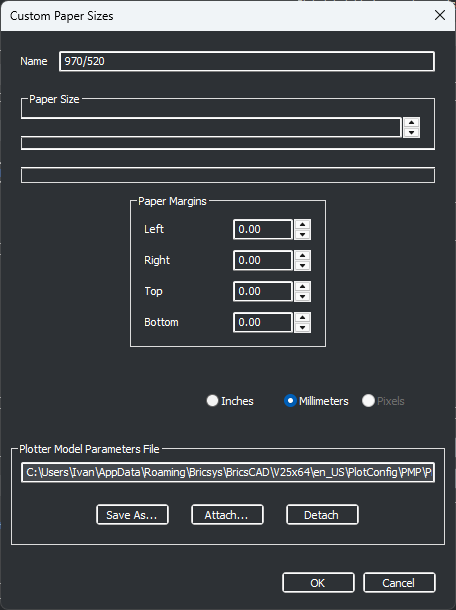
After updating to BricsCAD V27, the dialog window for adding custom paper sizes in the Plotter Configuration is displayed incorrectly.
The entire window layout is disorganized, with rows and controls appearing in the wrong positions, making it impossible to properly add or edit paper sizes.
This worked correctly in the previous version.
Is this a known issue in V27?
0
Comments
-
Yes, this is a known issue, it's on correction at the moment. Try to press the "Detach" button - this restores the dialog view, but if you will make any changes, you need to resave them via "Save as".
0