How to automatically place storage racks inside a room boundary and calculate the quantity in BricsC

Hi everyone,
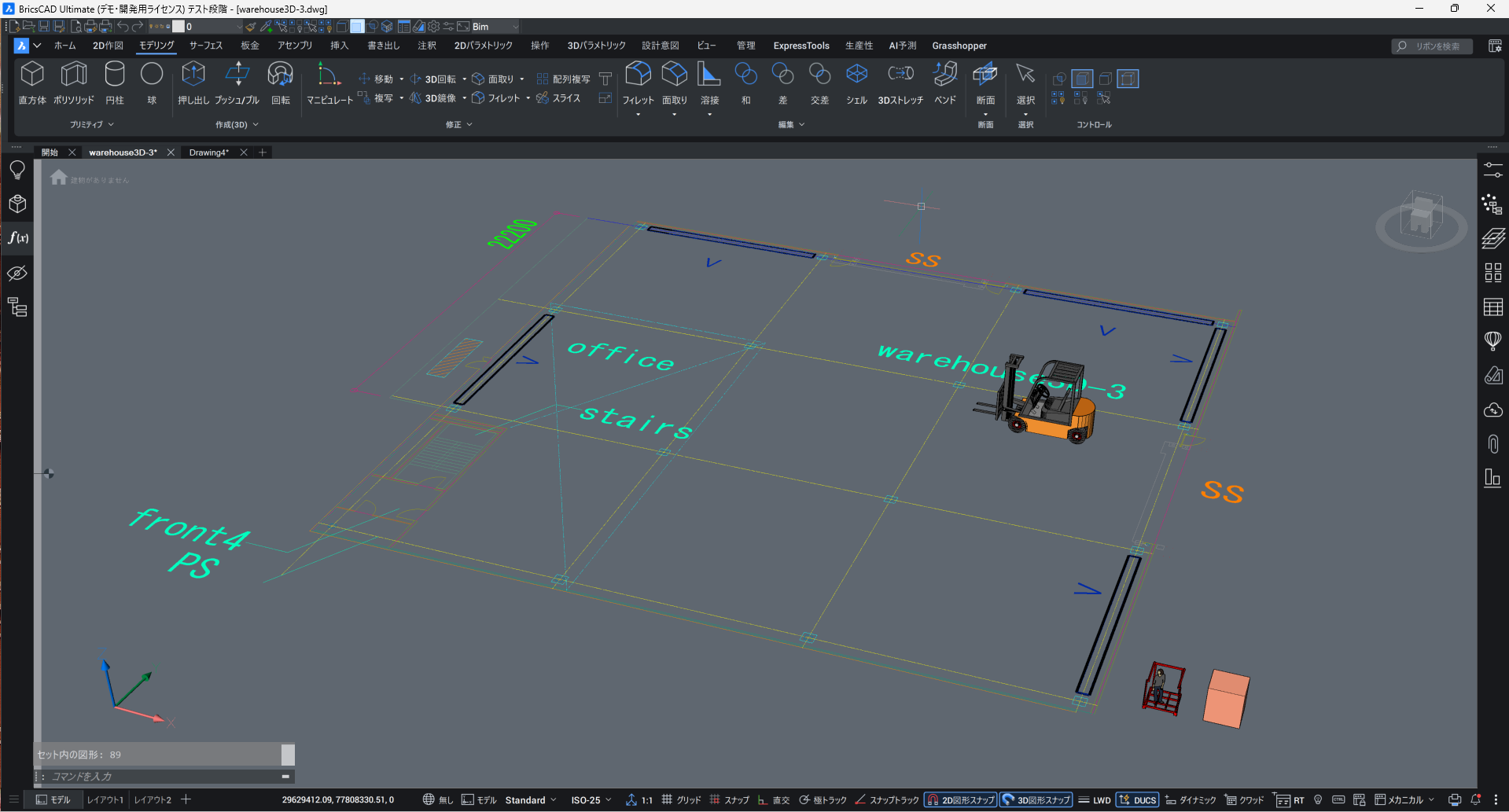
I’m currently working on a warehouse layout in BricsCAD, and I’d like to ask for advice on automating rack placement.
The requirement is to automatically place storage racks (Blocks) inside a room boundary (closed polyline) and automatically calculate how many racks can fit.
What I have tried1. ARRAYRECT (Rectangular Array)
- The array direction cannot adapt to the room’s boundary
- Many racks extend outside the room
- Counting array items afterward is not very smooth
2. Blockify for counting
- The results are not ideal for this workflow
These methods don’t solve the problem of “automatically filling a boundary with racks”.
What I’m consideringI'm wondering whether BricsCAD’s Parametric tools could help by defining:
- rack spacing
- minimum clearance from walls
- forklift aisle widths
- automatic adjustment according to room geometry
- automatic calculation of total racks
I’m also curious whether there are any third-party BricsCAD plugins that support:
- warehouse layout automation
- rules-based placement
- pallet/rack quantity optimization
Here is a simple example that illustrates the type of layout rules needed:
■ Aisle Widths
- Rack area aisle (Nestainer area): 3m (forklift lane)
- Central main aisle: 6m
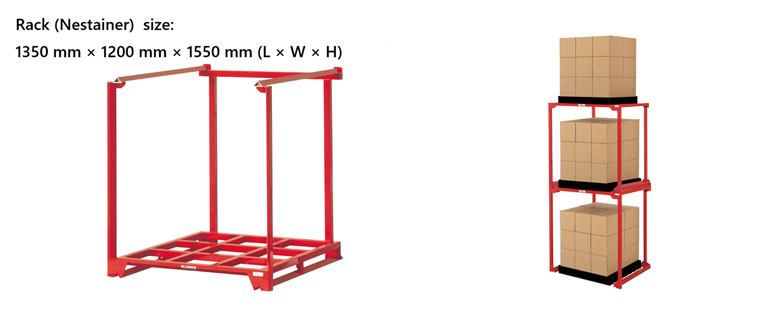
■ Rack (Nestainer) Dimensions
- External size: 1350 mm × 1200 mm × 1550 mm (L × W × H)
Based on these values, I would like BricsCAD to automatically:
- arrange racks within the boundary of the room
- maintain wall clearance
- maintain spacing between racks
- reserve required aisles (3m and 6m)
- calculate the number of racks
- and adjust orientation depending on the room shape
Ideally, it would update parametrically.
My questions to the community:- Is there a built-in method to array blocks inside a boundary and automatically compute the quantity?
- Is Parametric modeling a suitable approach for this warehouse layout scenario?
- Are there recommended third-party BricsCAD plugins for warehouse layout and rack optimization?
- If LISP is the way to go, what would be the recommended approach or examples?
Thank you very much for any suggestions or insights!
Comments
-
Only because you mention Lisp, I asked AI about the possibility of using Python, Cad-PyRx and Google’s OR-TOOLS Constraint Solver.
Here’s the response: Using Cad-PyRx inside BricsCAD opens up the entire Python ecosystem, making it possible to use advanced optimization libraries that simple LISP cannot match.
While Google's OR-Tools is the gold standard for complex optimization, it might be "overkill" unless you have high-level constraints (like weight distribution or pick-pathing). For "fitting the most racks in a room," 2D Bin Packing libraries are often more direct.
Here is a breakdown of how you can use Python via PyRx to solve this.
1. Recommended Python Libraries
Google OR-Tools (Constraint Programming)
… I attached the rest.
In short, rolling one yourself would be quite difficult. As with most NP-Hard problems like TSP or Bin Packing, human intuition is actually pretty close to optimal if this is a one off, just draw it
1 -
Just a quick maybe answer you can use array to place the racks in some form of pattern. One way around the problem of edges was to use say Extrim to remove any objects that are touched or outside of a pline. So only the inners are retained. The control pline would be something you set. But it would use the offsets that you hinted at like forklift path. Ok the secret you over populate the racks that is where extrim comes in for say a non square warehouse. The quantity is actually the easy part as racks are blocks, and can be found in individual areas.
If you provide a sample dwg just need a rectang block 1350x1200 for testing, the dwg should match a real warehouse shape and show the arrangement of racks within areas of the warehouse, show forklift width offset width from edges etc. So a before floor plan and a after result.
It may not be a one go solution but still much faster than array and erase.
Oh yeah a lisp answer.
1 -
Note, there’s attached drawing, with a forklift already
0 -
I've seen 3rd party apps for car park design, which is a similar problem to yours.
1 -
Yep, I was thinking a sheet optimizer like cabinet shops use. use graining for bin orientation, use the blade thickness for the forklift isle.
0 -
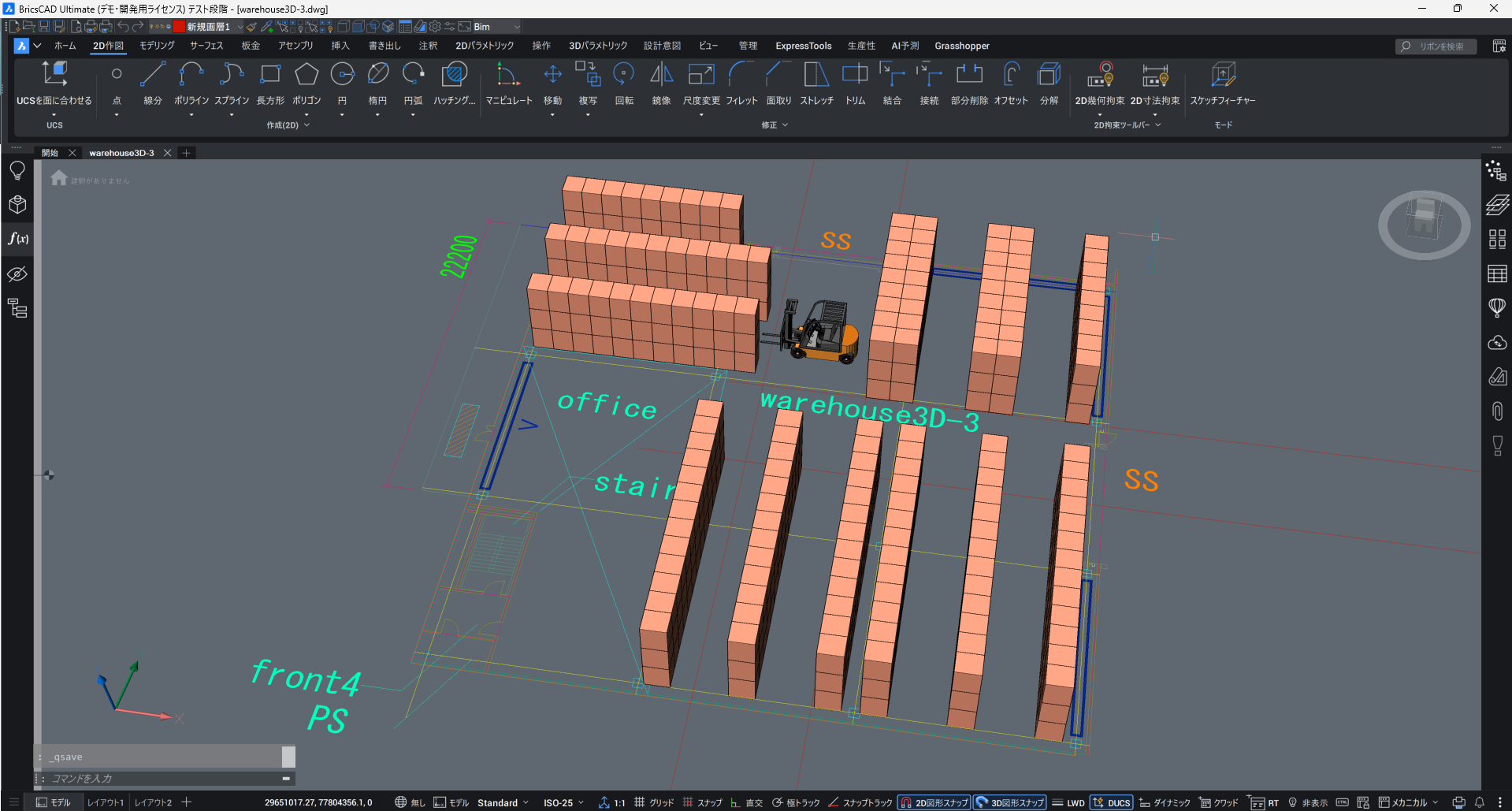
Missed the dwg attached, thanks, so had a look a couple of ideas, if you look at the racks for me the patterns, in 3d view
top left 1,1,1
right 2,2,1
bottom 1,1,2+,1,1
The numbers meaning a single row, a dbl row, a 2+ dbl row with a gap. then see if they fit within the boundary area.
Will have a think about it. playing with dwg made a rectang that could be arrayed/copied it matches the 1350x1200. But its not 3D. Maybe start with pick 1st corner top left pick 2nd point for distance and angle. Can then draw what fits within correctly for that distance.
Ok so start points need to be in some areas offset to allow for structural components, ie a dummy line. The red pline is the rack.
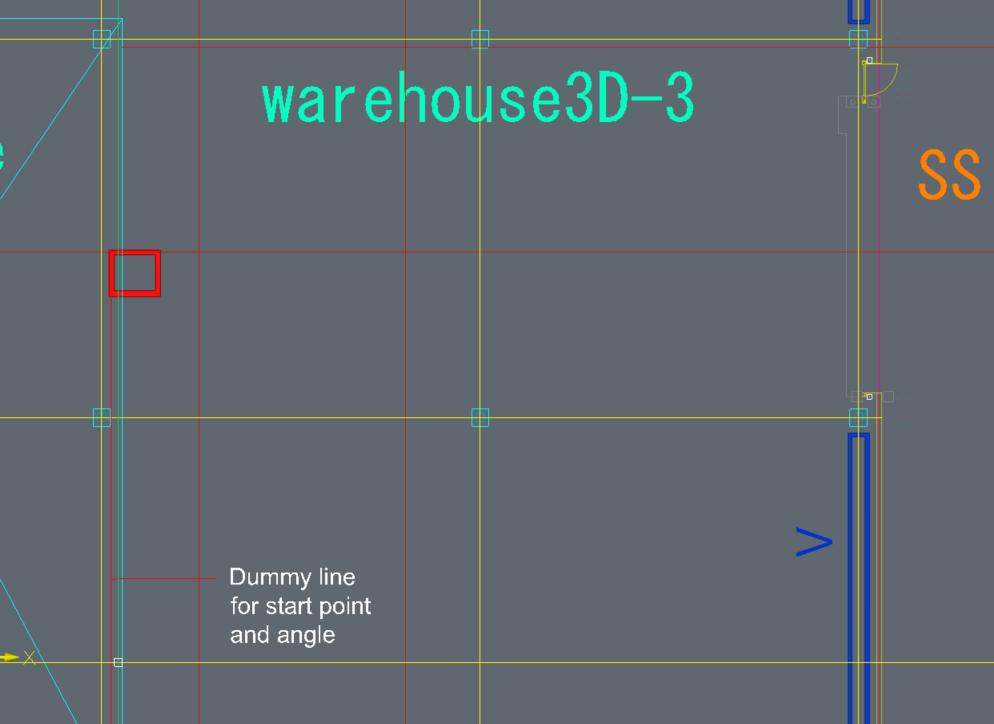
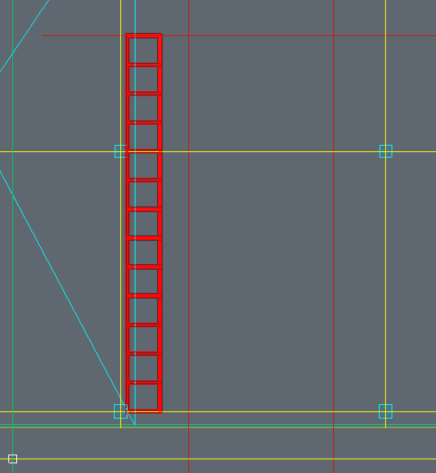
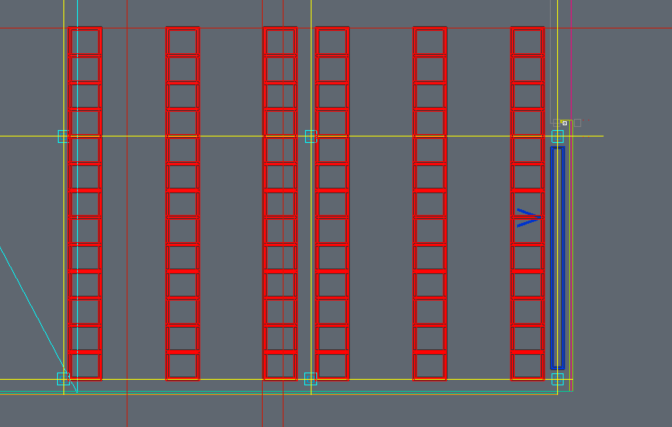
So before I go further and add more columns of racks is that ok juliette ?
1 -
@juliette1699 has left the warehouse with Elvis.
2 -
I often do the same sort of thing, and still do it manually. Though, I have longed for a utility to make it easier.
I think using a dynamic array can be part of the process. But, there would likely be a few different techniques used. One of the challenges is that the rack system often has a single column of racks on the perimeter. But central rows have two rows of racks with their backs against each other.
It would certainly take a program to do this sort of rack arrangements. Though, making it do 100% of the job would complicate it immensely. If it does 90% of the work, it would be very useful. Then, perhaps you would manually erase some rack positions, and then insert another variation of the block that shows that it has a passageway underneath (in places that permit that). In the refrigeration industry, we have to have space above some pallet rows for the evaporators. So, in those cases the top rack position cannot be used for pallets. So, that rack position can be a different block that notes this situation. Then there can be issues of existing doorways that must be kept clear.
As long as you have a utility that leaves you with a collection of blocks, you can add/remove block manually. Then BricsCAD can give you a list of the rack units in a BOM.
Thinking about such a program, rather that use the dynamic array, another possible programming approach is to consider how you might do it purely mathematically. Calculate the insertion point, and rotation of every rack. And once you have that list of coordinates, the program can insert the blocks.
-Joe
1 -
Please share with me! Appreciate it!
I have some similar customers of this kind as well.0 -
Civ3D has these two very fancy carpark dynamic blocks. Metric and imperial.
Part 2 did you give any thought to doing areas, of racking like the image I posted. And as suggested by others do multiple goes it would still be super fast compared to manually array and offset. Its not a hard lisp to code.
1


