Is there anyway to ignore the prompt to scale and rotate blocks while inserting from the Library?

Comments
-
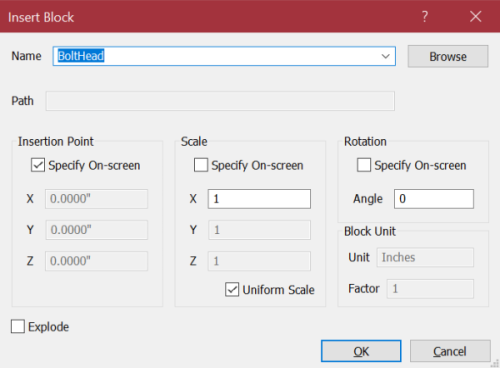
In my older version, I un-check "Specify On-Screen" for Scale and Rotation, and check "Uniform Scale," and it inserts with no prompts other than for a pick point. Those settings are kept until I change them, even after closing and re-starting.
0 -
I think pressing enter after every prompt without entering any specific values would just skip using the defaults which would be the originally as the block was created.0
-
I don't use the library, so I am not sure if the following would work. If the process can be done by the command line, it is possible to use that process to enter the scale and rotation. There is also DIESEL commands that may be useful, though I am not familiar with that.
I use a macro to draw spline leaders that don't prompt for a text entry. Many commands can be slightly modified this way.
The benefit of using macros, is that it does not depend on what a user has set for the default in the Insert Block window. But, if you don't need that, the defaults on the Block Insert window is certainly easier.0 -
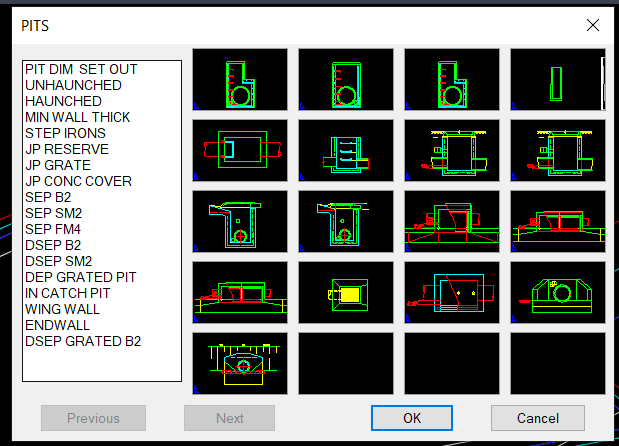
Old fashioned like this has the scales preset its a mnu. Been around since Autocad was born.
0 -
Dear all,
Did Bricscad solve the problem from latest version? I mean, is there any way to skip the scale and rotation prompt when inserting blocks from the library ?
Thanks
BR
0 -
There was a lot of discussion on another forum about remembering the last insert angle, so that would be skipped basically used a lisp. Pretty sure could not find where the scale and rotation values are maybe saved, could be in the registry. No it is not "lastangle".
@Lyubov Osina perhaps you can help are the values of 1 for scale and 0.0 for rotation hard coded ?
I do have a trick for the scale you can type S1 or s3 the command is then split into Scale and say 3 then insert block and that scale of 3 will be used. You will still have to enter a block name, the example of using a command with a value is attached. Will have a think about making it work with two values.
0 -
@JackD You could try using the Content Browser. This allows you to simply drag and drop symbols on to your drawing.
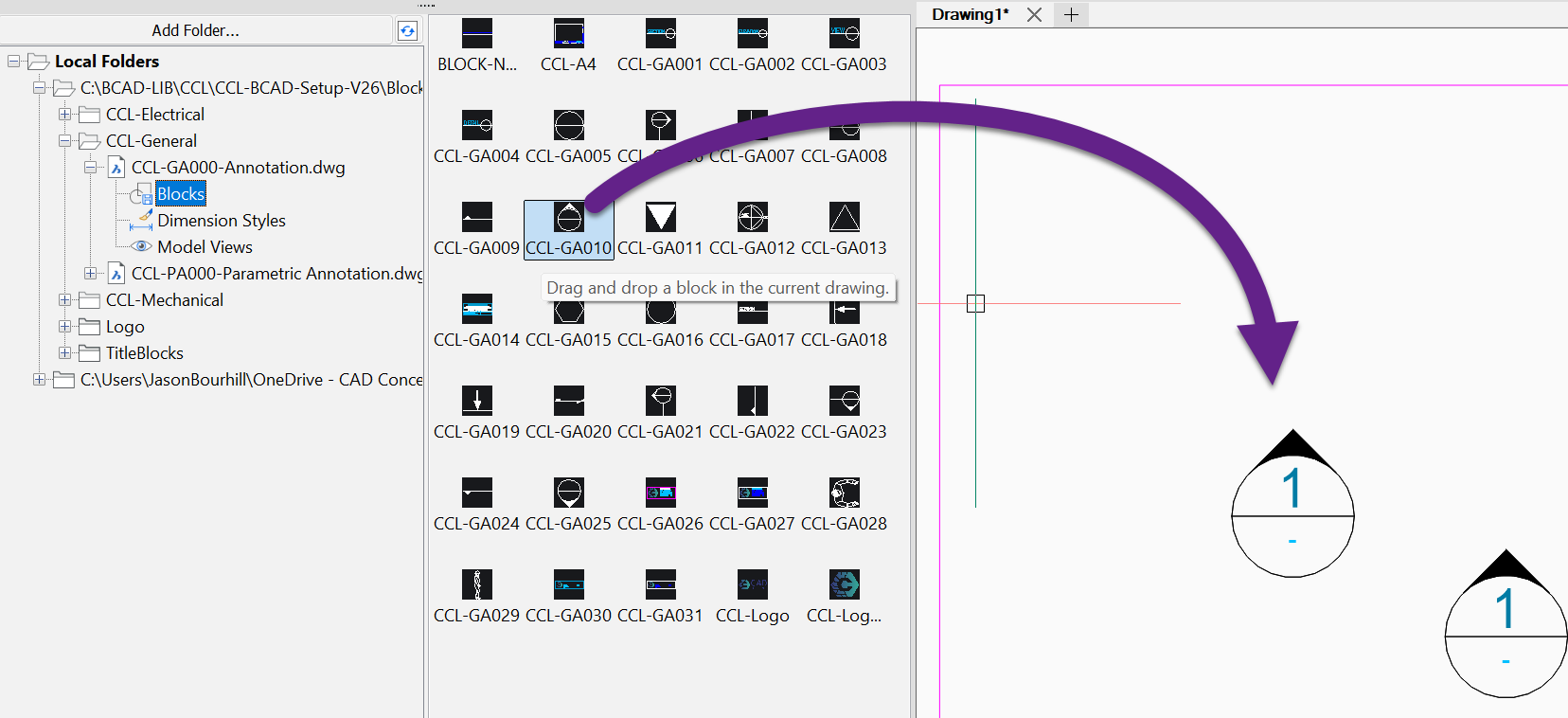
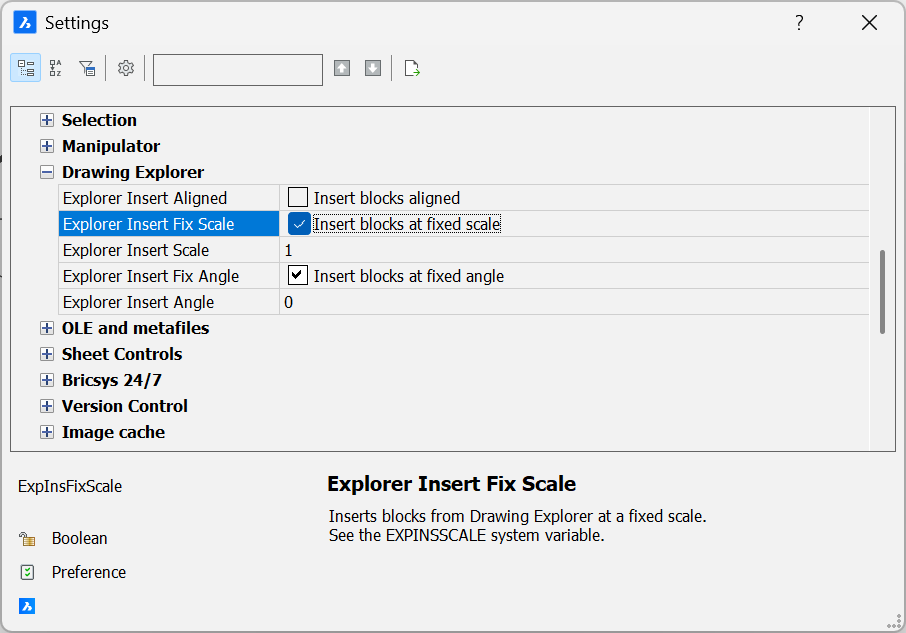
By default it will just ask you for an insertion point and use fixed amounts for scale and angle. This is adjustable under SETTINGS.
Jason Bourhill
CAD Concepts Ltd
0 -
Thank you Jason. it works well.
What is the difference between the Content browser and the Library folder ?
The library doesn't seem to offer any advantages.
Thank you
0


