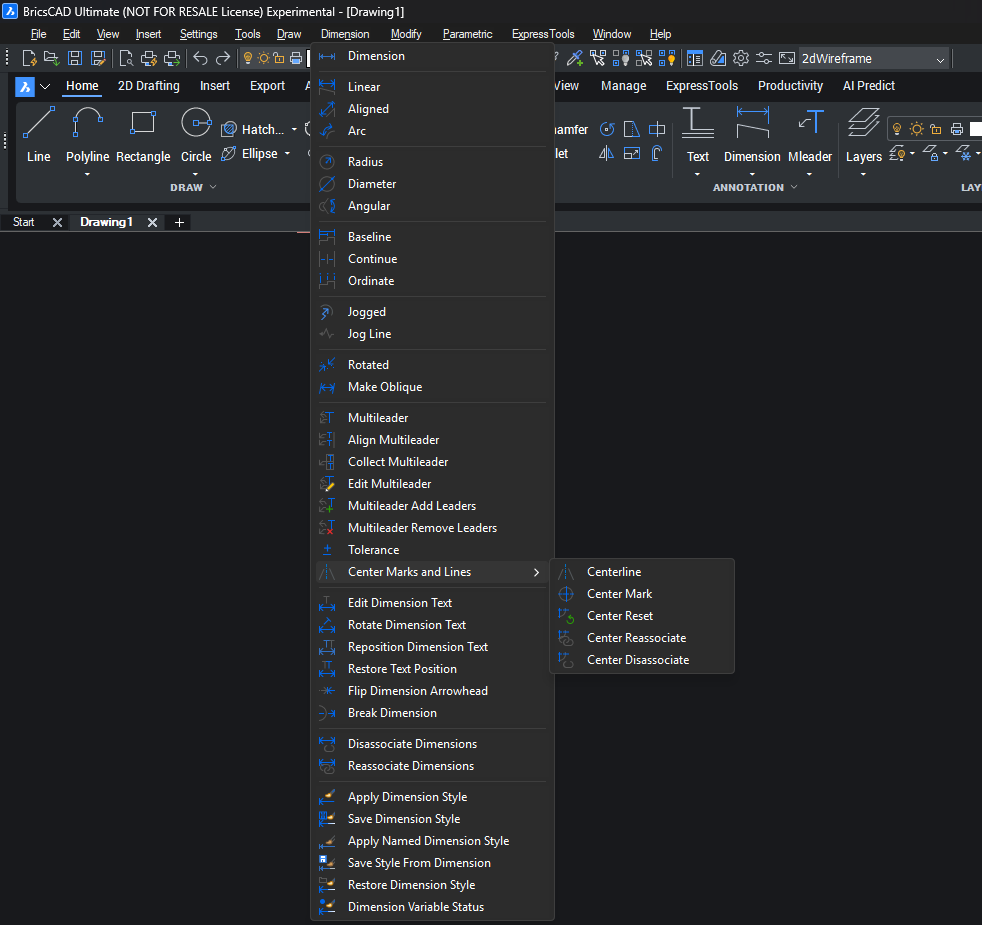
Dark mode Menu and Title bar

Some, flickering (very slight) when hovering over the bar. I’ll post a BRX if anyone is interested

Comments
-
Could you elaborate a bit?
0 -
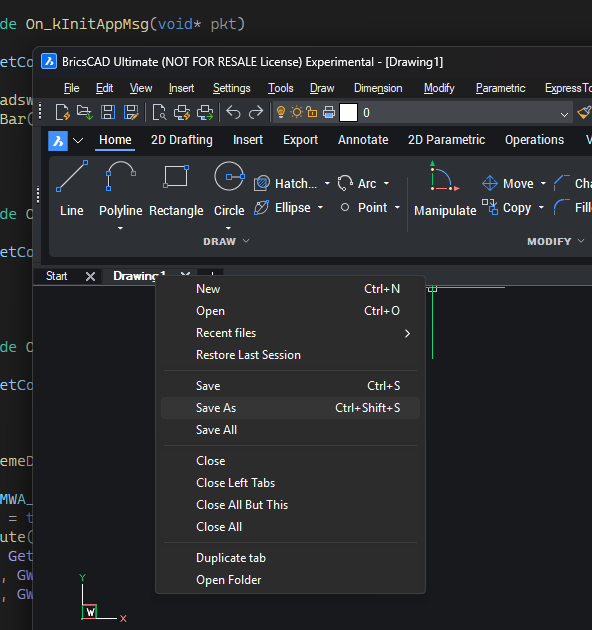
I hooked into the menubar and forced it to draw darkmode via Win32 calls. All of the menus throughout BricsCAD draw dark. I may have spoken too soon though, the right click menu for stuff like OSNAPs is wonky.
 0
0 -
Might not be for everyone.
- I repaint a new dark menu bar over top of the existing bar, anytime that rect is invalidated, there’s a slight flicker
- Right click menus in the editor widow are drawn white, there’s a flicker the first hit, subsequent menu calls are cached.
- Dynamic input sometimes invalidates the whole window, causing a repaint, so there’s a flicker
How to use, find your version inside the Zip file, drag the BRX onto the editor or use the appload command, select autoload as needed. I’ll try to refine it over time
edit: moved binary to Github
0 -
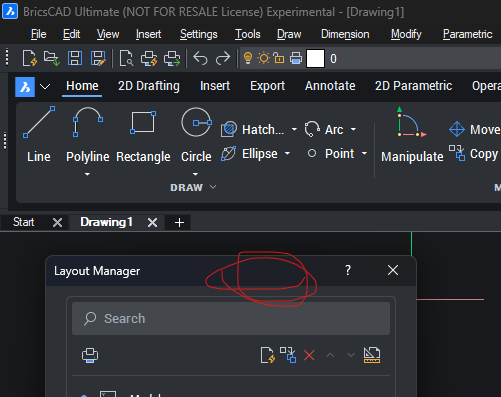
Modal Dialogs get a dark title bar.
old
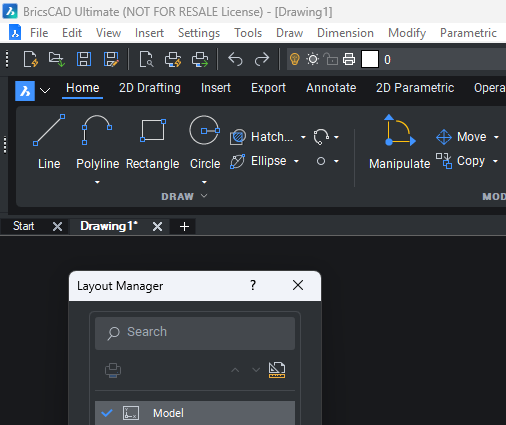
new
 0
0 -
Old
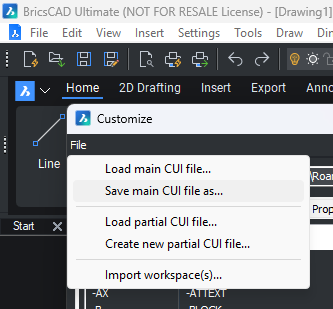
New
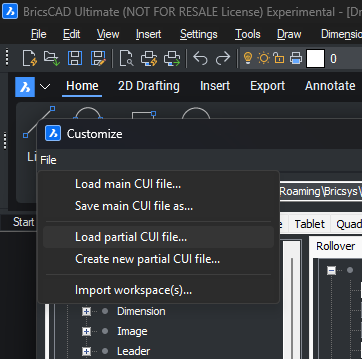 0
0 -
Ah, a good looking app
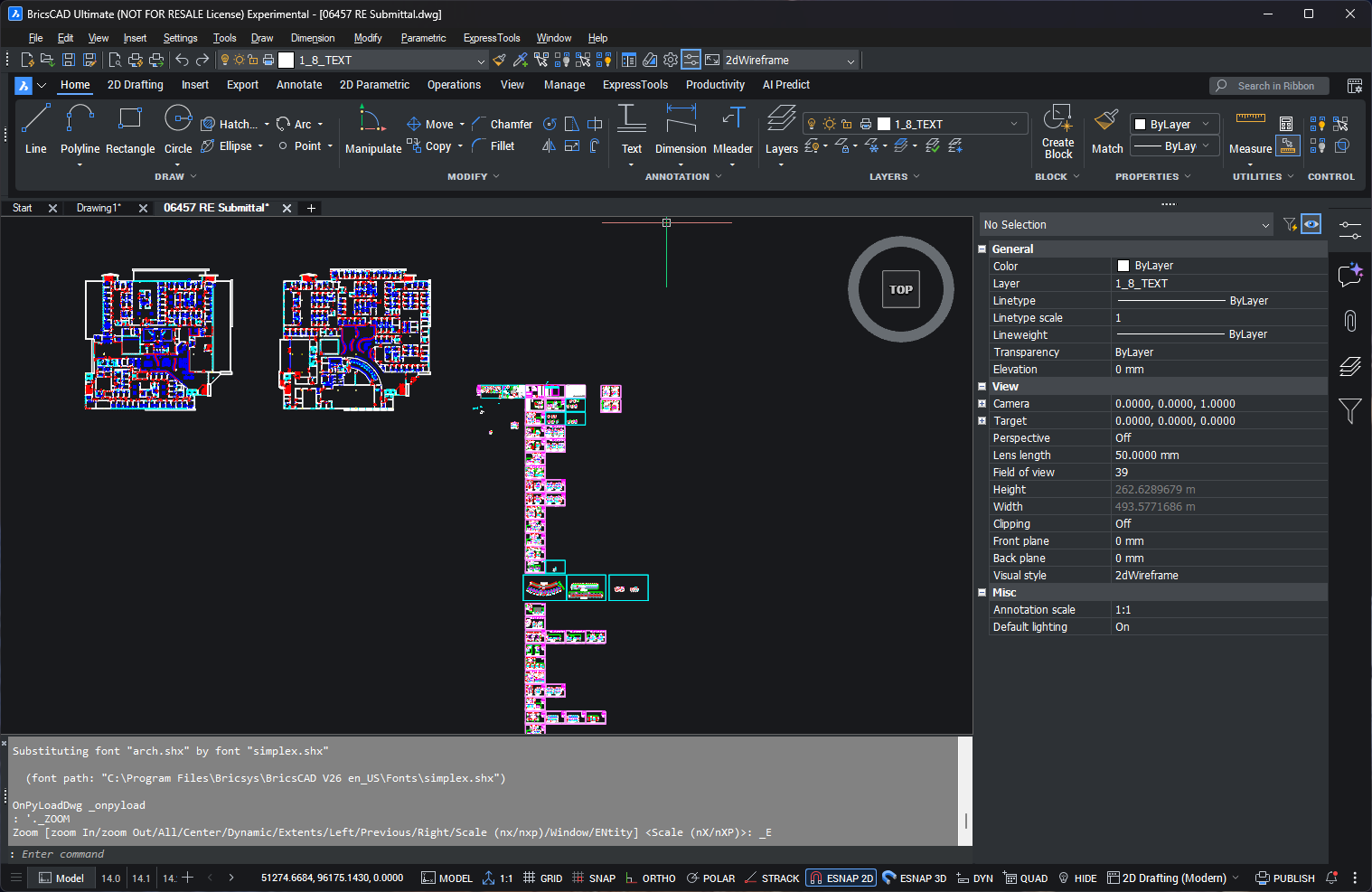 0
0 -
I also experimented with Qt stylesheets (QToolTip) to see whether the flyout tooltips could be restyled to improve readability in Dark Mode, but unfortunately that doesn't seem to affect the custom flyout tooltips used by BricsCAD.
So it looks like those tooltips are not standard Qt tooltips, or they are styled internally.
Thanks for taking the time to explain and for sharing your work. It was interesting to investigate.
0 -
The main frame and menu are not QT, I think to remain compatible with ObjectARX and palettes. I’ll probably post the code on GitHub once I’m done playing.
I’m actually taking inspiration from wxWidgets 3.3.X, where they implemented a nice dark mode. I suspect eventually Bricsys might use, I.e. instead of rewriting the drawing explorer from scratch.
BTW, here’s a sample BRX using wxWidgets with BRX. github.com/CEXT-Dan/WxArx
For the record, I’m not using wx here, just Win32 SubclassProc
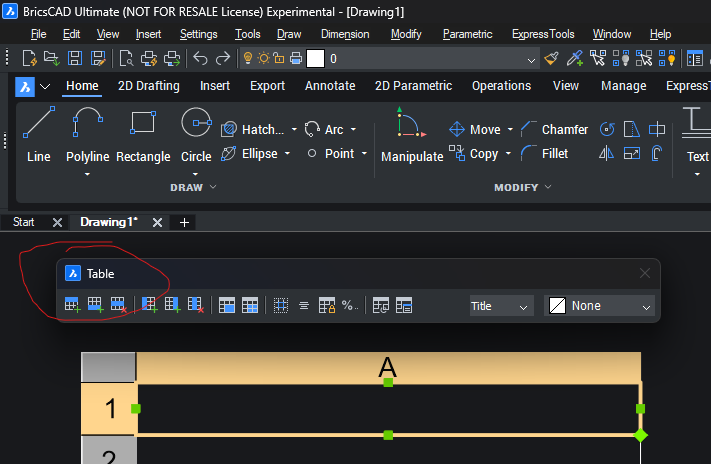
Latest change, if the dialog does not have an ICON, attempt to add oneold
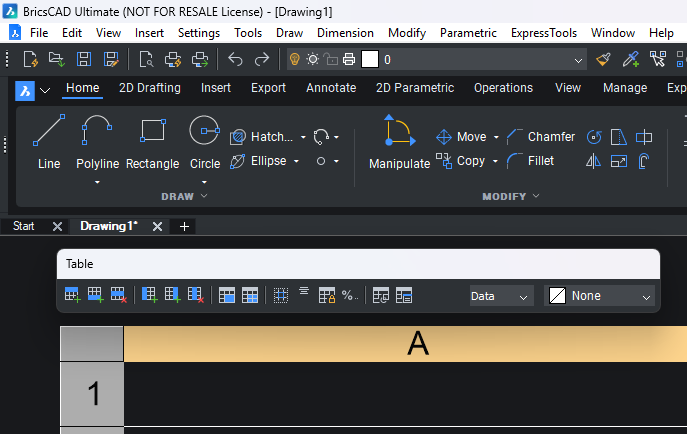
new
 0
0 -
BTW, if you don’t use the menus, you can still hide it (MENUBAR 0). The flicking goes away, but you still get the dark menus and title bars
0 -
here's the source.
0 -
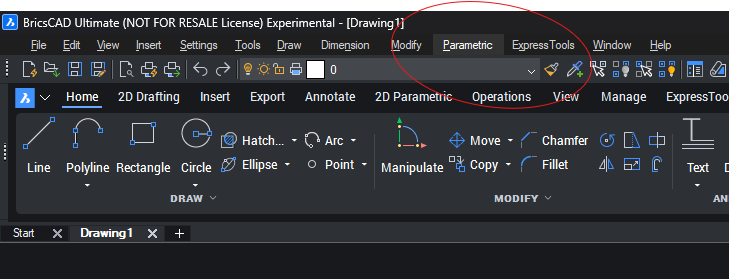
Just an update,
- removed almost all the flickering,
- added a hover highlight
 0
0 -
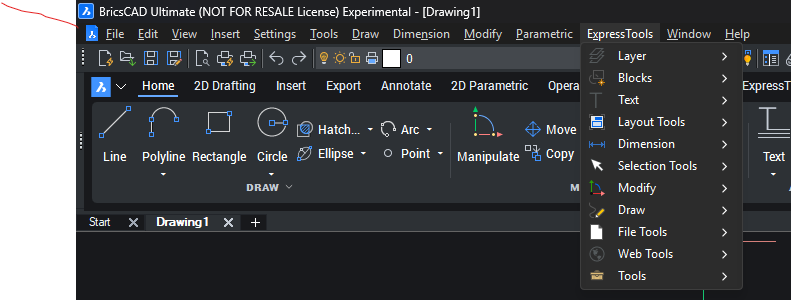
YAY! I think it’s nailed, if anyone is running a 4K monitor, I would appreciate a check
 0
0 -
Very interesting. Can you tell me if it is possible to change all the interface colors using BRX? For example, the background color of the menu or the context menu?
0 -
Thanks! Hmm, I don’t think so. It’s pretty much dark or light for most things. You can draw the title bars any color, other controls are harder or near impossible. If you created the control, then you can owner draw. From BRX its harder. I’m using dwmapi
0 -
v1.1.9 is takes care of the rest of the flickering issues caused by actions that cause the main frame to repaint, i.e. dynamic dimensions or navigating through drawing tabs. Like it’s built-int to BricsCAD, see
0 -
awesome work dude. What’s the final result of the right click context menu, is it dark too or still light?
Typography, any way you’ve seen to change the fonts?
I use WinPaletter, it changes most fonts in the Wx end of BricsCAD, menus, properties panel, etc, but I still see some Tahoma in places, then the newer QT panels eg Layers, Tool Palettes etc are stuck with Roboto, what an awful font choice for a desktop UI….ugh
I asked support if they can expose the UI colours through QT. Mine looks too blue/green and i’m not satisfied with them using lighter blue greys behind white text, id go the other direction, darker backgrounds for text, eg 30,30,30 RGB.
BTW font I use is Artifakt Element Semi Bold size 10.
0 -
Yeah, right-click context menus on stuff like the panel sidebar are dark. right-click context menus in the editor window, i.e. snap menu are still white. I can get the backgrounds to draw dark, but I haven’t figured out how to invert the text or menu splitters. I’ll goof around with this at some point.
I didn’t play with the fonts; I didn’t want to change any of the sizing metrics. Actually, I did use RGB(30, 30, 30) for the bar and RGB(50, 50, 50) for the hover effect
0 -
Cool, good work, I have this running in v27 beta 1. It's def an improvement.
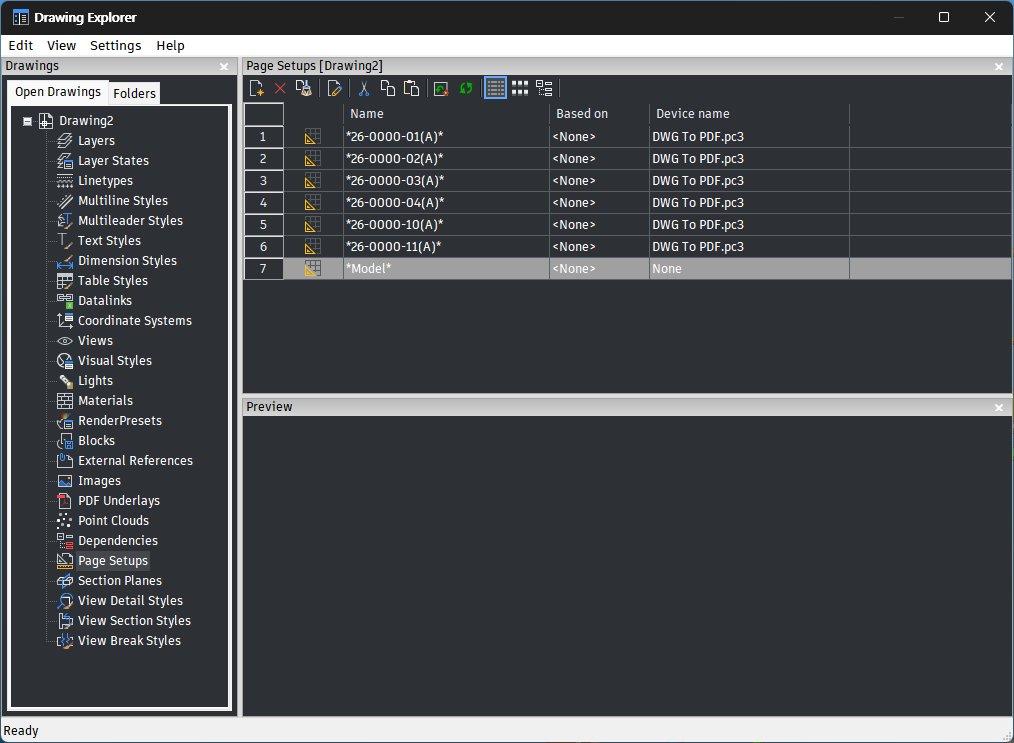
I'll have to wait for Beta 2 to see if the fonts.qml file gets installed and implemented to see if we the user can take control of the fonts displayed in the QT side of the UI.
Old wx stuff is using my Artifakt font
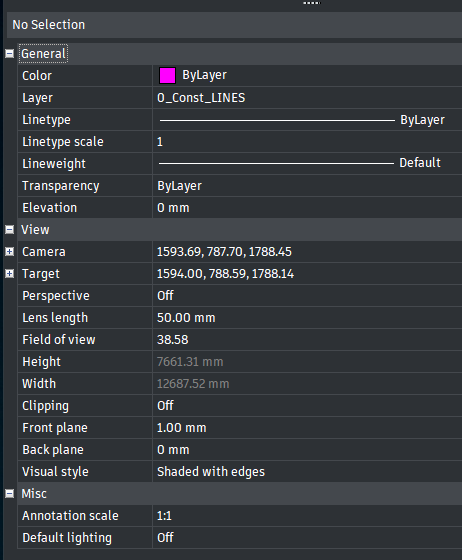
But Layers and Tool Palettes Roboto tiny
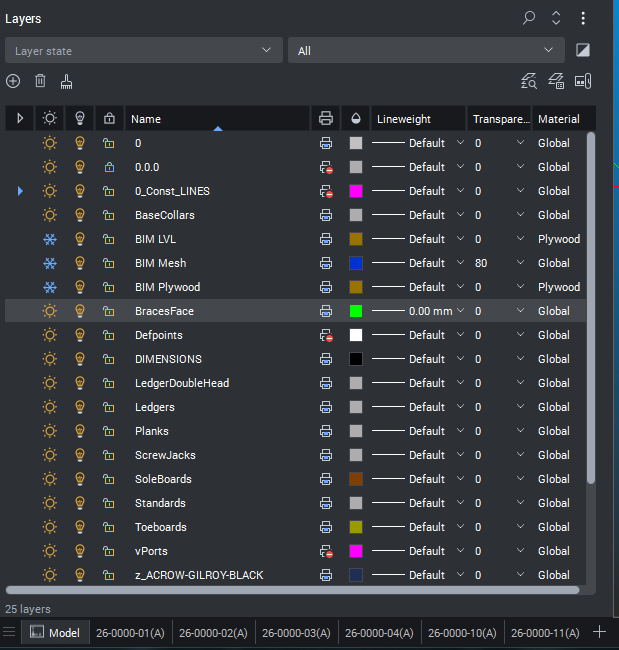
Explorer is still wx using user font
 0
0 -
If Bricsys decides to move to wxWidgets 3.3.3 or 3.4, that explorer will look much much better. Not a trivial task to port explorer to QT. Also this BRX would no longer be needed, since the menu bars would draw dark
0 -
Have you put on a Feature Req for this?
They should hire more UI designers and get this damned UI done. Given glacially slow progress, it seems like there’s just one guy working 2 days a week.
Rhino’s UI is QT and it way more reliable, consistent and usable than BricsCAD’s. Easily move toolbars, they stay in place, customised right click menu dont get messed up after every update, click in text fields in the panels and the pointer stays in the field unlike BricsCAD as soon as the mouse moves to near modelspace the cursor jumps into the commandline, nightmare. Mcneel did the Rhino UI overhaul in less than 2 years. BricsCAD is taking so far 4 years.
0 -
“Have you put on a Feature Req for this?”
I think I whined/moaned in one of the betas. I understand though, GUIs are really hard, like two or three weeks per dialog .avg. Bricsys also has more constraints in that they still have to support BRX and MFC, something Rhino didn’t have to deal with.
Interestingly, I heard through the grapevine that the big CAD player is actively trying to remove QT, not sure why, probably getting squeezed by license fees.
KiCad, took a different approach and sponsored the wxWidgets team to roll a dark GUI. Clever, and it helps the open-source community.
0 -
"KiCad, took a different approach and sponsored the wxWidgets team to roll a dark GUI. Clever, and it helps the open-source community."
Yeah that is smart, and yes the spirit of co-operation and sharing resources is far preferred than the gangsta 'tiny hat' approach.
0 -
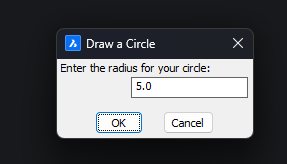
Test with DCL Dialogs
 0
0 -
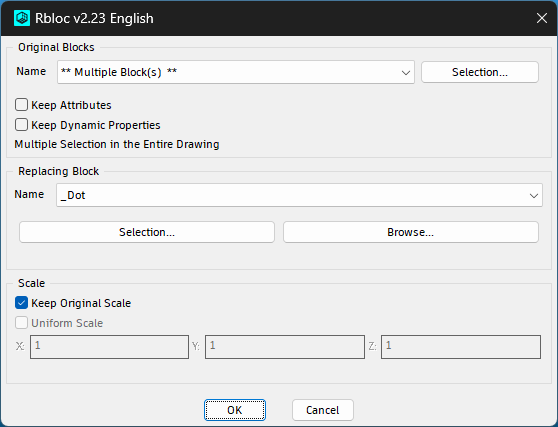
Confirmed v 1.2.1 in V27 displays dark titlebar in dcl dialogues, this is RBloc
 0
0
